
FRONTSTEPS Community & Caliber- Premium Sync
We’re updating this article. Some screenshots or names may look older than what you see in the product.
Customers with both FRONTSTEPS Community and FRONTSTEPS Caliber, that have the Premium Sync feature turned on for their Community will have certain data points available to sync more often than the standard nightly sync process.
These data points include:
If you need the change to occur sooner than that, the sync can be initiated once every 5 minutes and is triggered by having the user log in to the Community Portal. When a user logs in, these data points will be updated for the entire community.
For information on Preparing to Enable Premium Sync visit FRONTSTEPS Community & Caliber - Preparing to Enable Premium Sync
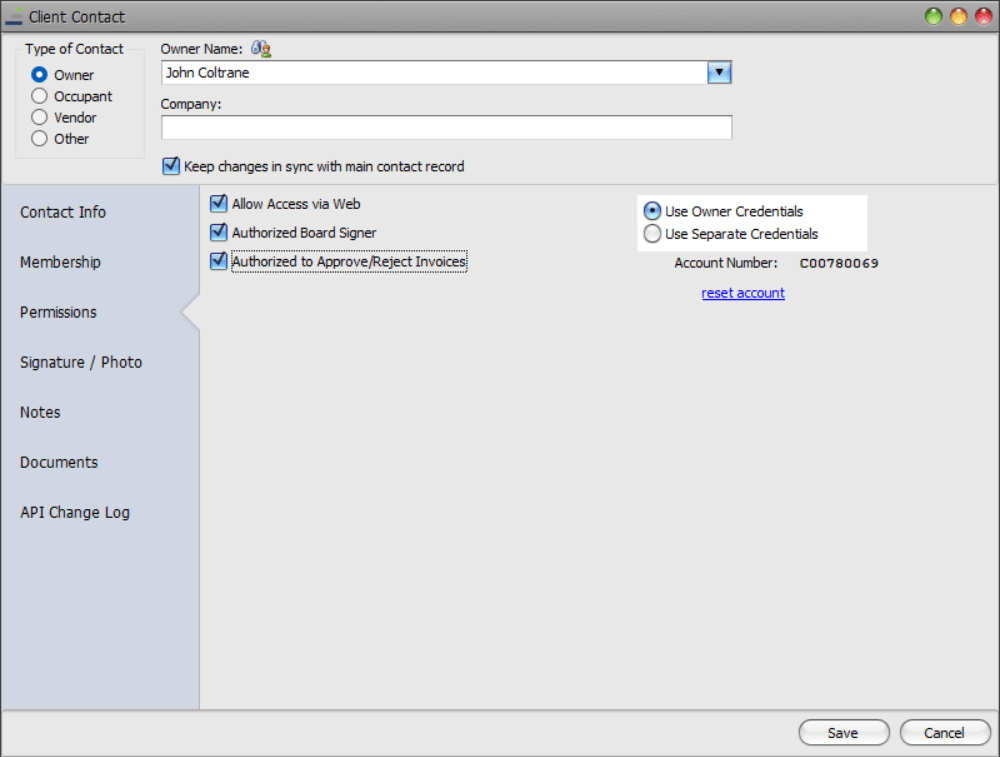
If we look at the ‘Permissions’ tab, we can see that John Coltrane has permissions granted to be a ‘Board Signer’ and ‘Invoices approver’:
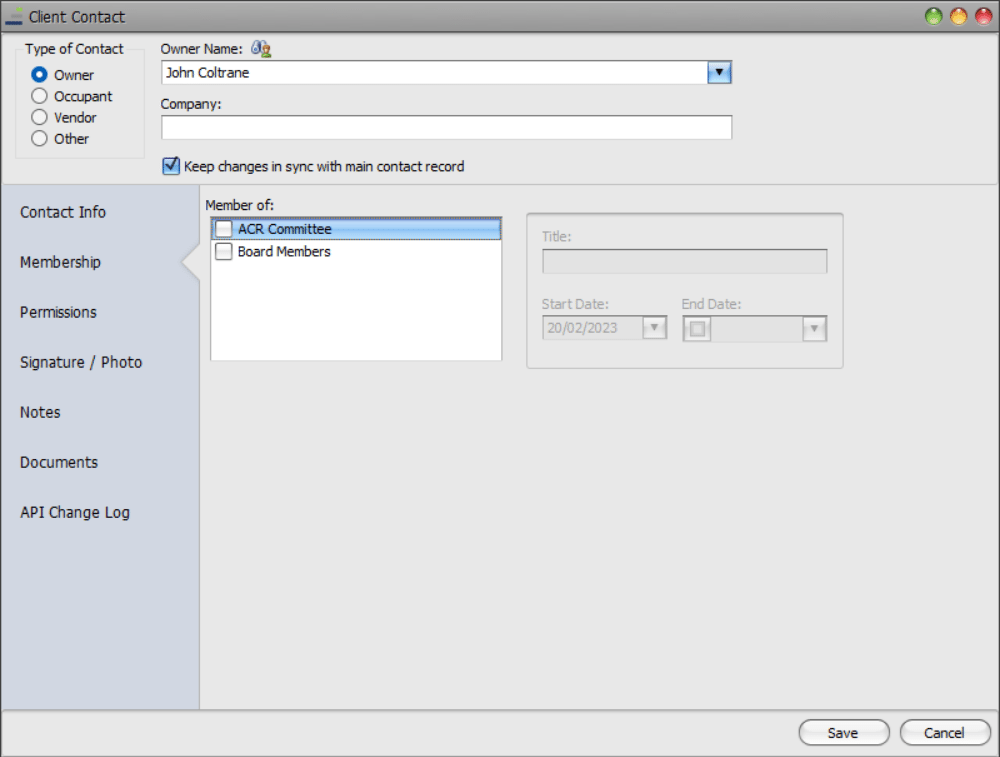
For this exercise, we have removed John Coltrane from both the ‘ACR Committee’ and the ‘Board Members’ groups within FRONTSTEPS Caliber:
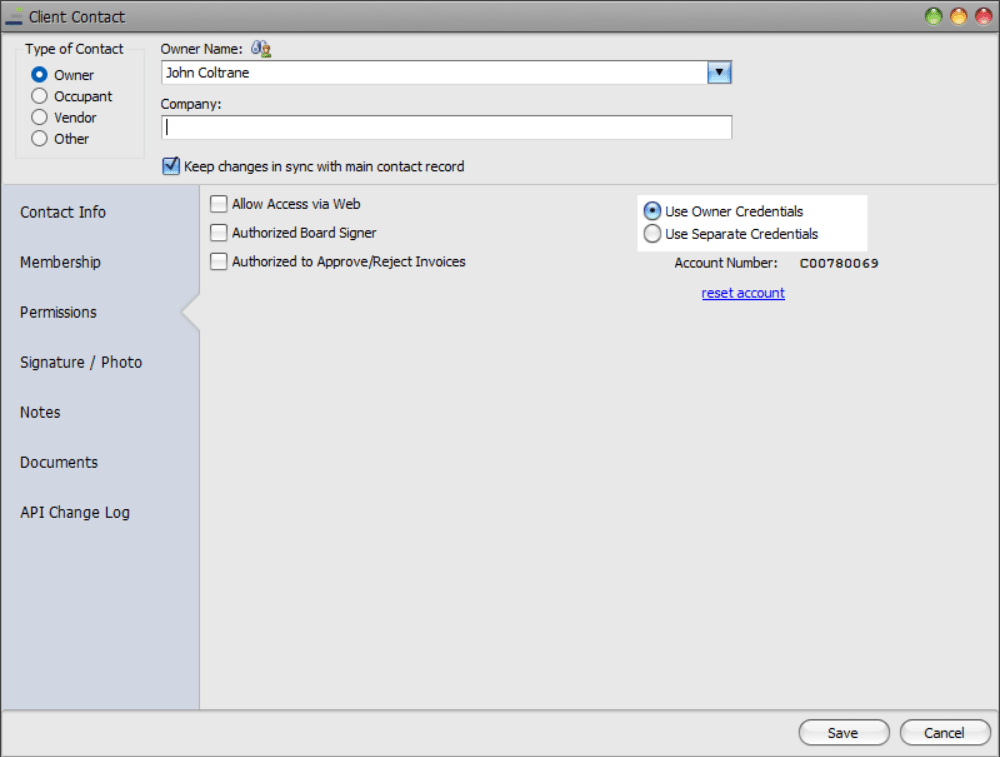
We have also revoked his permissions to be a ‘Board Signer and ‘Invoice Approver’.
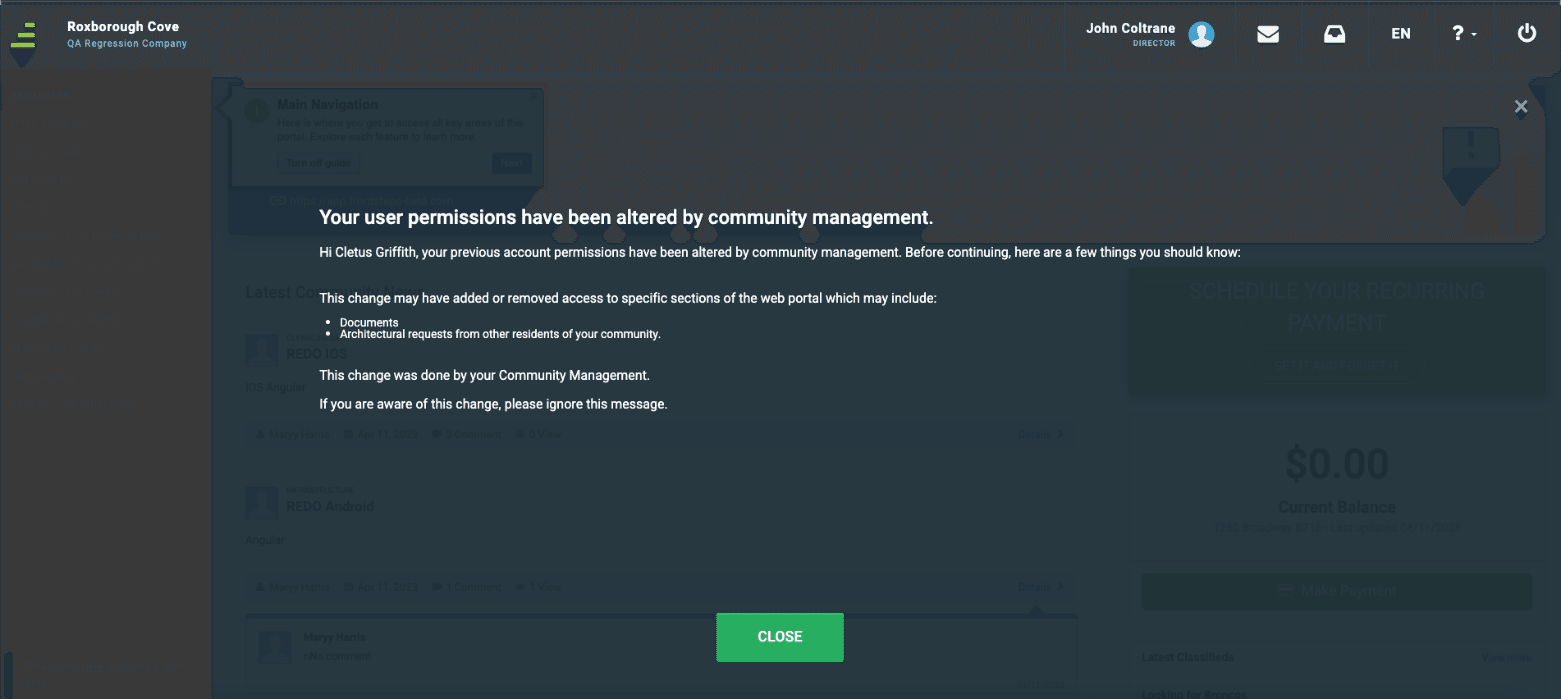
The next time the user logs into FRONTSTEPS Community, the sync process will be initiated and they will receive a notification message informing them that their permissions have changed.
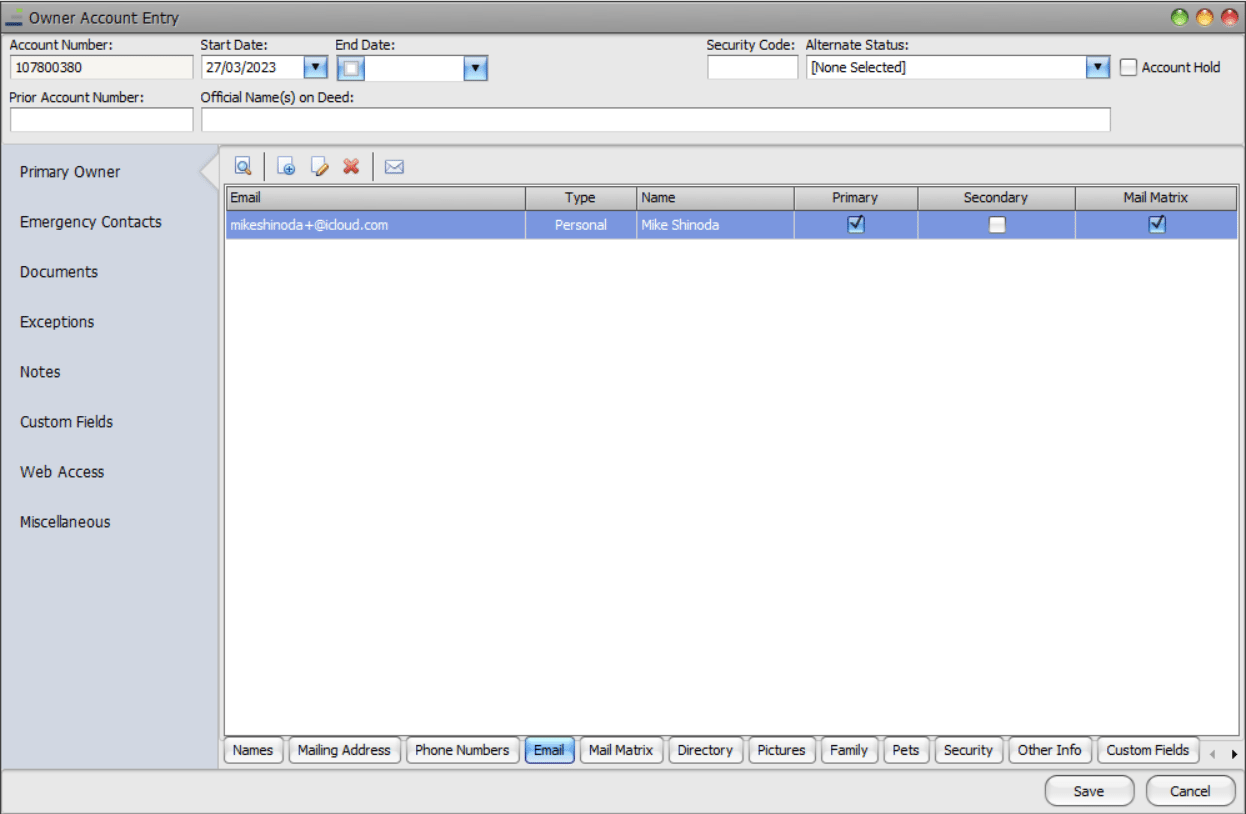
The data sync will look at the ‘Contact’ email address field in Caliber.
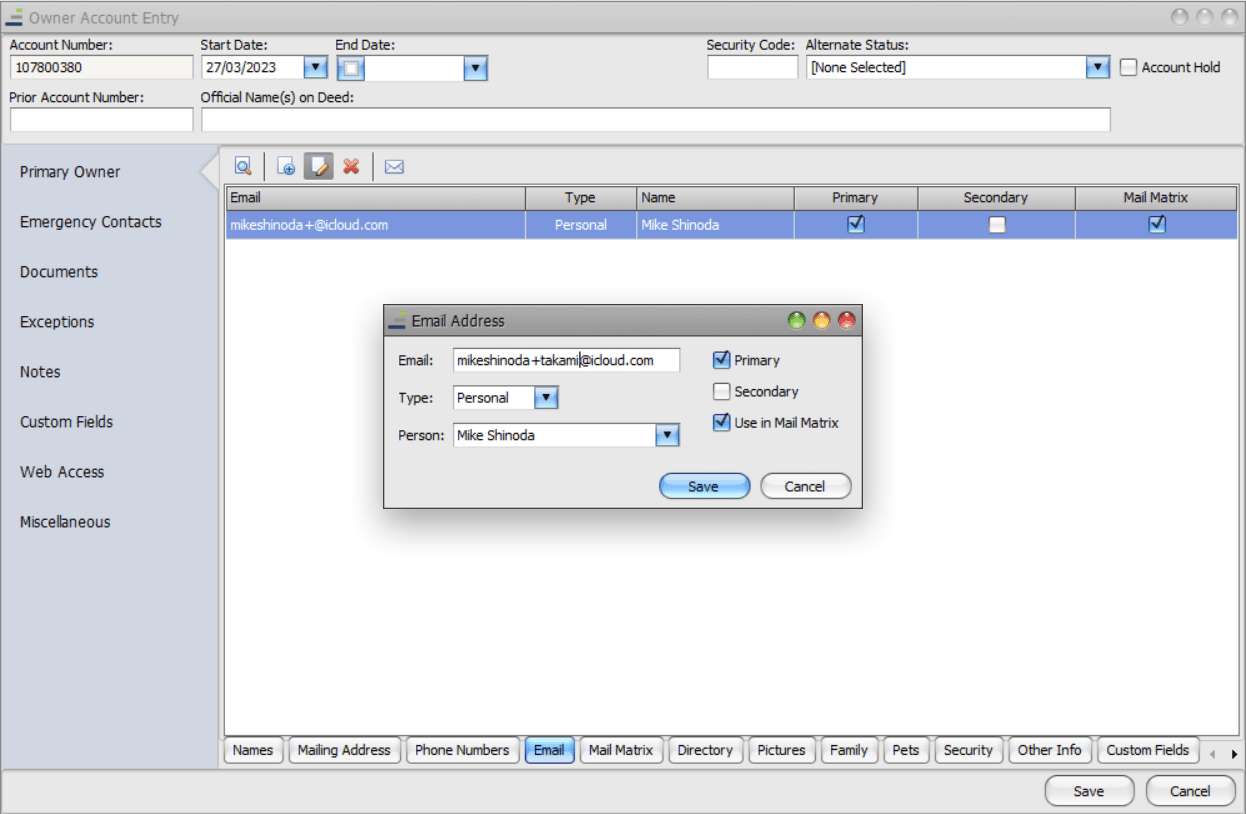
However, we update the email address within caliber to [email protected]:
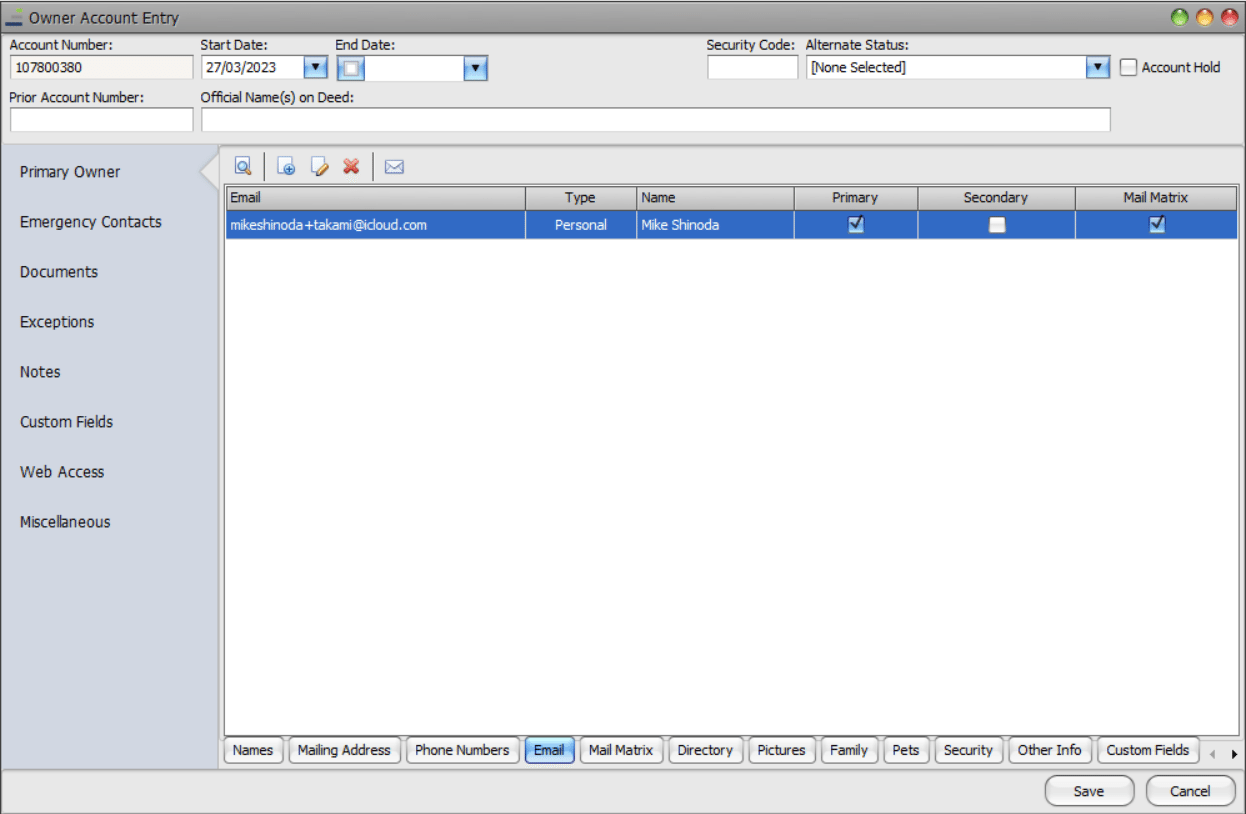
Once the sync is complete the User will be sent a confirmation email to the new email address that was entered. When the Users logs into FRONSTEPS Community they will receive 3 notifications: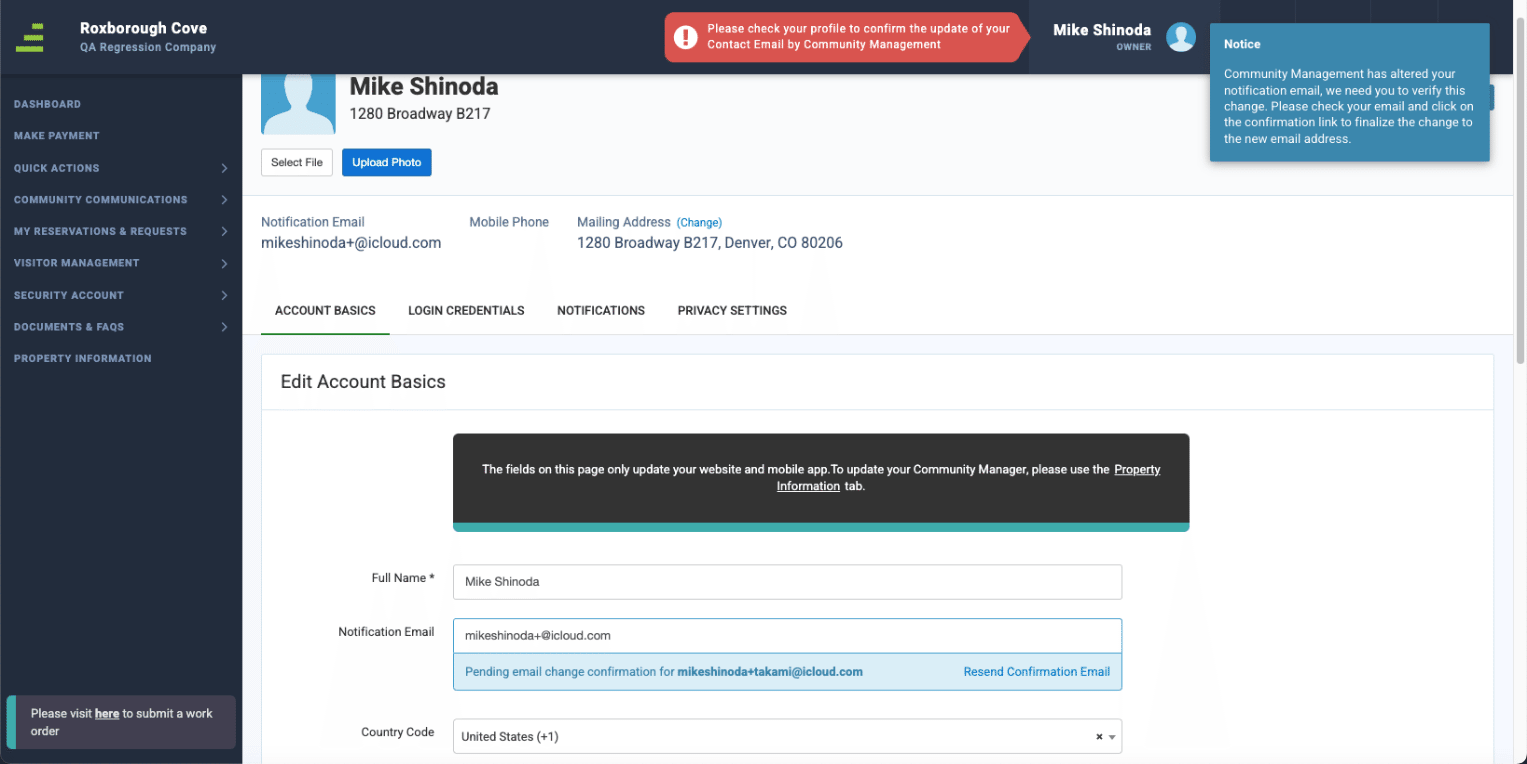
After the user clicks on the confirmation link within the email they receive, the change will be complete.

Please Note: This synchronization does not mean that the units or owners are created automatically in FRONTSTEPS Community. This still requires running the MIMO process already in place by the Delivery team. To learn more about this process view this article. Manager- Community & Caliber: How to Add an Account
These data points include:
- Permissions
- Email address changes
- Move In/Move Out
If you need the change to occur sooner than that, the sync can be initiated once every 5 minutes and is triggered by having the user log in to the Community Portal. When a user logs in, these data points will be updated for the entire community.
For information on Preparing to Enable Premium Sync visit FRONTSTEPS Community & Caliber - Preparing to Enable Premium Sync
Permissions
This functionality resolves any discrepancies between the FRONTSTEPS Community portal and the FRONTSTEPS Caliber database. This will look at the FRONTSTEPS Caliber database to see if there have been any changes to the:- Owner Role
- Membership groups
- Permissions
Below is an example of how the Permissions sync may look:
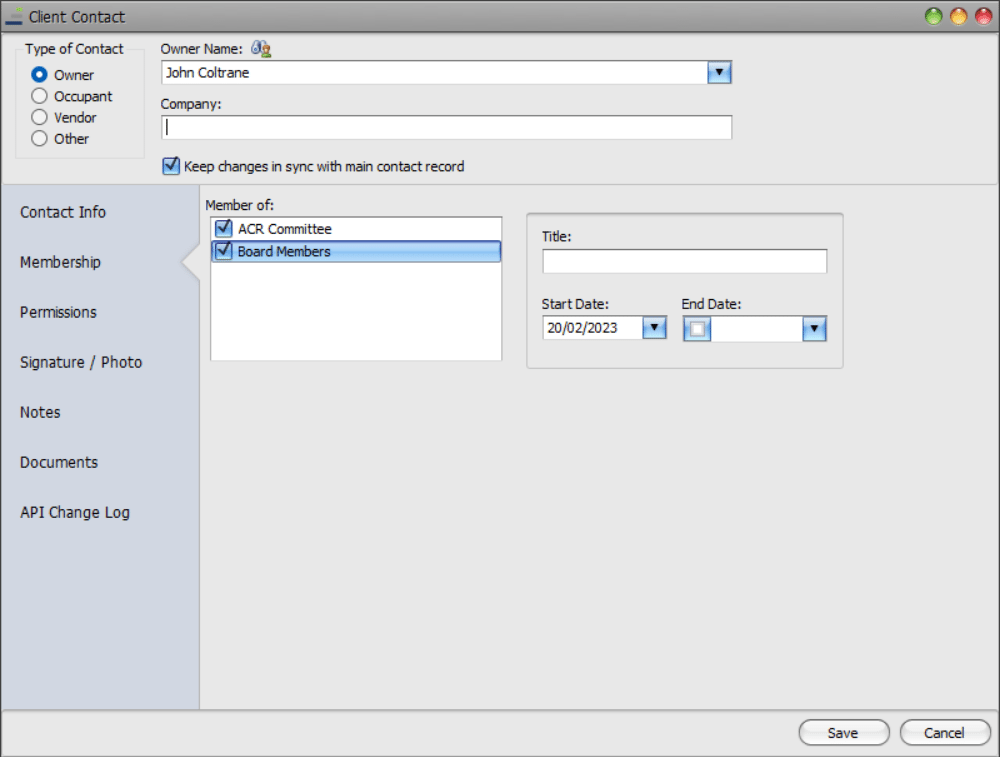
In this example we have John Coltrane, who is set up as a ‘Client Contact’ in FRONTSTEPS Caliber. He has been added as a member to both the ‘ACR Committee’ and the ‘Board Members’ groups.If we look at the ‘Permissions’ tab, we can see that John Coltrane has permissions granted to be a ‘Board Signer’ and ‘Invoices approver’:
For this exercise, we have removed John Coltrane from both the ‘ACR Committee’ and the ‘Board Members’ groups within FRONTSTEPS Caliber:
We have also revoked his permissions to be a ‘Board Signer and ‘Invoice Approver’.
The next time the user logs into FRONTSTEPS Community, the sync process will be initiated and they will receive a notification message informing them that their permissions have changed.
Email address changes
This will update the FRONTSTEPS Community portal with any email address changes that have been made within FRONTSTEPS Caliber.The data sync will look at the ‘Contact’ email address field in Caliber.
Below is an example of how the Email address sync may look:
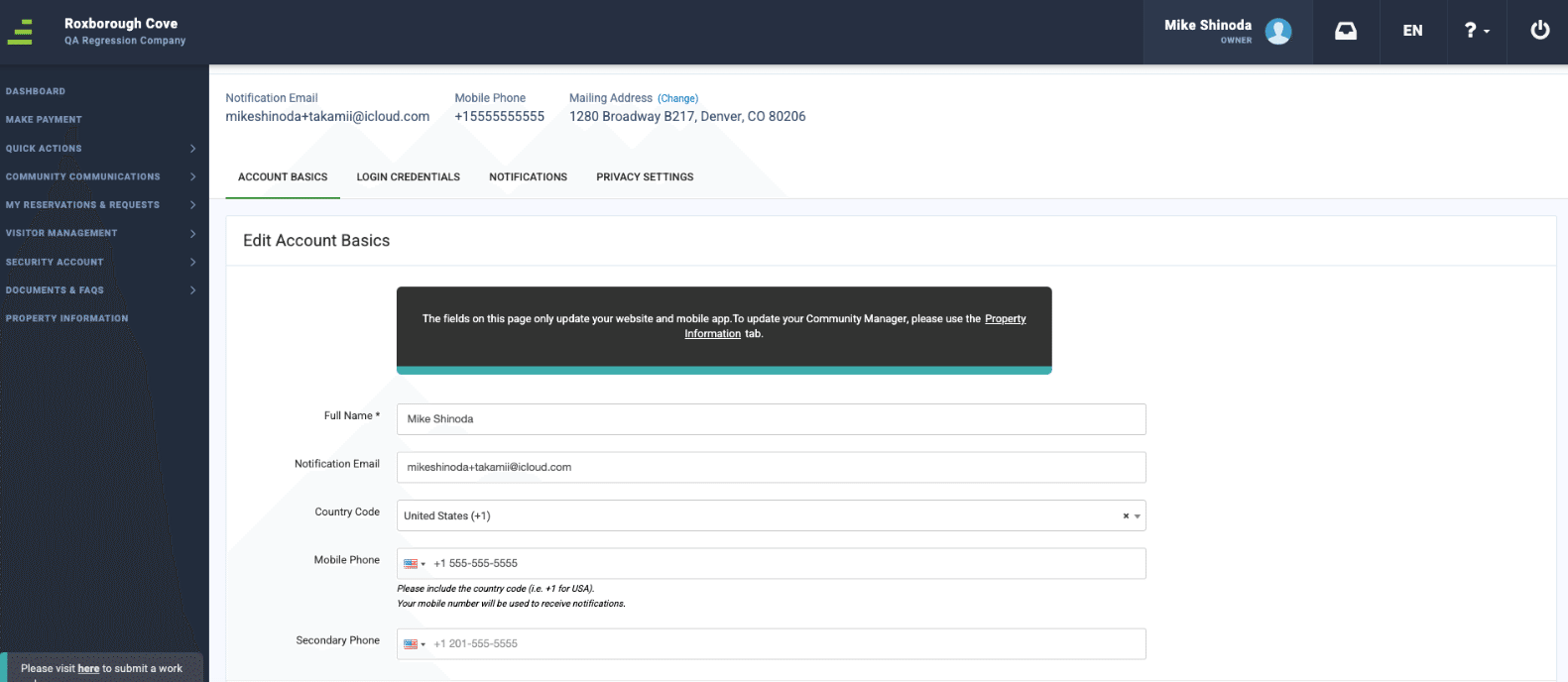
The homeowner Mike Shinoda is registered in FRONTSTEPS Caliber and FRONTSTEPS Community with the email [email protected]:However, we update the email address within caliber to [email protected]:
Once the sync is complete the User will be sent a confirmation email to the new email address that was entered. When the Users logs into FRONSTEPS Community they will receive 3 notifications:
- A Red flag at the top of the screen indicating they need to confirm their Contact Email within their Community Profile.
- A Blue toast message at the top right of the screen informing them that Community Management changed their email and that they need to check their inbox to verify their email to finalize the change.
- When navigating to their Community Profile a blue message will appear behind the email field letting them know there is a pending change and providing the option to resend the confirmation email.
After the user clicks on the confirmation link within the email they receive, the change will be complete.
Move in / Move out
This function will update FRONTSTEPS Community with any new Unit or Owner information that is added within FRONTSTEPS Caliber.As an example:
4 new units were created in Caliber and one the sync is complete they will show in the record log.Please Note: This synchronization does not mean that the units or owners are created automatically in FRONTSTEPS Community. This still requires running the MIMO process already in place by the Delivery team. To learn more about this process view this article. Manager- Community & Caliber: How to Add an Account