
Resident- Self Registration Process
Purpose:
To walk through the self-registration process for owners, tenants, and directors in FRONTSTEPS Community.
Before You Begin:
- This process does not apply to those with a Manager/Admin role in the community.
- Self-registration is enabled on a community-by-community basis. If you do not see the options below to self-register, then try the steps outlined here or contact your Community Manager. If you are a Community Manager and want to enable this feature, please contact FRONTSTEPS support.
- Self-registration will only work if you have been added to the community Directory by your Community Manager and if the information you provide, matches the Directory.
- If you have previously registered, the self-registration process will not work. It is recommended that you go back to the login page and click on the Forgot Password? link to reset your password.
How to Self-Register:
- Navigate to the FRONTSTEPS Community portal log in page and click Register Now:
Note: If you aren't sure how to get to your portal, or if there is no Register Now button, contact your Community Manager.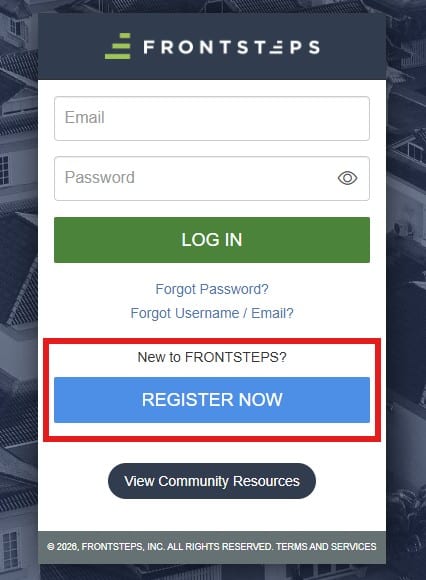
- Fill out the required fields (designated by the asterisk* symbol):
Note: It does not need to be an exact match (with the exception of the Email field).
Example: "4356 Main Street" and "4356 Main St." will be recognized as a match.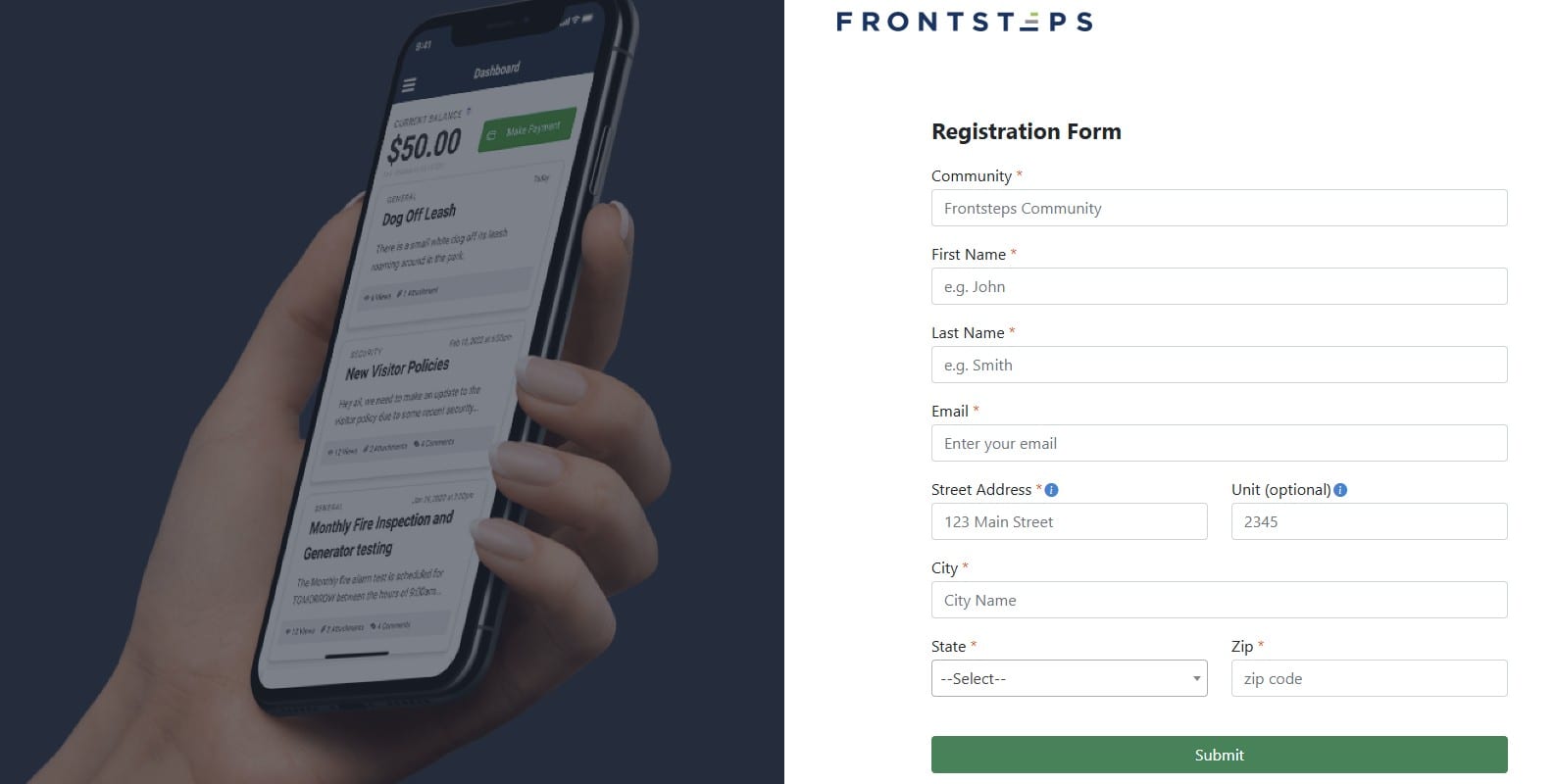
- Click Submit:
- Successful Match: If the info you provided matches the info in the portal, you will be asked to create a password and log in:
Note: Password must be at least 8 characters and include 1 uppercase letter, 1 lowercase letter, 1 number, and 1 special character.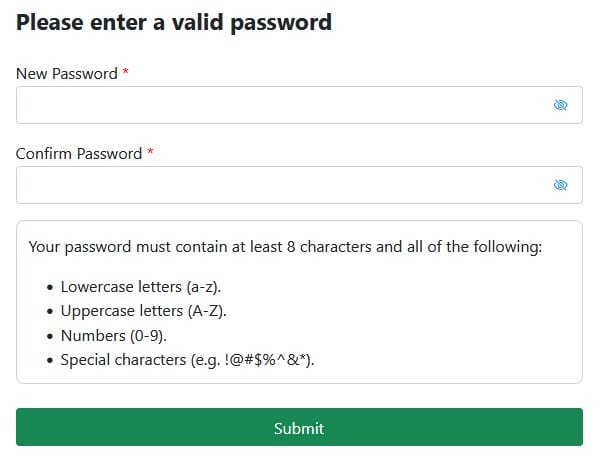
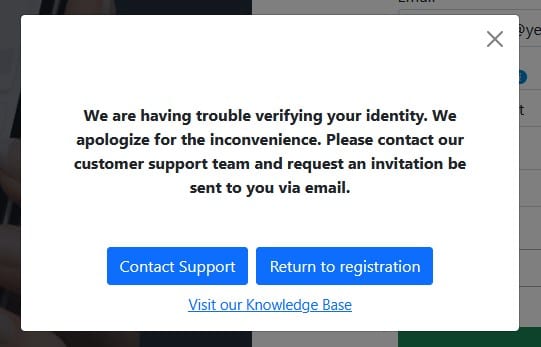
- Failed Match: If the info you provided does not match, you will be prompted to Return to Registration and try again or Contact Support. If you choose to Contact Support, you will be presented with an online form to fill out that asks you for basic information (Name, Email, Phone, Community Name, Address) and will be sent to our resident support team for assistance.
- Successful Match: If the info you provided matches the info in the portal, you will be asked to create a password and log in: