Zebra DS8178 Hand Scanner Configuration for scanning Drivers Licenses
We’re updating this article. Some screenshots or names may look older than what you see in the product.
ZEBRA DS8178 HAND SCANNER CONFIGURATION FOR SCANNING DRIVER’S LICENSES
-
Install Hardware
Connecting the Scanner
-
Connect scanner base station to power supply
-
Connect scanner base station to PC with supplied USB cable
-
Place scanner into base station to start charging battery
Note: Allow scanner’s batteries to charge for 8 hours before removing from base station.
-
Program Scanner for Driver’s License Compatibility
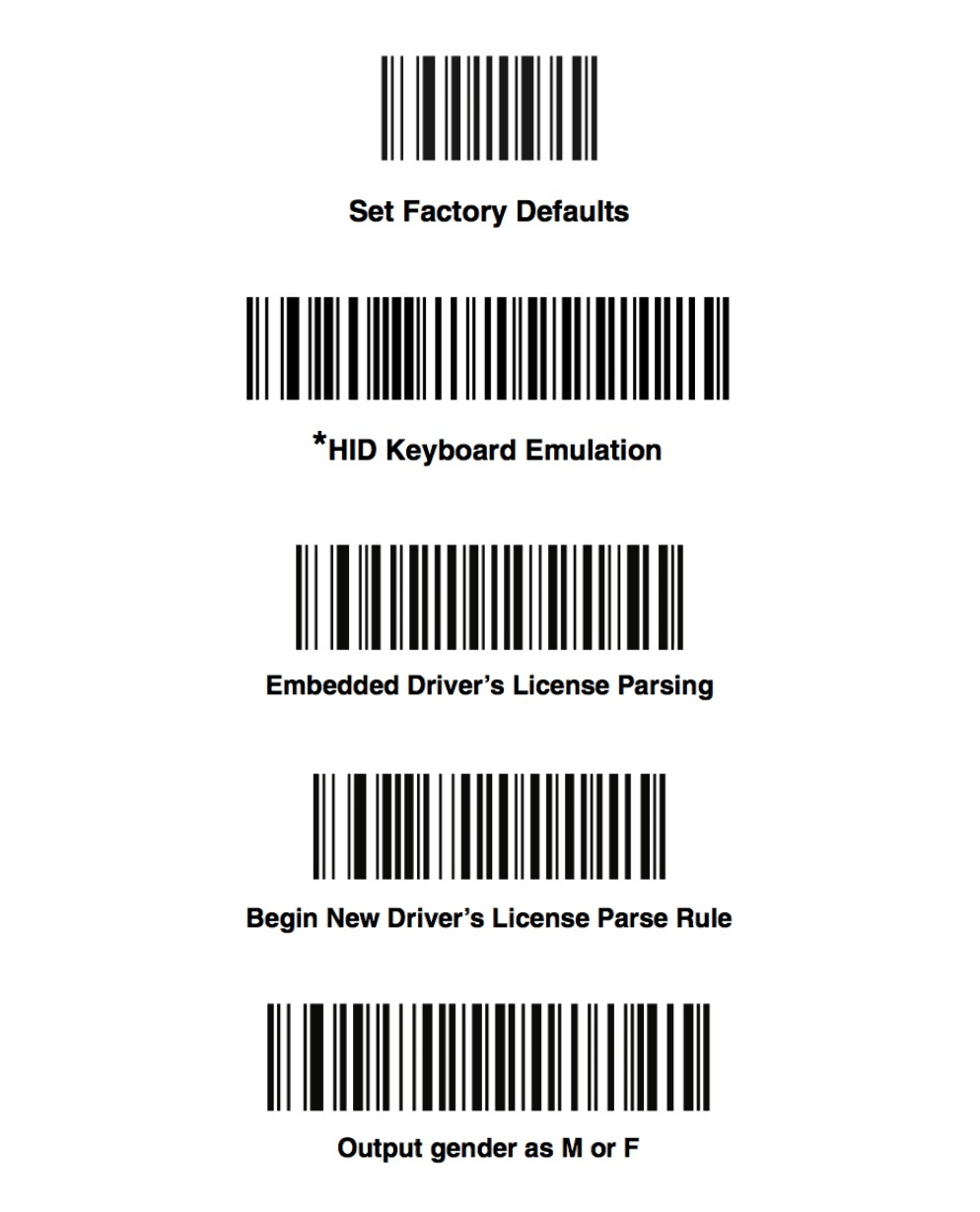
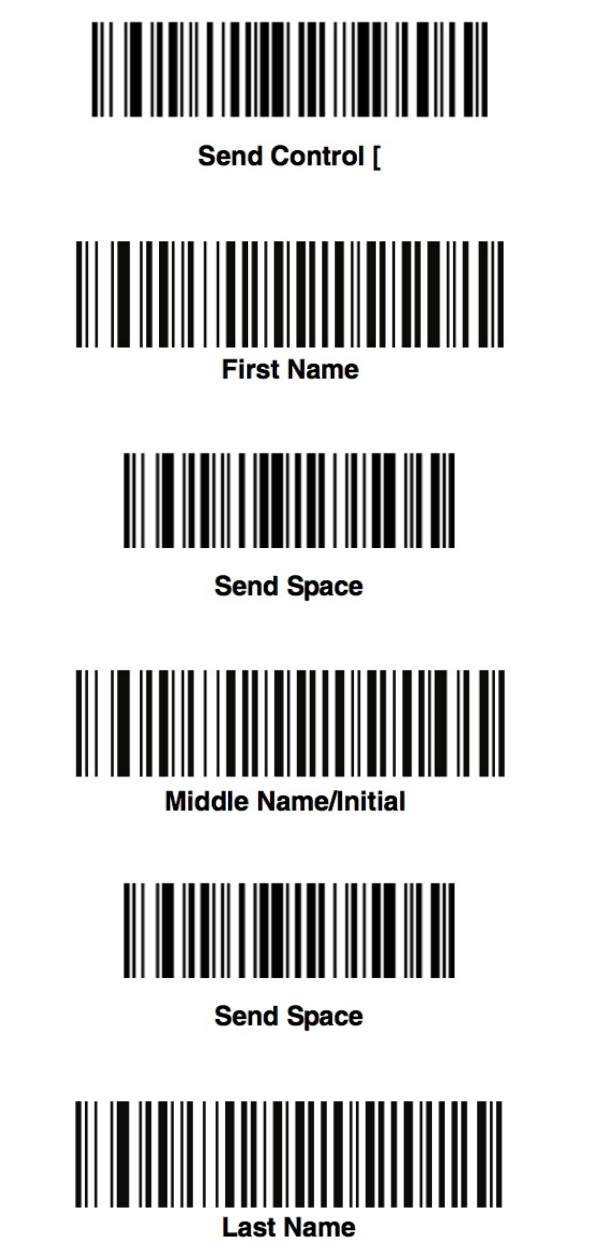
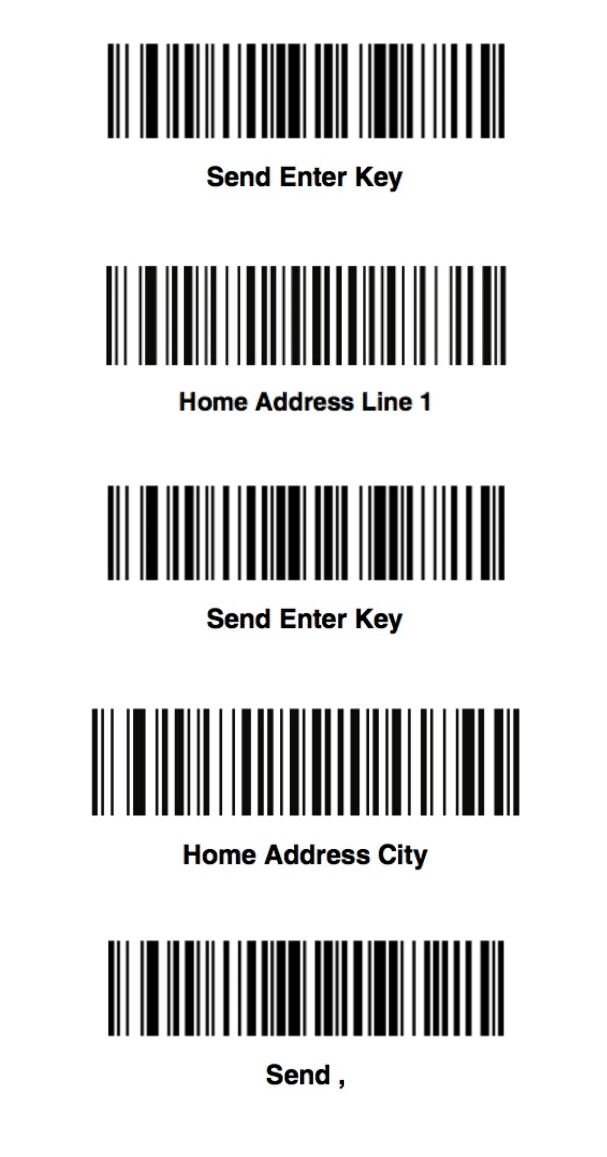
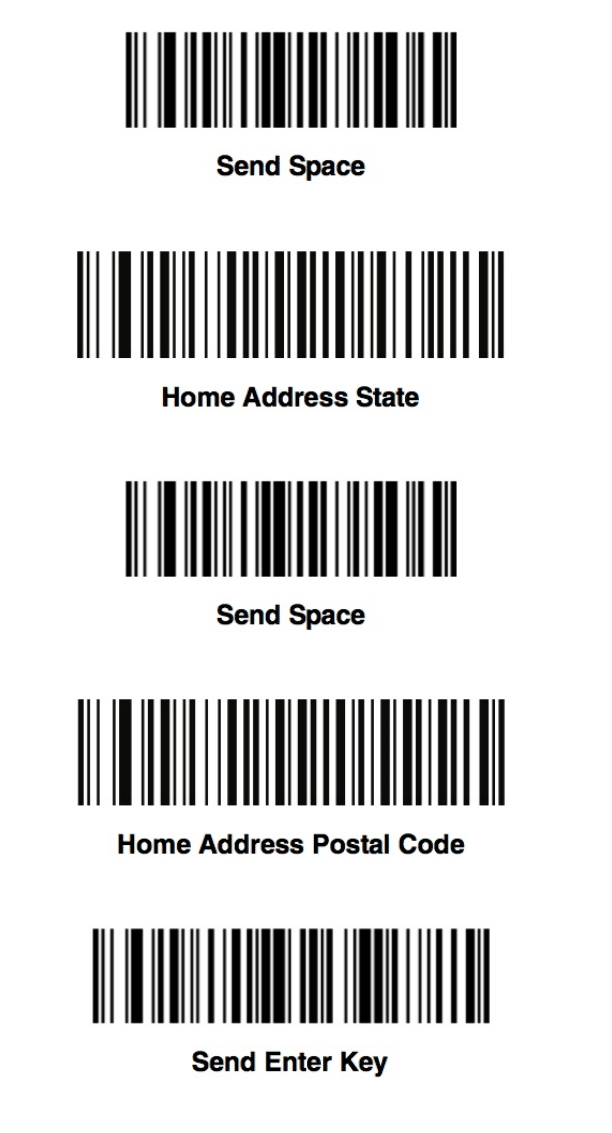
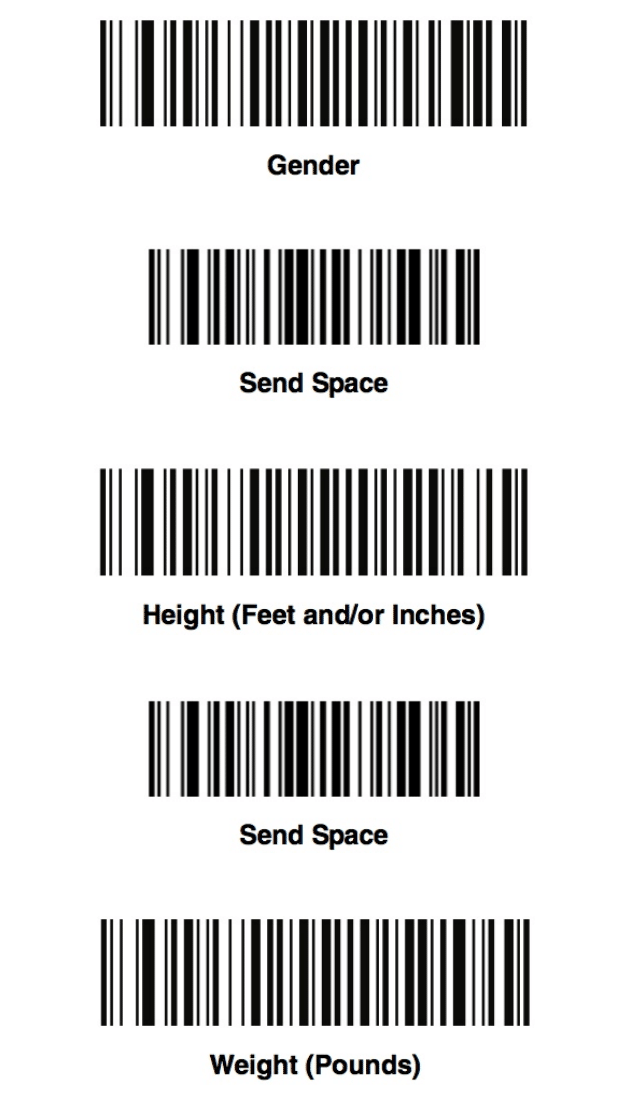
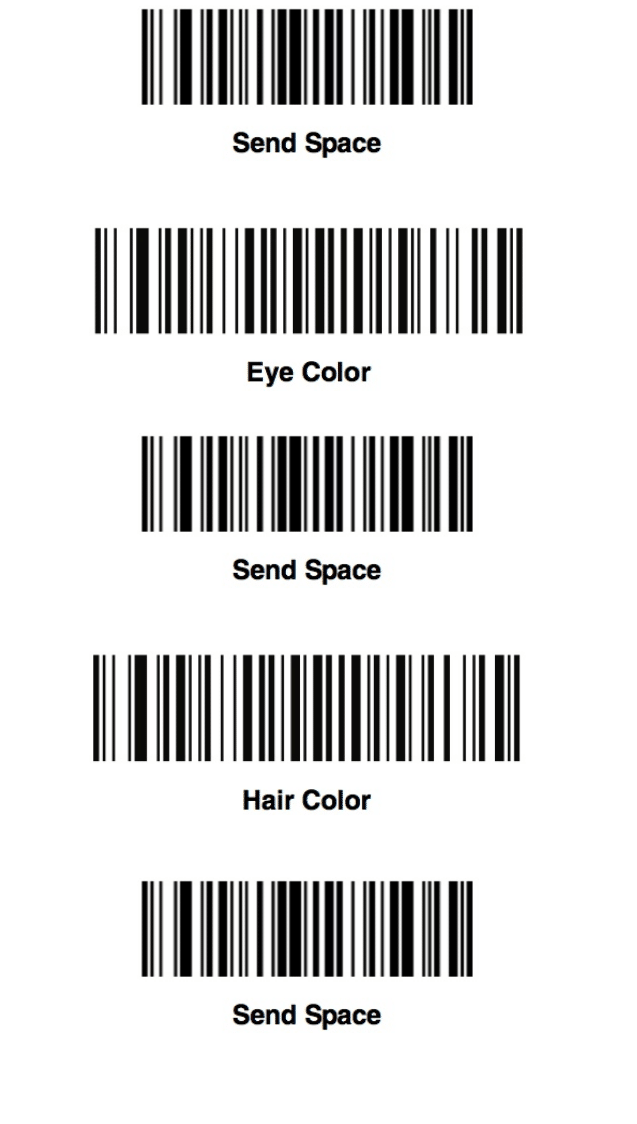
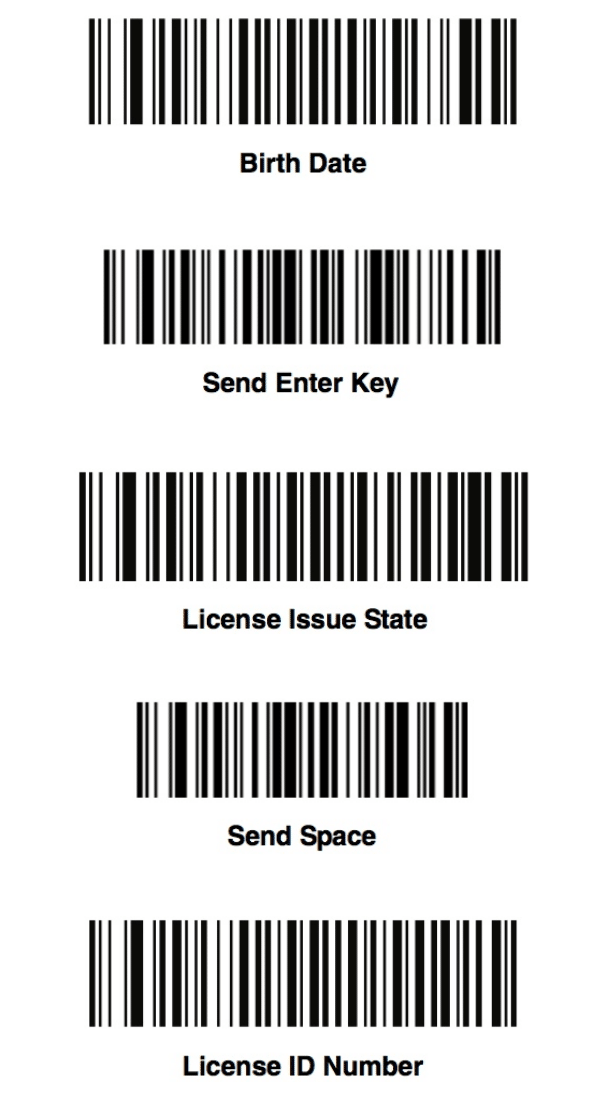
Use the light and sound codes as a reference to detect if the settings were successful. Scan each of the following barcodes in order. If there is an error, start the process over.
NOTE: best results when barcodes are printed out.