
View Unit Details
To access a specific owner or unit information use the ‘Unit List’.
To open the Unit List click on the Client/Community name. This will display all groups for that Client.
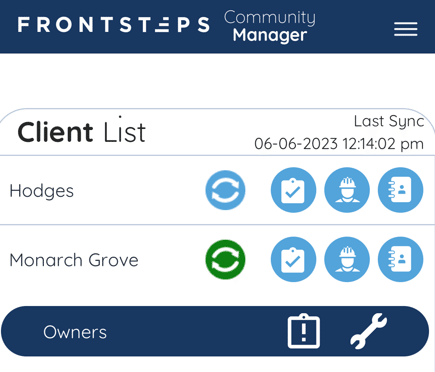
To open the Unit List tap on the ‘Clipboard’ icon to the right of the Group name you would like to view.
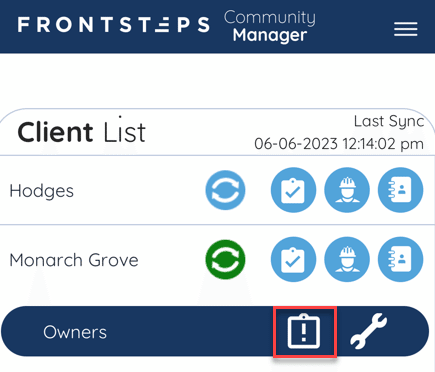
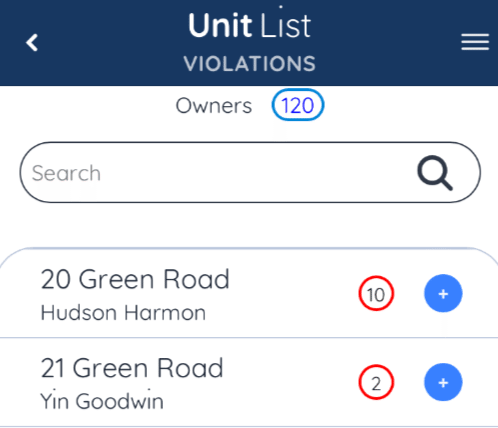
This will display the ‘Unit List’, including the Owner name and Violation counts for each unit.
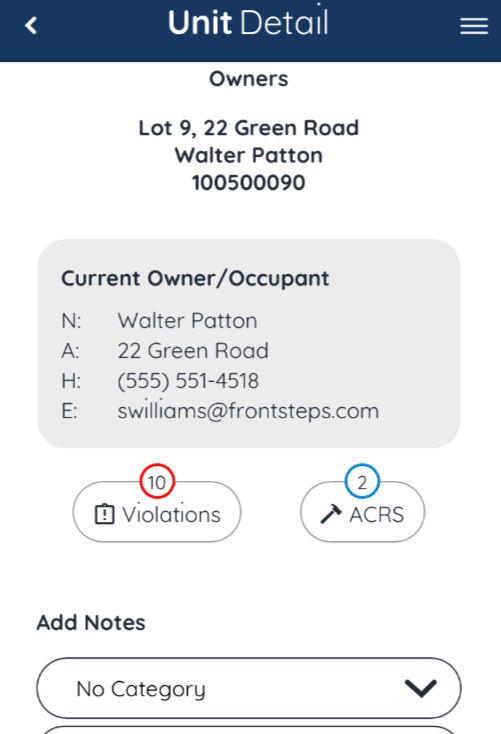
Within the Unit Details you will be able to see the Current Owner and Occupant information, as well as number of Violations, Work Orders and Architectural requests. From here you will also be able to add and view unit notes.
To open the Unit List click on the Client/Community name. This will display all groups for that Client.
To open the Unit List tap on the ‘Clipboard’ icon to the right of the Group name you would like to view.
This will display the ‘Unit List’, including the Owner name and Violation counts for each unit.
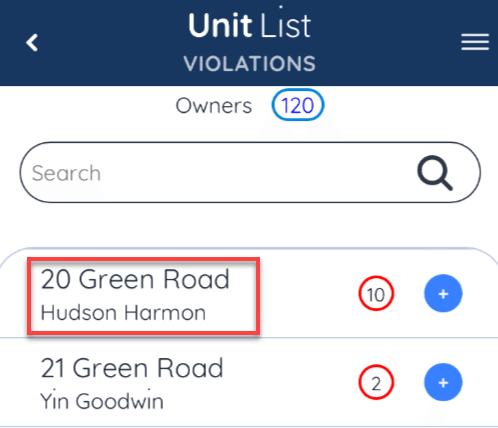
To view ‘Unit Details’ tap on the Unit address.
Within the Unit Details you will be able to see the Current Owner and Occupant information, as well as number of Violations, Work Orders and Architectural requests. From here you will also be able to add and view unit notes.