
Admin - Setting Up Guest Registration by Phone
We’re updating this article. Some screenshots or names may look older than what you see in the product.
Guest Registration by Phone is a feature in dwellingLIVE that allows residents to register guests by calling in to an automated system. This feature can only be enabled by Community Administrators.
Steps
1. Log into community.dwellinglive.com as a Community Administrator.
2. Select Settings from the Visitor Management drop-down menu.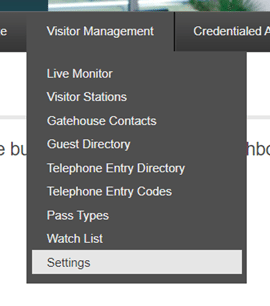
3. Go to Homeowner Settings on the right side of the screen and check the box next to Allow Guest Registration by Phone.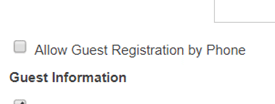
4. Select “Request New Phone Number” to proceed to phone number registration.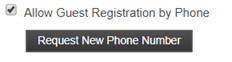
5. In the Phone Number Registration window input an area code specific to the Community’s location, then select “Search”.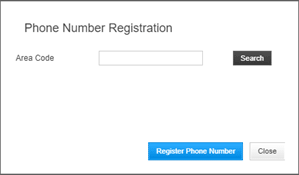
6. Select a number from the phone number drop-down, then select “Register Phone Number”.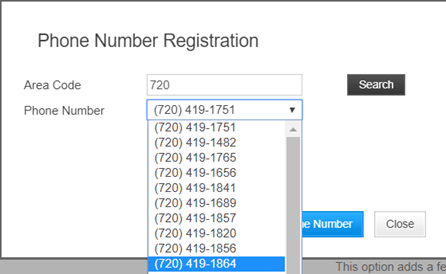
\
7. Choose a subscription: Voicemail or Automated Voicemail. Descriptions of each appear below each subscription.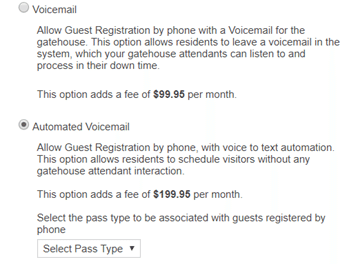
8. Select “Save” at the bottom of the Settings page when complete.