
Resident - Sending an Email to Group Members
This feature allows Site Administrators/Leaders to send emails only to Group Members. There is an unsubscribe link within every email that allows Group Members to unsubscribe from future Group emails. Unsubscribing from email communication does not affect their membership to the Group Page.
- Go to the Group Page List and click on the name of a Group Page.
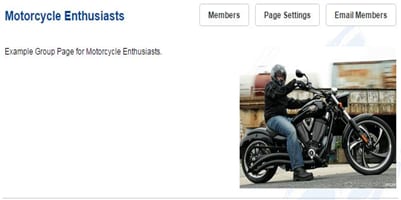
- Click the Email Members button.
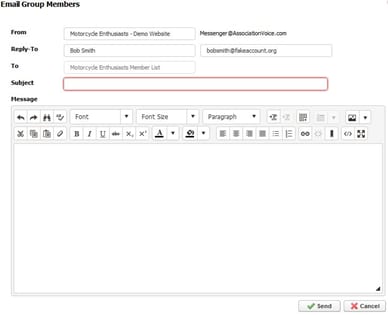
- In the Email Group Members window, contains the following:
- From: Displays the Name in the From field of an email
- Reply-To: Respond to Name and email address for the email
- To: Auto-filled – Goes to all Group Member (cannot edit this field)
- Subject: Field to enter the subject of for the email
- Message: Content of the email which has a full websites editor to format any create your message
- Send: Sends an email to all Group Members