
Resident - Web Portal: Notification Settings
We’re updating this article. Some screenshots or names may look older than what you see in the product.
Background
The Notification Settings have been upgraded to now integrate with the dwellingLIVE by FRONTSTEPS Secure Resident Web Portal. The purpose of this feature is to no longer require the selection of the cellular provider. This will enhance SMS notifications to be more reliable.Notes
- The feature is available to all users as follows:
- Residents, Owners, Tenants and Members
Features
This enhancement provides the following features:
- Set Notification Preferences to email, text or both. The provider field has been eliminated.
Notification Settings
The Notifications Settings allow the homeowner to decide how they prefer to be informed when a when a notification is triggered (Email or Mail).
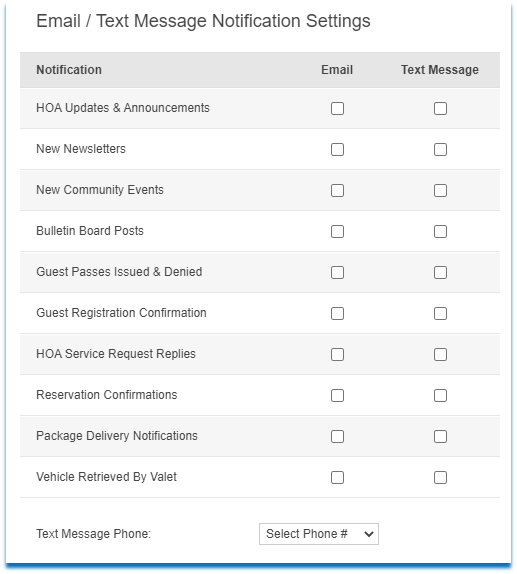
To Set Notification Settings:
- Log in
- Select My Account.
- Select Edit next to your user details.
- The user checks their notification preference (Email and/or Text Message).
- Select the Text Message Number from the drop down. The provider has been eliminated.
- Then selects Save Changes.