Resident - User Login Name Recovery
We’re updating this article. Some screenshots or names may look older than what you see in the product.
Background
Residents may forget their FRONTSTEPS login user name, which then prevents them from logging into the FRONTSTEPS system.This new feature provides Residents with the ability to recover their user name through the login page, using a few easy steps.
Notes:
- The Password Recovery process requires the contact phone number that is in the Mobile Phone field on the Resident User Profile.
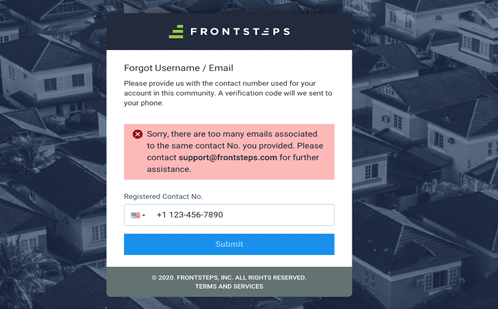
- It is possible that more than one user profile contains the same contact phone number. For example, spouses may have separate FRONTSTEPS accounts, with separate associated emails, but the same contact phone number. In this case the system will not be able to determine which user profile the User Recover request pertains to. In that situation, please contact your Community Manager or FRONTSTEPS Customer Support.
Requesting Your FRONTSTEPS User Name
Access your Community Login web page.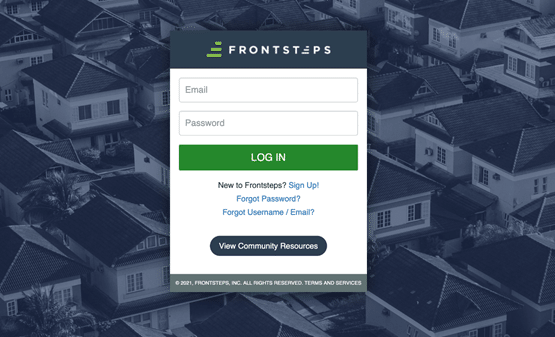
- Select Forgot Username/Email?
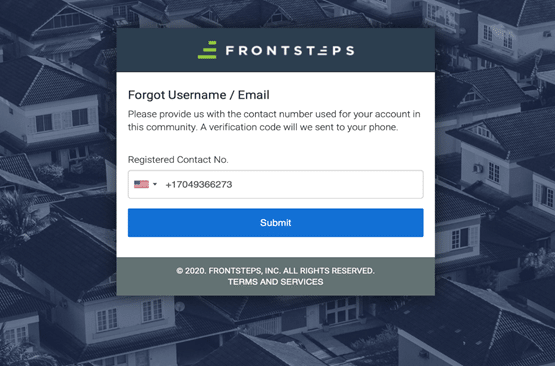
- Enter the contact number that is in your FRONTSTEPS User Profile, located in the Mobile Phone field. Select Submit.
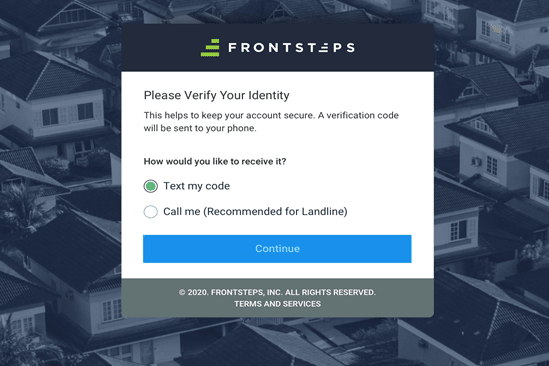
- Select the method through which you want to receive a Verification Code to verify your identity as the account owner.
- Text my code – receive the Verification Code through a text sent to your mobile phone.
- Call me (Recommended for landline) – receive a phone call with the Verification Code.
- Select Continue to receive the Verification Code.
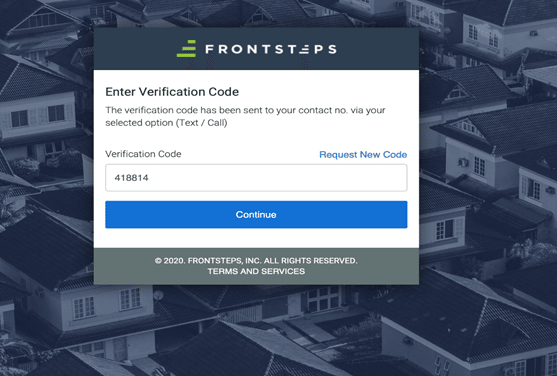
- Enter the Verification Code in the Verification Code field. Select Request New Code to repeat the process if needed. Select Continue.
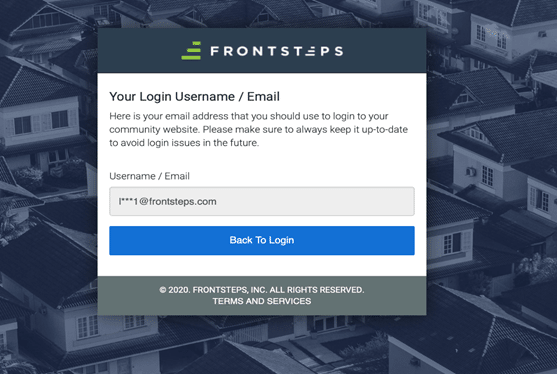
- Your User Name appears in coded format. Select Back to Login to complete the login process.
Error Messages
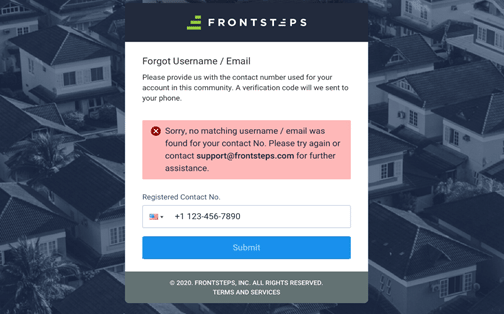
- The following window will appear if you enter a phone number that does not match the contact phone number from your User Profile. If you are unsuccessful with repeated tries at entering the phone number, contact your Community Manager or FRONTSTEPS Support for assistance.
- The following window will appear if the system detects more than one FRONTSTEPS account associated with the phone number being entered. Contact your Community Manager or FRONTSTEPS Support for assistance.