
Resident- Updating Login Email
User’s can edit their Community Portal Login Email and Reset their password.
It is important to note that Managers do not have the ability to edit Users Login Email Address/Username.
To perform these actions Users should navigate to their avatar in the upper right corner and click ‘View Profile’.
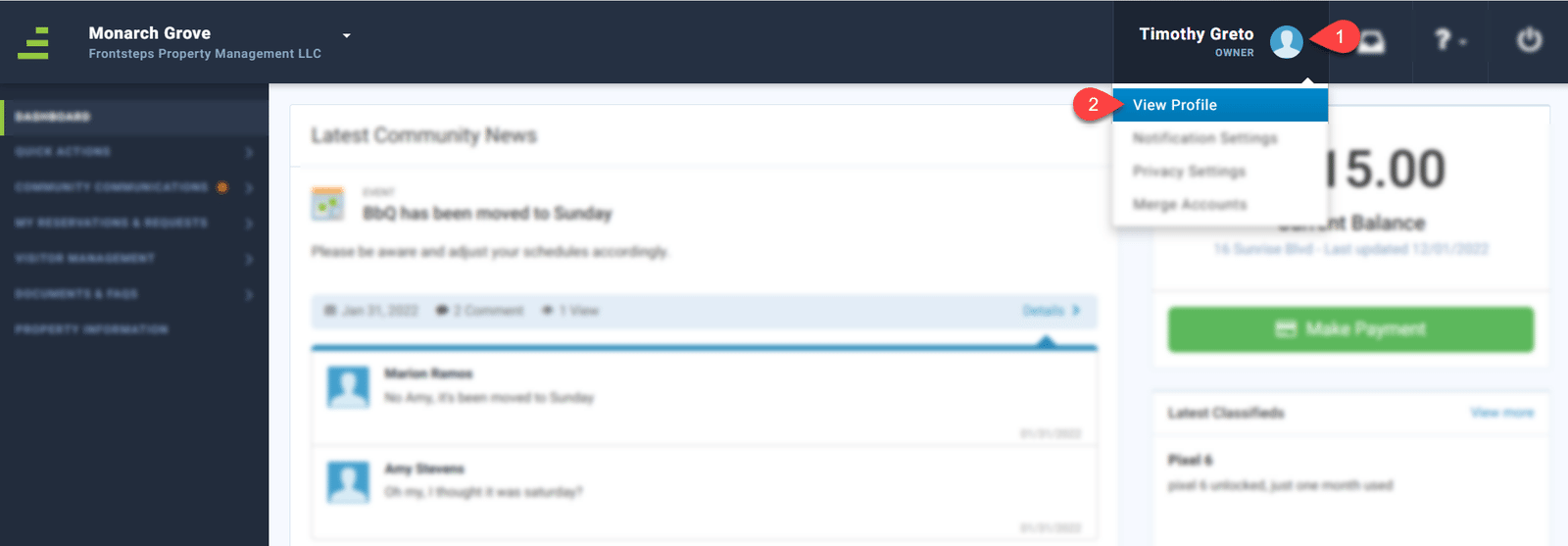
Click on the ‘Login Credentials’ tab.
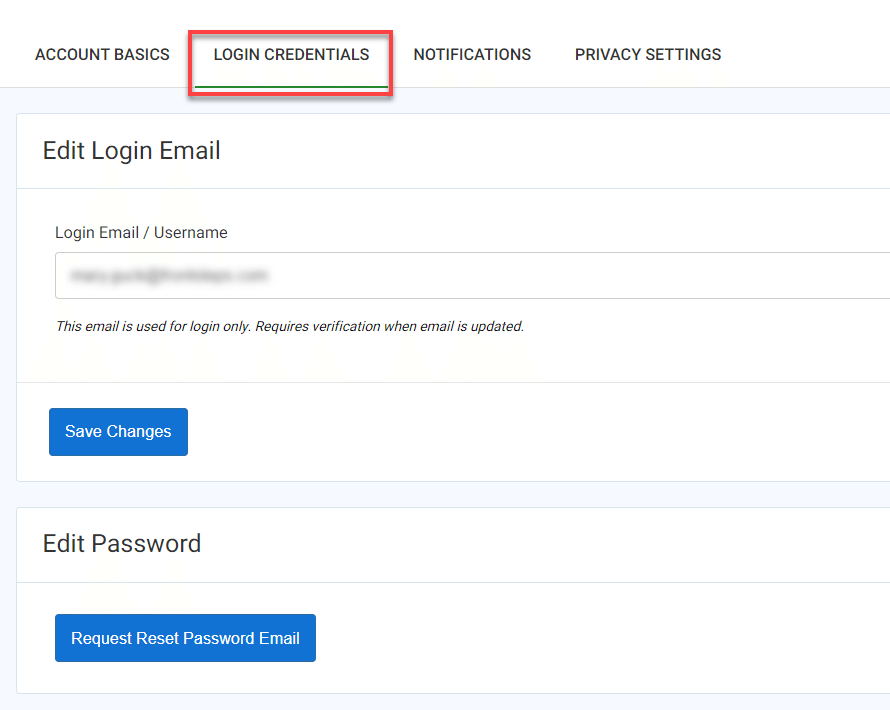
From here Users can edit their Login Email/Username. Please note that this updates only the Users Login Email address and not the Notification Email address (located on the Account Basics tab). The User must also verify any changes to this email address.
Users may also request to reset their password.
It is important to note that Managers do not have the ability to edit Users Login Email Address/Username.
To perform these actions Users should navigate to their avatar in the upper right corner and click ‘View Profile’.
Click on the ‘Login Credentials’ tab.
From here Users can edit their Login Email/Username. Please note that this updates only the Users Login Email address and not the Notification Email address (located on the Account Basics tab). The User must also verify any changes to this email address.
Users may also request to reset their password.