
Resident- Update Information
This article describes how Residents who are a part of a Community that use FRONTSTEPS Community WITHOUT a FRONTSTEPS Caliber integration should update their profile/property information.
Using the FRONTSTEPS Community Portal the Resident will navigate to their profile settings by clicking their avatar and then selecting ‘View Profile’
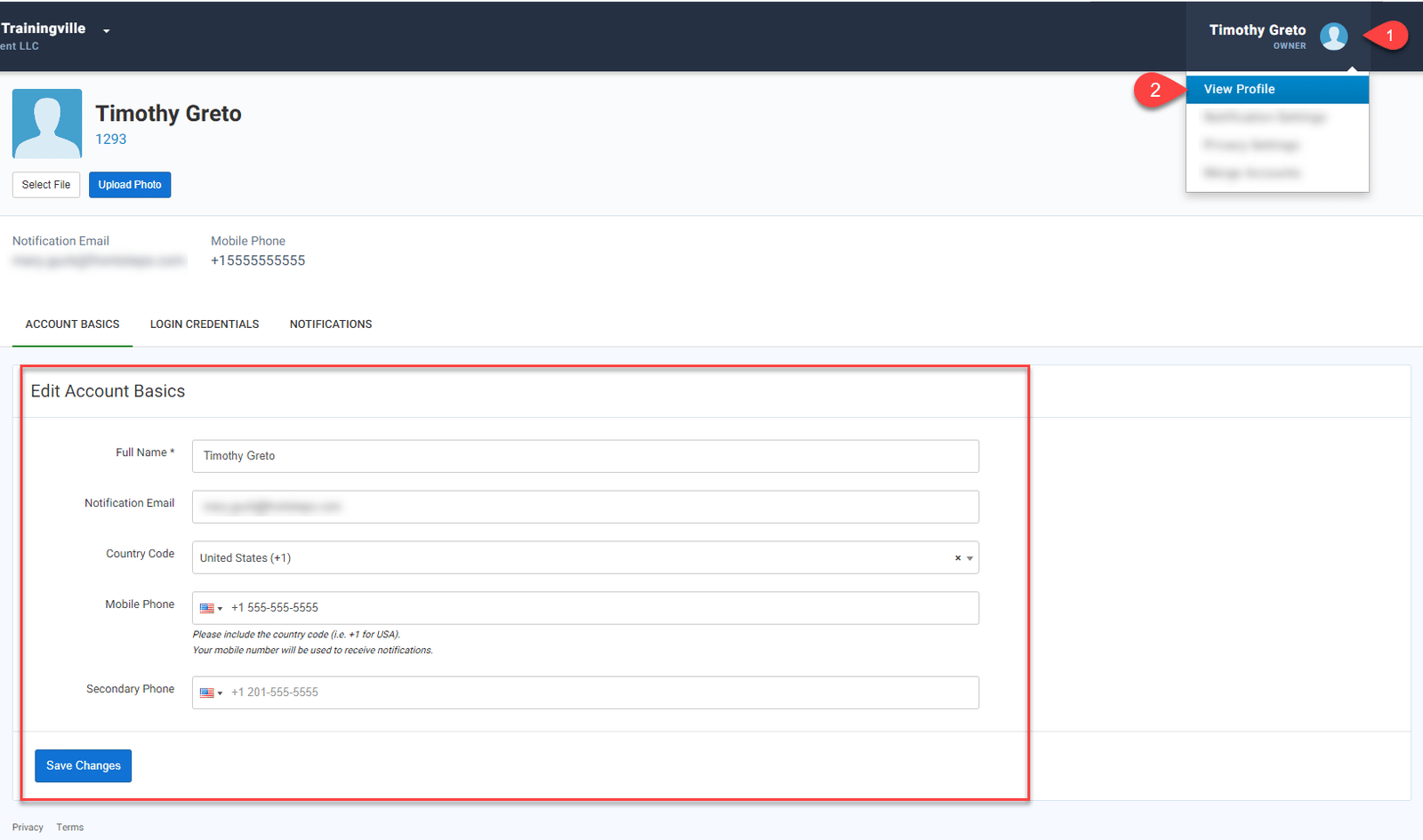
This will take to the Resident to their ‘Account Basics’ where they can edit their Name, Email, Phone and/or number(s).
Once any changes have been made, click the ‘Save Changes’ button.
This will also update the information within the FRONTSTEPS Mobile App.
Using the FRONTSTEPS Community Portal the Resident will navigate to their profile settings by clicking their avatar and then selecting ‘View Profile’
This will take to the Resident to their ‘Account Basics’ where they can edit their Name, Email, Phone and/or number(s).
Once any changes have been made, click the ‘Save Changes’ button.
This will also update the information within the FRONTSTEPS Mobile App.