
Resident - Stale Login Page Bookmark Error Enhancement
We’re updating this article. Some screenshots or names may look older than what you see in the product.
Background
Residents frequently bookmark their Community Login page to use as a quick reference for logging in at a later date. Each visit to a Login page is given a unique token, which can go stale and result in an error page when someone attempts to reach that same token again. This means bookmarked Login pages aren't always helpful and can result in an error page which leaves Residents wondering how to access their Community portal.This error may also occur when the user selects the Back button, refreshes the page during login, or has opened too many login dialogs.
This new feature will recognize the Login page a Resident is trying to reach, and automatically give them a fresh Login URL for their Community portal. When the Resident encounters the error page, all they have to do is click the new Login link provided for them to be redirected to the Login page they were trying to reach.
Using the Fresh Login Link Generated by Stale Bookmark Login Attempt
When attempting to log into the FRONTSTEPS portal using a stale bookmark, you will land on the following page, that contains the verbiage “You may have pressed the back button, refreshed during login, opened too many login dialogs, or tried to login from a stale bookmarked login page.”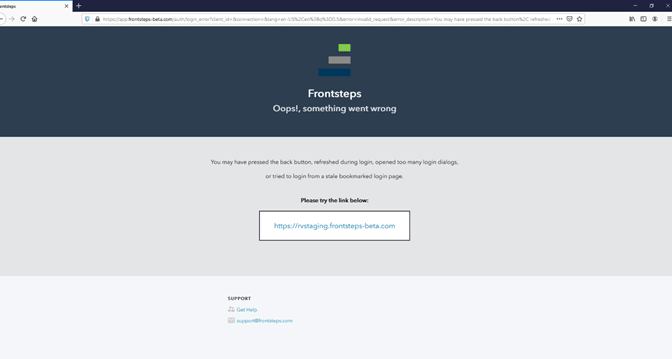
Select the URL in the box below the verbiage “Please try the link below:”
You will be redirected to the refreshed Login page, where you can complete logging into the portal.