
Resident - Portal Overview
Resident Dashboard Overview
When a resident logs into the community portal, they are directed to the Resident Dashboard. The dashboard provides quick access to important features, community communications, and personal account information.
Note:
Available features and menu options vary based on your community’s configuration.
If you are a Board Member, additional tabs and features may be visible based on your board permissions.
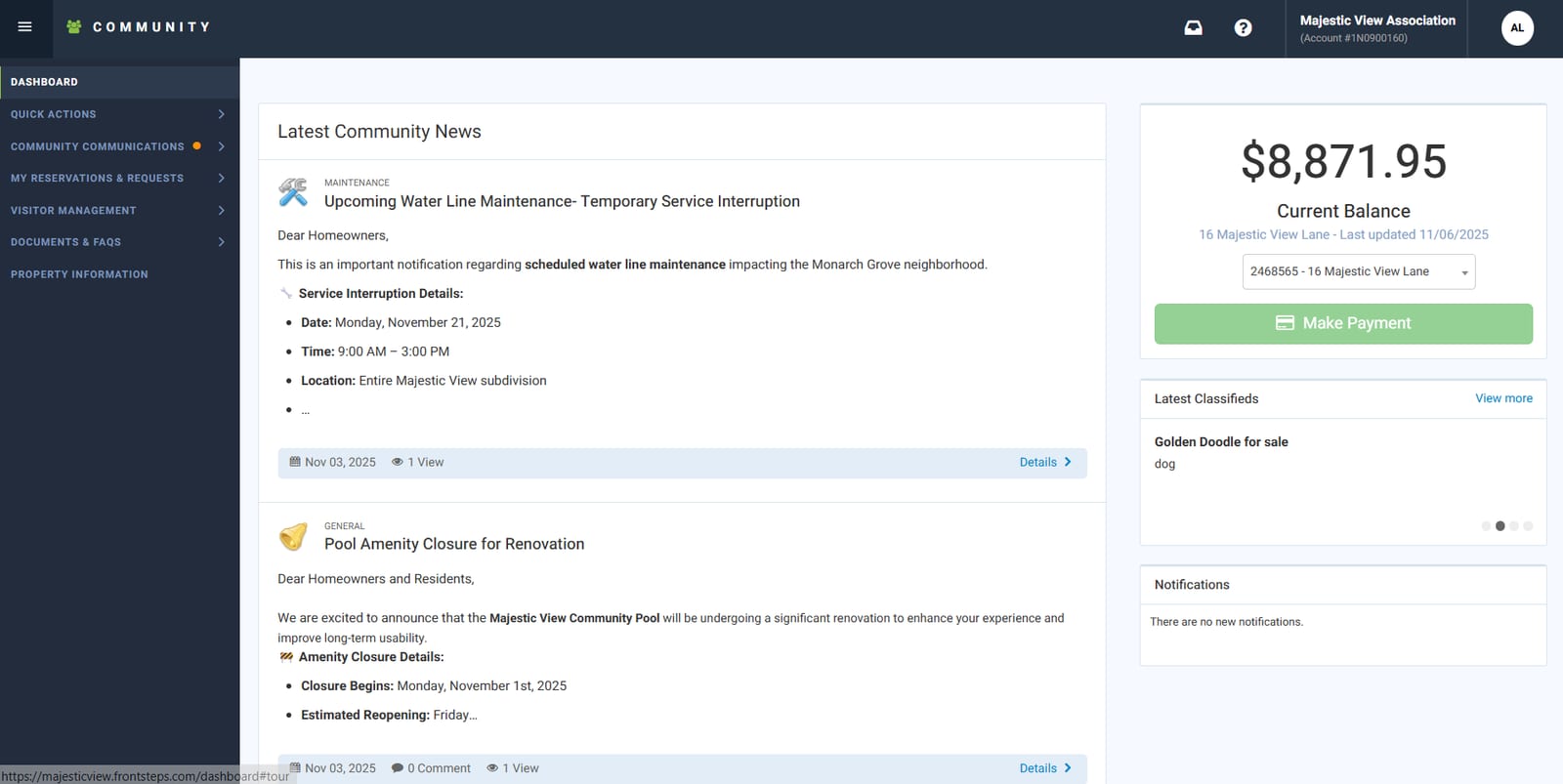
Left Menu Overview
The menu on the left side of the dashboard includes the following sections:
Quick Actions
-
Directory
-
Payments
-
Leases
-
Calendar
-
Packages
-
Visitor Management
Community Communications
-
Community Discussion
-
Bulletins
-
Classifieds
-
Surveys
-
eForms
My Reservations & Requests - Homeowner and Community Specific Information.
-
My Work Orders
-
Common Area Work Orders
-
My Architectural Requests
-
My Violations
-
Calendar
-
Community Reservations
-
Community Events
Visitor Management
-
Visitor Management - Residents can update and maintain Dwelling Live Users via this Integration
Documents & FAQs
-
Internal Documents
-
Community Documents
-
External Docs
-
Information
-
Places
-
Public Contacts
Property Information
-
Property Information: Allows Residents to update contact Information, such as Phone Number, Notification Email and Mailing Address.
Top Navigation Bar
Along the top banner of the Resident Dashboard, residents can access:
-
Profile Information
-
Inbox for communication with community managers
-
Logout button
Dashboard Body
The main body of the Resident Dashboard provides:
-
Latest Community News: Bulletins and Discussions
-
Latest Classifieds
-
Notifications: including facility reservation approvals, work order updates, and more
-
FS Pay Options