
Resident - Reserving a Community Facility
We’re updating this article. Some screenshots or names may look older than what you see in the product.
Residents can submit requests to Managers to reserve Community facilities such as the clubhouse.
Managers must approve the request for the facility to be reserved. Once the request is approved, the reservation displays on the Community Calendar.
From the Resident Dashboard, the Resident selects My Reservations & Requests, then selects Community Reservations.
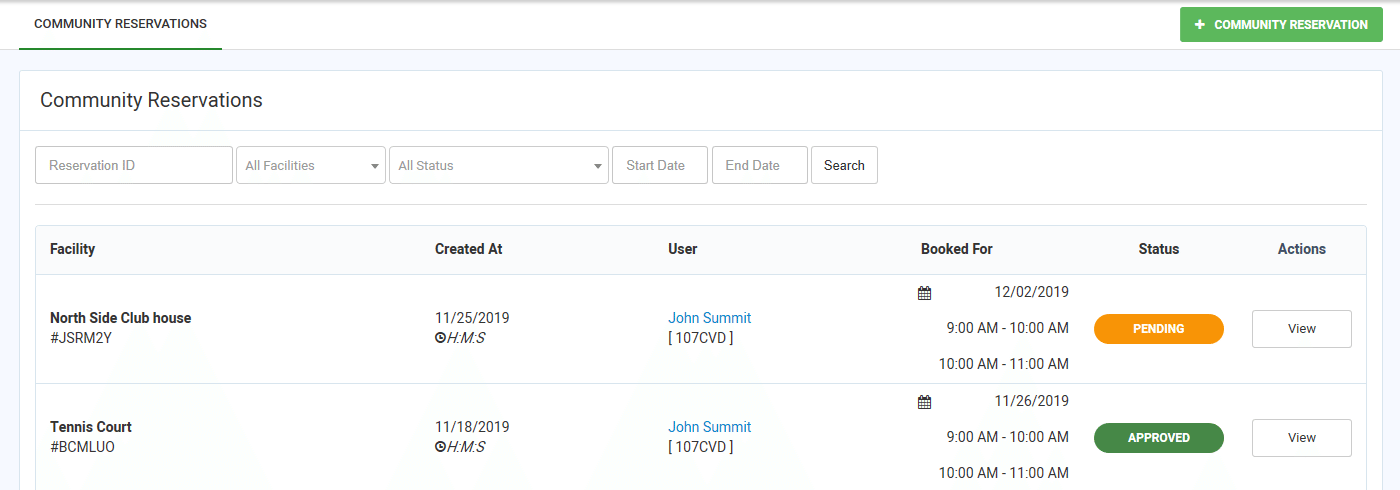 The Community Reservations screens displays reservation requests made by the Resident and their statuses: Approved, Pending and Canceled.
To submit a facility reservation, the Resident selects + COMMUNITY RESERVATION.
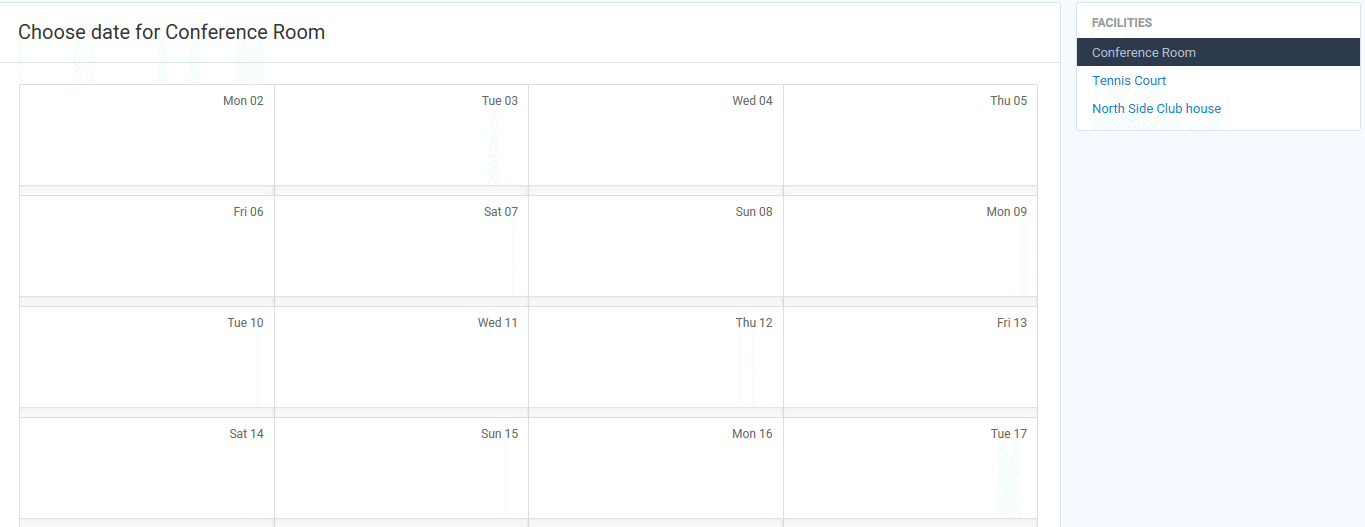
The Resident selects the Facility they want to reserve, then selects the date of the reservation.
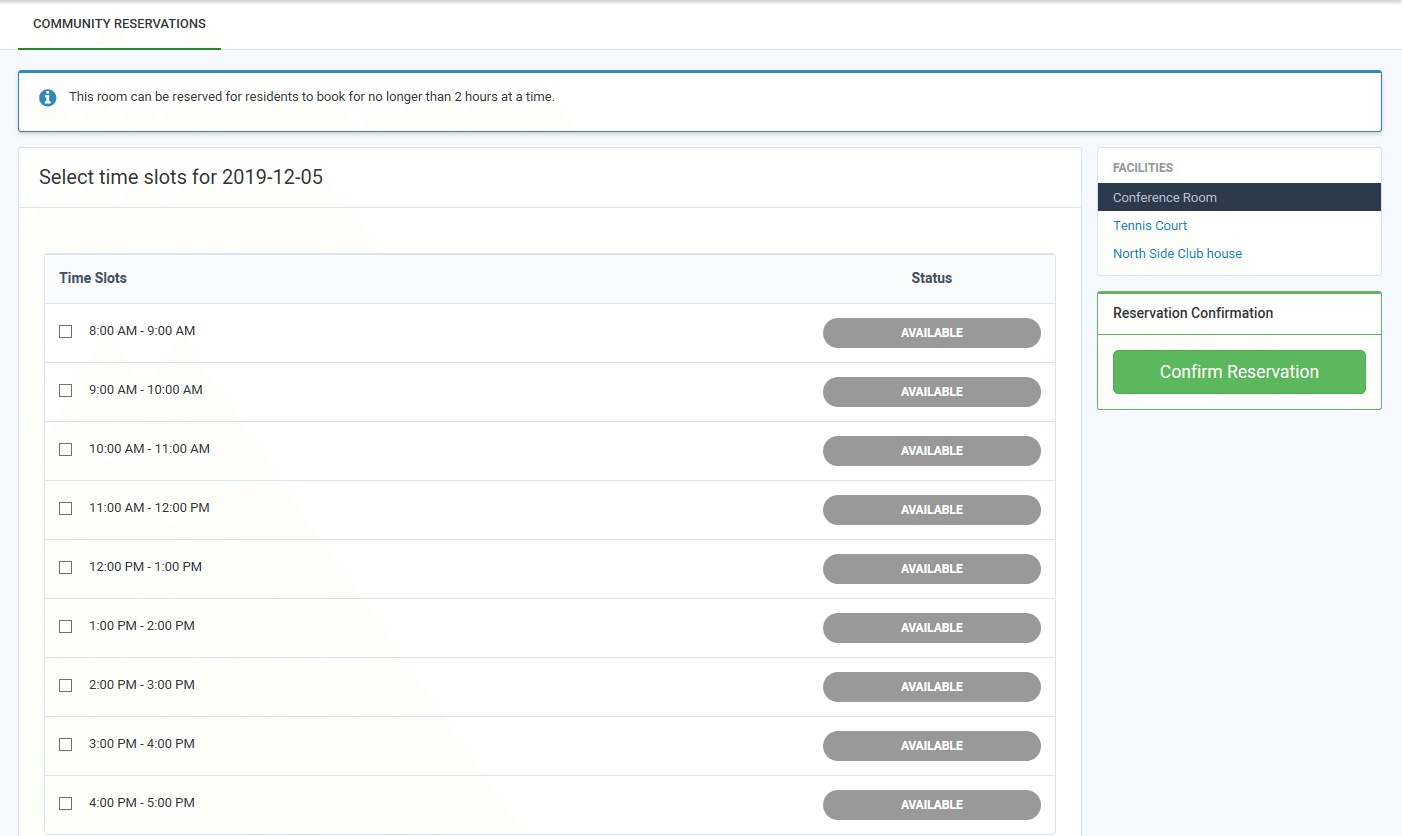
On the resulting screen, the Resident selects the times for the reservation, then selects Confirm Reservation. The reservation request is then submitted to the Manager for approval.
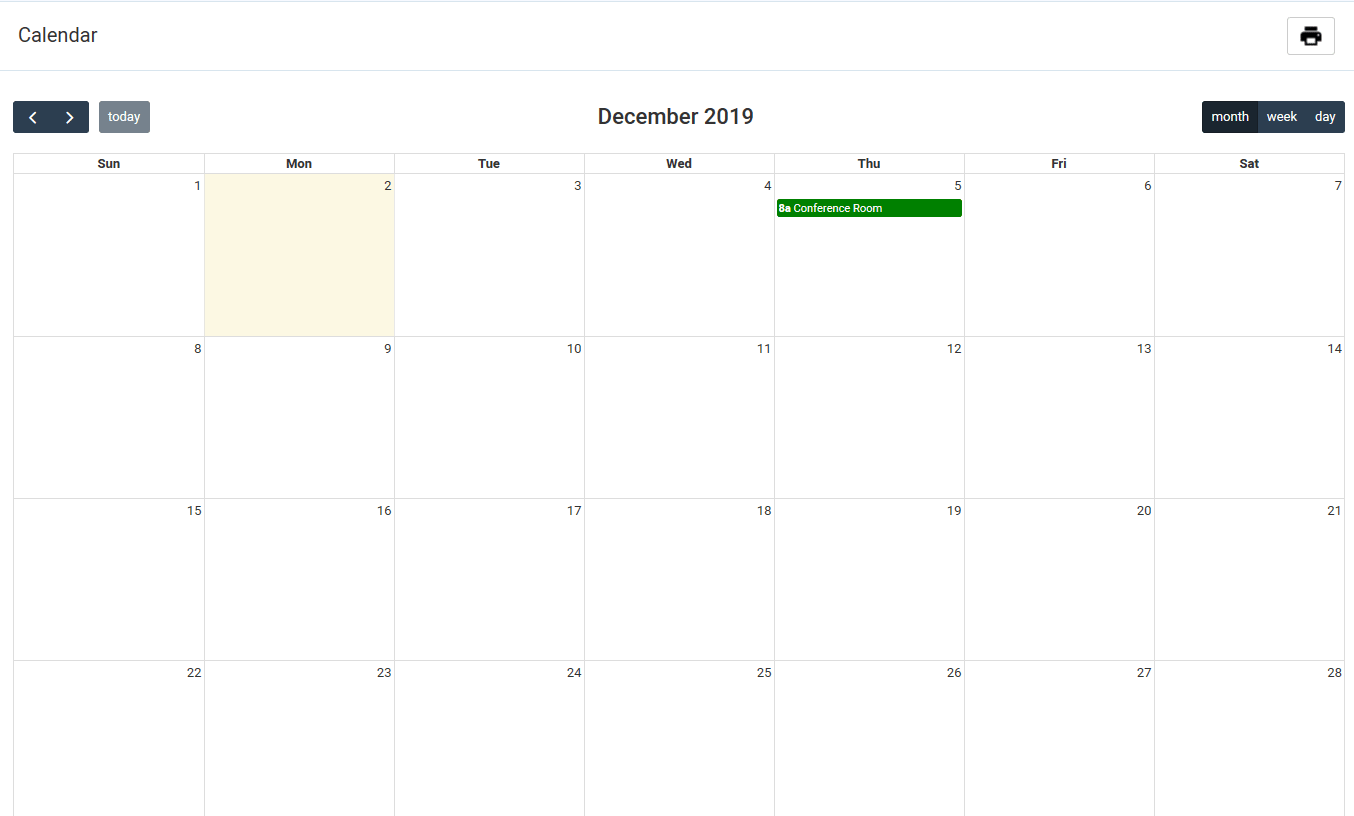
Once the Manager approves the request, the reservation is displayed on the Community Calendar.
Managers must approve the request for the facility to be reserved. Once the request is approved, the reservation displays on the Community Calendar.
From the Resident Dashboard, the Resident selects My Reservations & Requests, then selects Community Reservations.
The Community Reservations screens displays reservation requests made by the Resident and their statuses: Approved, Pending and Canceled. To submit a facility reservation, the Resident selects + COMMUNITY RESERVATION.
The Resident selects the Facility they want to reserve, then selects the date of the reservation.
On the resulting screen, the Resident selects the times for the reservation, then selects Confirm Reservation. The reservation request is then submitted to the Manager for approval.
Once the Manager approves the request, the reservation is displayed on the Community Calendar.