
Resident - Mobile App View Work Order and Violation Details for Caliber Accounting Integration System
We’re updating this article. Some screenshots or names may look older than what you see in the product.
Planned Release Date 12/22/2020
Background
The following features have been added to the Resident Mobile App, for Residents in Communities using the Caliber Accounting Integration System (AIS):
View Work Order Details - The Work Order details screen allows Residents to view details about the works orders they have submitted, and track the status as their request moves through the maintenance process.
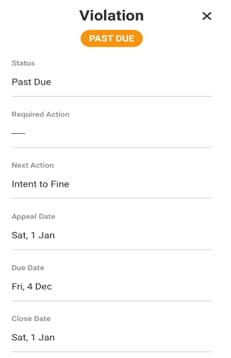
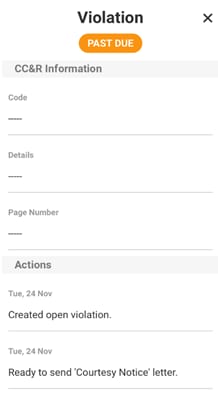
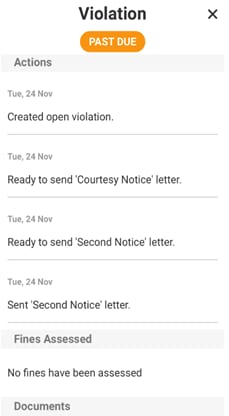
View Violation Details - The Violation details page allows Residents to view details about the violations, including statuses and dates and fines assessed, on their account.
The details for the Work Orders and Violations are entered into the Caliber AIS by a Manager, then displayed in the FRONTSTEPS Resident Mobile App.
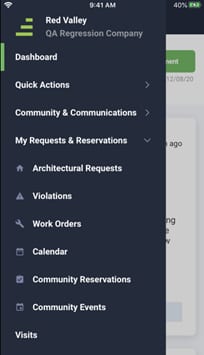
select My Requests and Reservations, then select Work Orders.
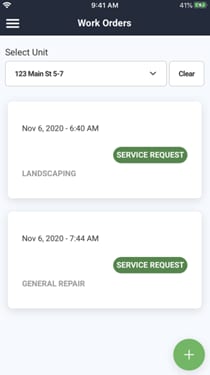
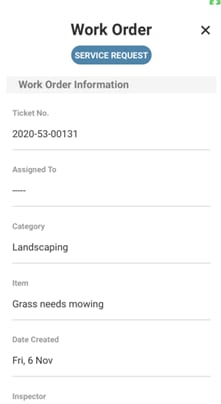
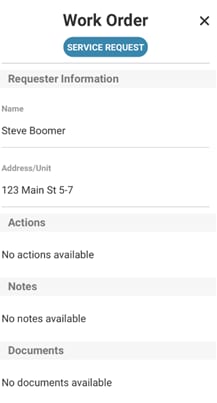
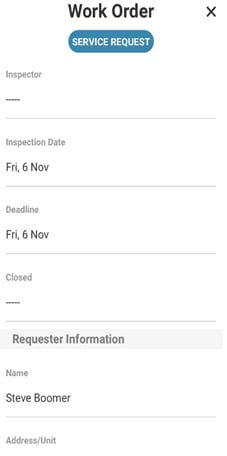
On the Work Orders screen, select a Work Order by touching the screen anywhere in the box. The following is a series of screen shots that show the entire detail of the selected Work Order.
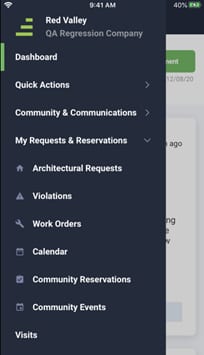
select My Requests and Reservations, then select Violations.
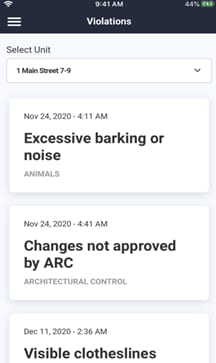
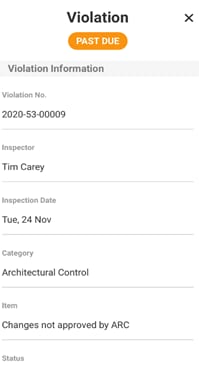
On the Violations screen, select a Violation by touching the screen anywhere in the box. The following is a series of screen shots that show the entire detail of the selected Violation.
Background
The following features have been added to the Resident Mobile App, for Residents in Communities using the Caliber Accounting Integration System (AIS):
View Work Order Details - The Work Order details screen allows Residents to view details about the works orders they have submitted, and track the status as their request moves through the maintenance process.
View Violation Details - The Violation details page allows Residents to view details about the violations, including statuses and dates and fines assessed, on their account.
The details for the Work Orders and Violations are entered into the Caliber AIS by a Manager, then displayed in the FRONTSTEPS Resident Mobile App.
View Work Order Details
From the FRONTSTEPS Mobile App menu, select My Requests and Reservations, then select Work Orders.
On the Work Orders screen, select a Work Order by touching the screen anywhere in the box. The following is a series of screen shots that show the entire detail of the selected Work Order.
View Violation Details
From the FRONTSTEPS Mobile App menu, select My Requests and Reservations, then select Violations.
On the Violations screen, select a Violation by touching the screen anywhere in the box. The following is a series of screen shots that show the entire detail of the selected Violation.