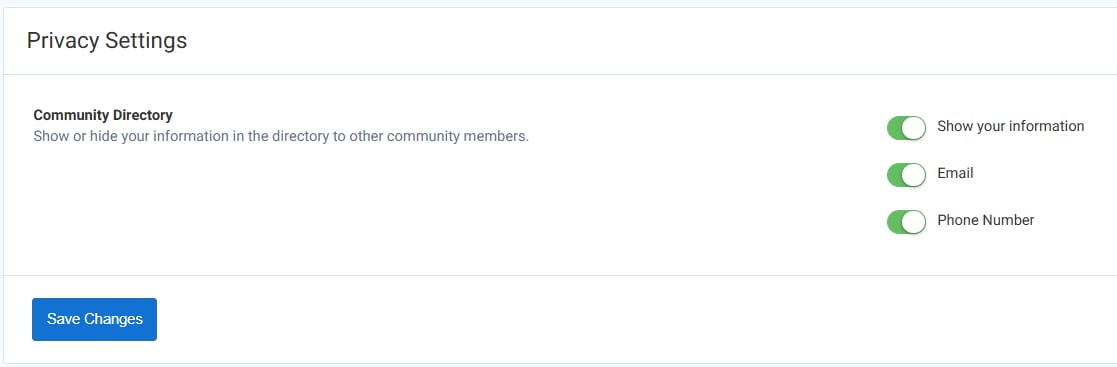
Resident - Community Directory Privacy Settings
Community Directory Overview
The Community Directory allows residents to view and connect with other members of their community.
By default, the directory is hidden on the portal to protect homeowner privacy. However, your Community Manager can enable the directory at the request of the Board.
Once enabled, each resident controls whether their own information is visible. Homeowner details remain hidden by default unless the resident chooses to share them.
Managing Community Directory Privacy Settings
From the upper-right corner of the portal, click your Name or Avatar icon.
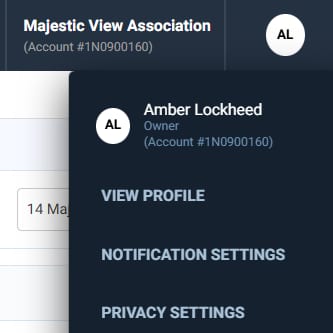
Select Privacy Settings from the dropdown menu.
-
Locate the option “Show Your Information in the Directory.”
-
Toggle this on (green) to display your information in the Community Directory.
-
Toggle this off (gray) to hide your information.
-
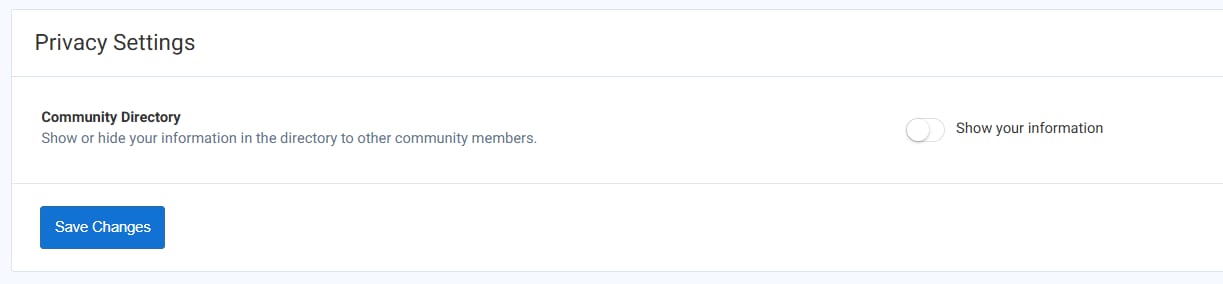
When you choose to display your information, you’ll also see additional options to show or hide your email and phone number based on your preferences.
-
Based on your preference and decision, make sure to click the Save Changes button.
- This information can be updated or changed at any time directly within your Privacy Settings.