
Resident- Community & Caliber: Update Property Information
For management companies that are using the FRONTSTEPS Community Portal with FRONTSTEPS Caliber, Residents need to make sure they are updating their information within the ‘Property Information’ section.
This ensures that the Resident information is updated within the accounting platform, and that the management company staff have the current information for that Resident.
If the Resident has opted to have their information show on the Community Portal within the Directory, this will also update the information displayed there.
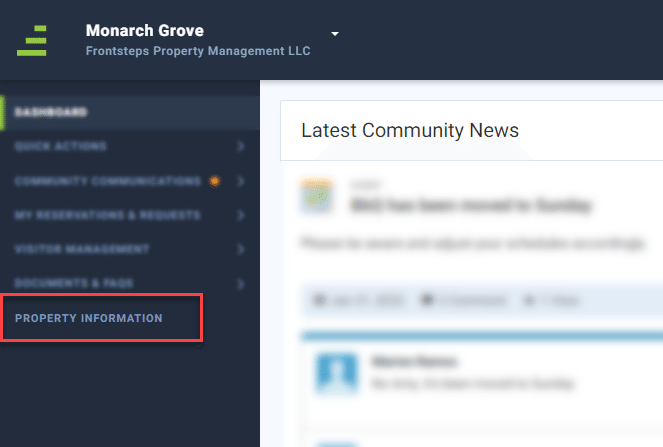
Using the FRONTSTEPS Community Portal, the Resident will navigate to ‘Property Information’ menu option within the left-hand navigation panel.
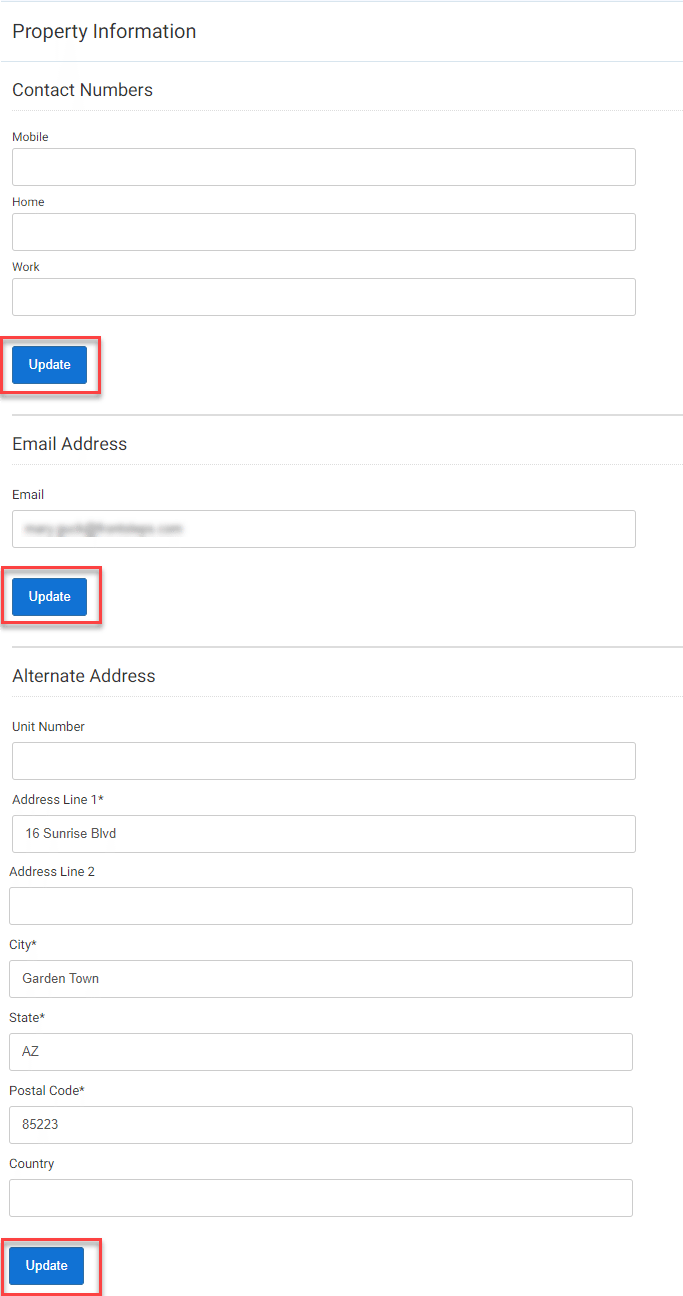
From here Residents can update their contact phone numbers, their email address and their alternate (mailing) address.
Once the information has been entered in the text field, the Resident will click the ‘Update’ button at the bottom of that section.
Once the ‘Update’ button has been clicked the data will be updated within the accounting platform and the Community Directory.
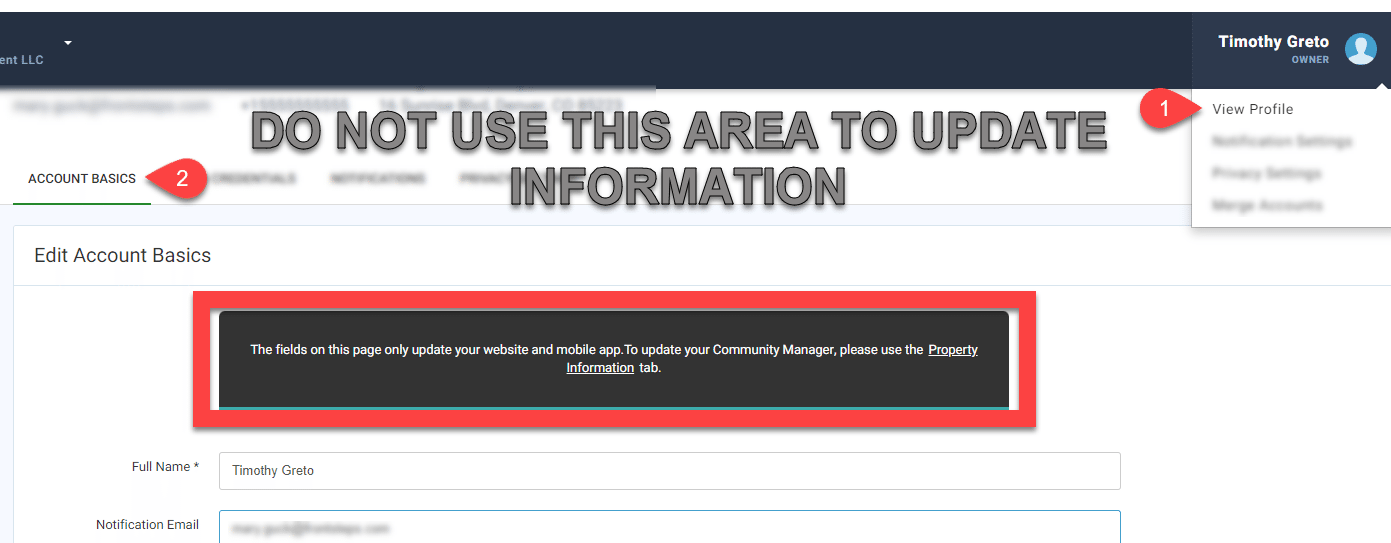
It is important to note that if the Resident updates their information using the ‘Account Basics’ tab within their profile settings, the data will NOT sync with or update the accounting platform or community directory.
This ensures that the Resident information is updated within the accounting platform, and that the management company staff have the current information for that Resident.
If the Resident has opted to have their information show on the Community Portal within the Directory, this will also update the information displayed there.
Using the FRONTSTEPS Community Portal, the Resident will navigate to ‘Property Information’ menu option within the left-hand navigation panel.
From here Residents can update their contact phone numbers, their email address and their alternate (mailing) address.
Once the information has been entered in the text field, the Resident will click the ‘Update’ button at the bottom of that section.
Once the ‘Update’ button has been clicked the data will be updated within the accounting platform and the Community Directory.
It is important to note that if the Resident updates their information using the ‘Account Basics’ tab within their profile settings, the data will NOT sync with or update the accounting platform or community directory.