
Resident - Resetting a Forgotten Password
We’re updating this article. Some screenshots or names may look older than what you see in the product.
Resetting a Forgotten Password
You can reset one or all of your dwellingLIVE passwords at the same time.Access the Login page at community.dwellinglive.com.
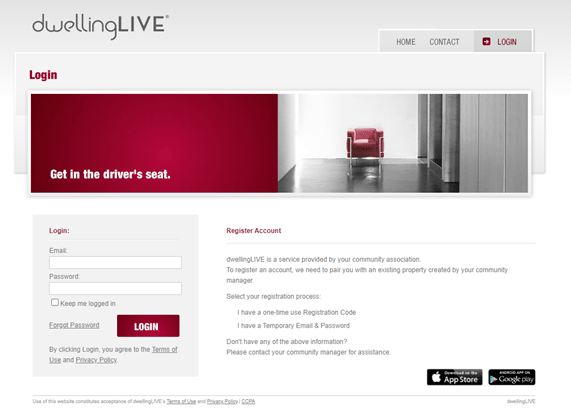
Select the Forgot Password link. The Forgot Password Recovery screen will display.
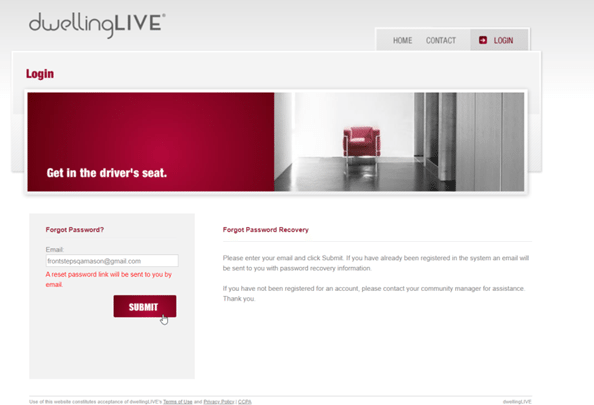
Enter your email address in the Email field. Select Submit. The “A reset password link will be sent to you by email” message displays after your request is submitted.
You will receive the following email:
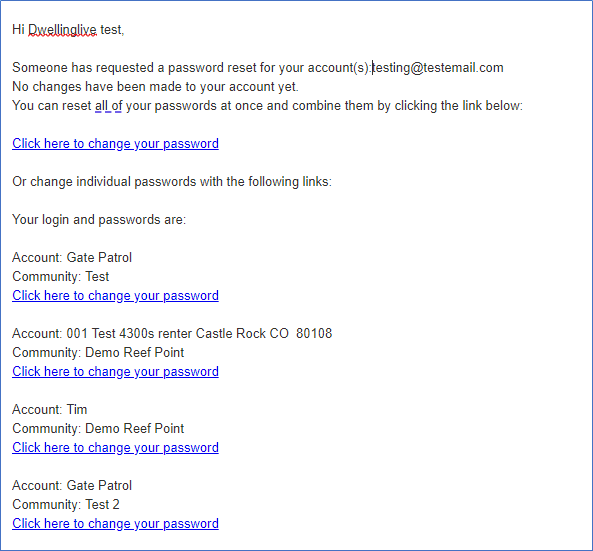
The email contains reset links for each of the accounts you have in dwellingLIVE with the email address you used in your request.
If you have multiple accounts, there will be a link to set all of the accounts with the same password, or you can select the link for each password you want to change independently.
You will be redirected to the Password Reset screen for the selected login.
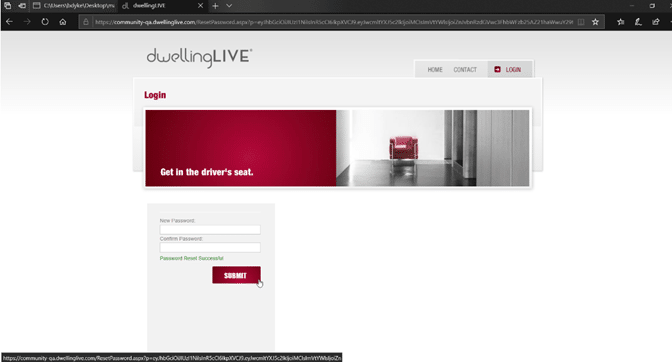
Enter the New Password, then Confirm the new Password.
Select Submit.
You will be redirected to the Login page where you can enter your new credentials.
Expiration of Password Reset
If you do not reset your password within the required time period (15 minutes), when you select the reset link from the email, you will be directed to the Password Reset screen, where the following message will be displayed “Your Reset Link is expired or is invalid. Click here if you need a new link.”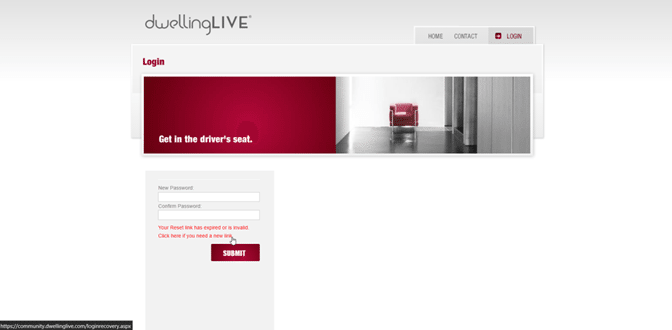
Click on that message and you will receive another Password Reset email, from which you will follow the same instructions as outlined above.