
Resident - Signing Up for an Account
We’re updating this article. Some screenshots or names may look older than what you see in the product.
Follow the steps below to sign up for your At Home Net account.
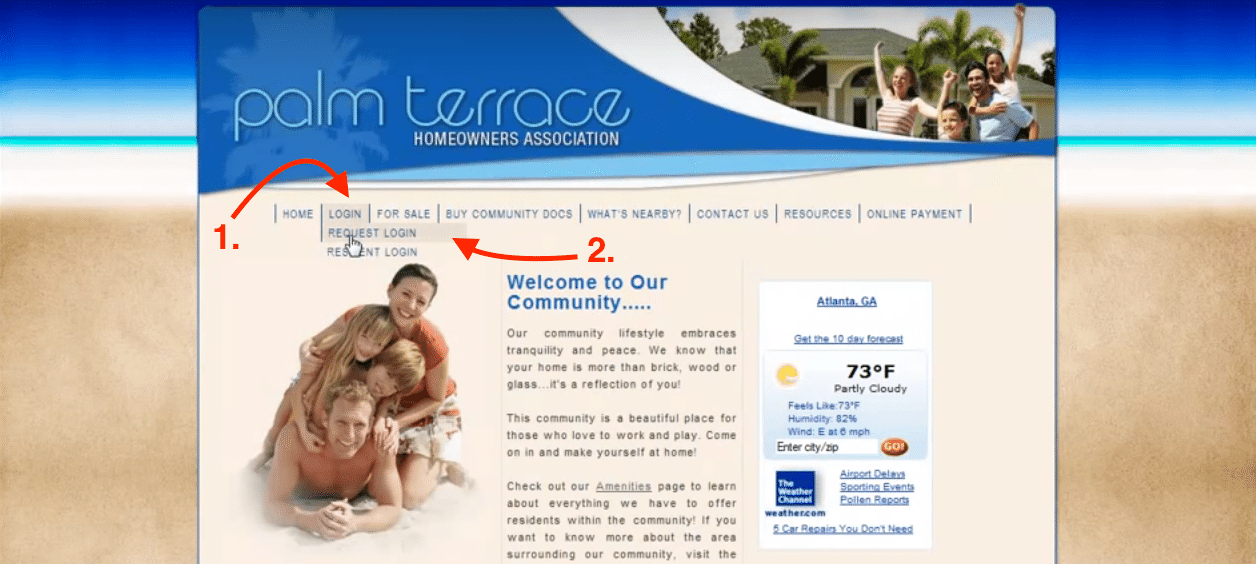
Use your Web Browser to go to your Community’s page.
Navigate to “Login” then click the “Request Login” link.
Enter your information in the form, and then click the “Submit” button.
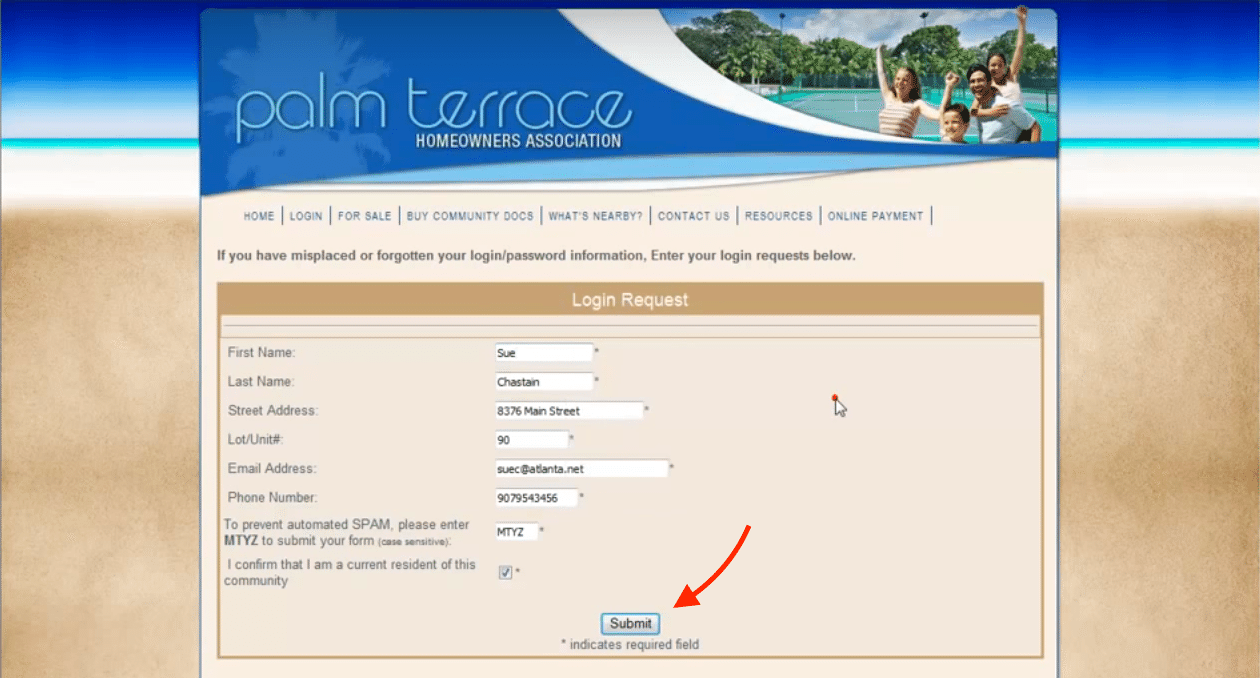
Your administrator will receive your request and create your profile based on the information you have provided.
After they create your profile, you will then receive an email confirming your account.