Reclassifying an Expense on a Paid Invoice
 Reclassifying an Expense on a Paid Invoice
Once an invoice has been paid in Caliber, it cannot be edited without voiding the payment and removing the invoice from Ready To Pay status. However, the expense can be reclassed without doing so, along with the Cost Center, and description, using the ‘Reclass Expense’ option.
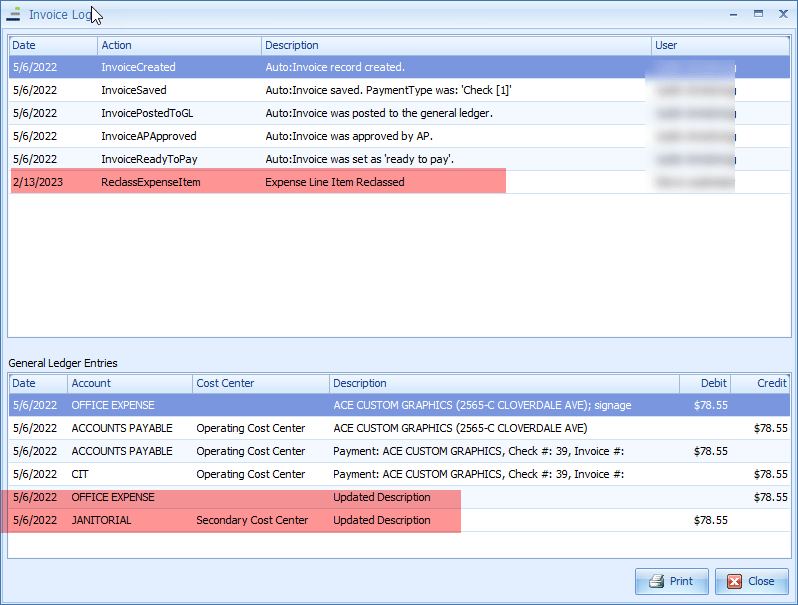
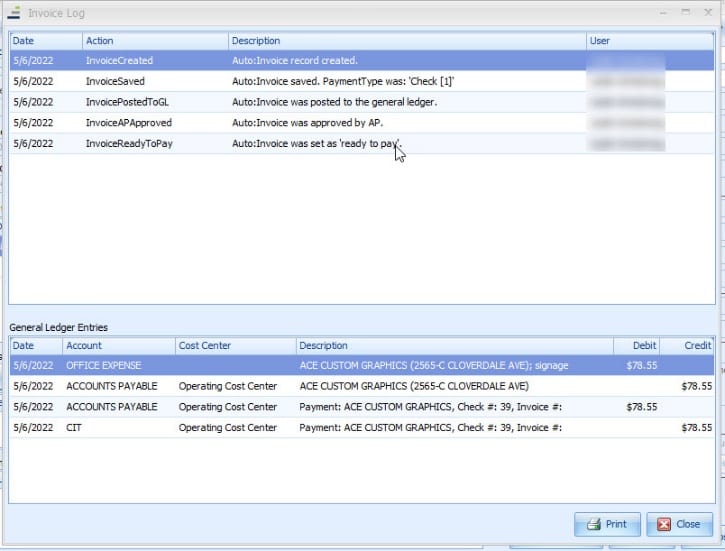
It is important to understand that reclassifying the expense does not change the invoice itself, the original General Ledger entries, or the Accounts Payable reports in any way. The reclass process is nothing more than a Journal Entry that ties back to the invoice and can be seen in the Invoice Log.
This action can only be taken by a user with Administrator, Accounting Administrator, or Manage Journal Entries permissions as part of their User Role. All limitations regarding posting to Prior Periods or exceeding the number of days set as the Posting Limit still apply, and only invoices in Fully Paid status can be reclassed this way.
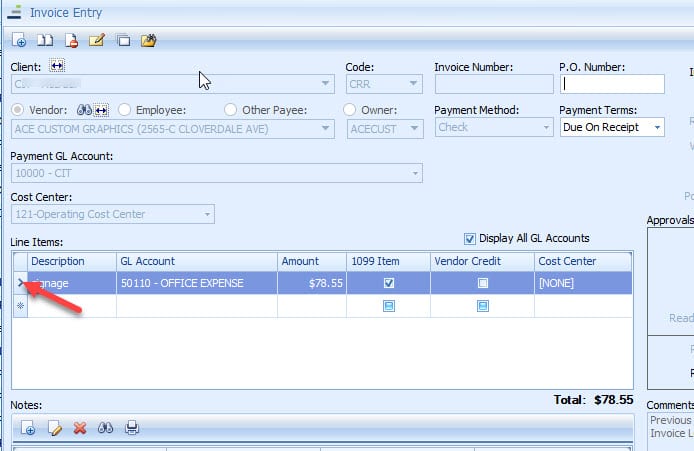
To reclassify the expense, first go to the invoice itself. Click on the column to the far left for the expense line item being updated.
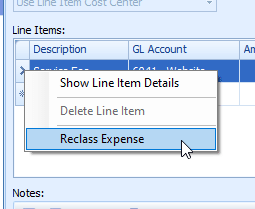
Select ‘Reclass Expanse.’
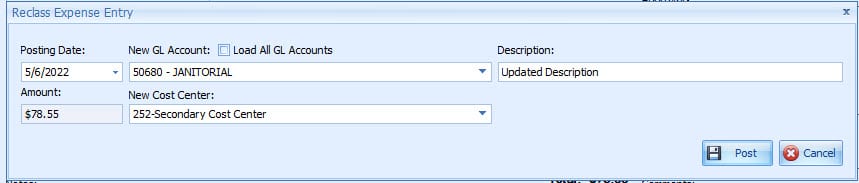
In the Reclass Expense Entry Toolbox, make the desired changes. Although the amount is displayed, it cannot be changed. When done, click on ‘Post.’
Invoice Log before the reclass:
Invoice Log after the reclass: