
Offline Sync
Within the Community Manager app, Violations and Work Orders can still be created while Offline and will be saved as 'Drafts'. They will automatically be uploaded to FRONTSTEPS Caliber once your device is back Online.
Before performing your inspection, make sure that you have sync the client you will be using.
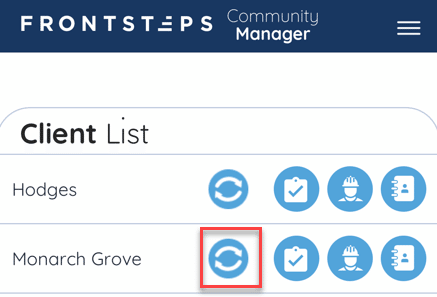
To sync Client information for Offline Use, click the ‘Sync’ icon from the Client List.
Note, this action only needs to be performed if you will not have a connection to the internet while working within the Community. You should sync ahead of time when you have a good wifi connection. You can only sync one client at a time. All work performed offline will sync automatically when connected to the internet again.
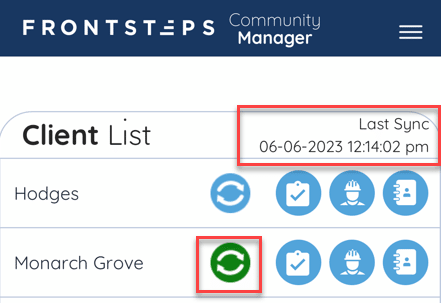
When the sync has been completed, the ‘Sync’ icon will turn green, and the ‘Last Sync’ time/date stamp will appear. This date stamp will update once you sync a community again.
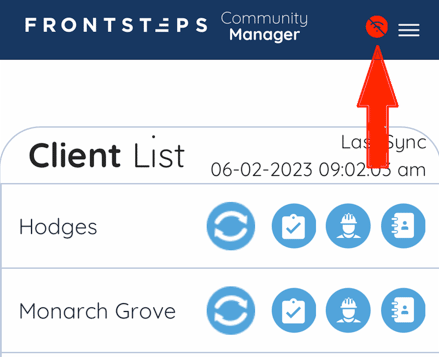
If your device is offline, a red icon will appear in the upper right corner indicating there is no internet connection.
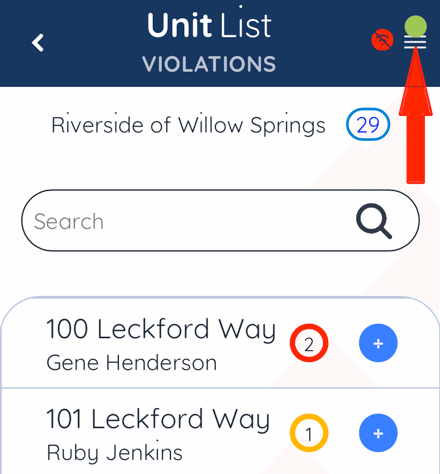
As you create new Violations or Work Orders while offline, they will be saved as drafts. Once a draft has been created, a green dot indicator will appear in the upper right corner.
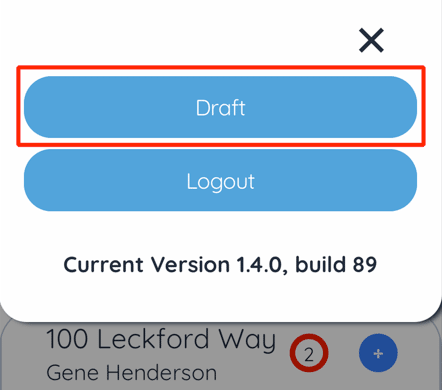
Select the ‘Draft’ button.
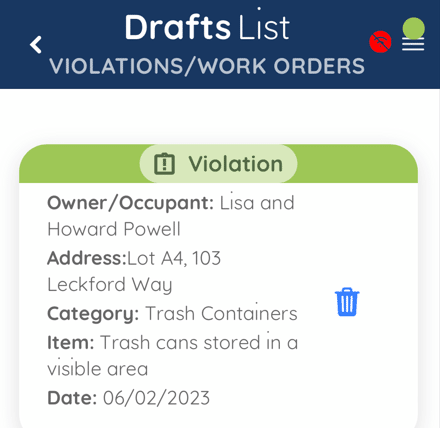
From here you can see a list of all Violations and Work Orders that have been created while offline. If you need to edit or delete a draft, you can do some prior to connecting to the internet again.
Once your device connects to the internet all drafts will automatically be added to FRONTSTEPS Caliber. If any Violations need to be edited or deleted at this point, you will need to do so within Caliber.
Before performing your inspection, make sure that you have sync the client you will be using.
To sync Client information for Offline Use, click the ‘Sync’ icon from the Client List.
Note, this action only needs to be performed if you will not have a connection to the internet while working within the Community. You should sync ahead of time when you have a good wifi connection. You can only sync one client at a time. All work performed offline will sync automatically when connected to the internet again.
When the sync has been completed, the ‘Sync’ icon will turn green, and the ‘Last Sync’ time/date stamp will appear. This date stamp will update once you sync a community again.
If your device is offline, a red icon will appear in the upper right corner indicating there is no internet connection.
As you create new Violations or Work Orders while offline, they will be saved as drafts. Once a draft has been created, a green dot indicator will appear in the upper right corner.
Select the ‘Draft’ button.
From here you can see a list of all Violations and Work Orders that have been created while offline. If you need to edit or delete a draft, you can do some prior to connecting to the internet again.
Once your device connects to the internet all drafts will automatically be added to FRONTSTEPS Caliber. If any Violations need to be edited or deleted at this point, you will need to do so within Caliber.