
Manager - Notification Banner
We’re updating this article. Some screenshots or names may look older than what you see in the product.
Customers have requested ways to communicate urgent information to their residents, in addition to the Bulletins that are currently available.
A Notification Banner has been added to the FRONTSTEPS Manager and Resident Portals, which posts the message to every page on the portals.
Notification Banner
The Notification Banner displays on every page within the FRONTSTEPS Manager and Resident portals. The Banner displays at the top of the page with a blue background.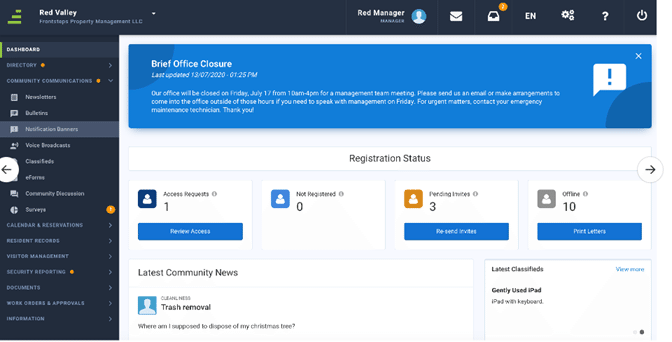
Ø The Notification Banner functionality must be activated during Implementation, or by Customer Support after Implementation
Ø There is a new menu option and associated screens for the Notification Banner.
Ø Only one banner can display at a time. If a Manager wants to display a new banner, it will replace the old banner.
Ø The banner only displays on the portal pages. It does not create an email or bulletin when posted.
Adding a Notification Banner
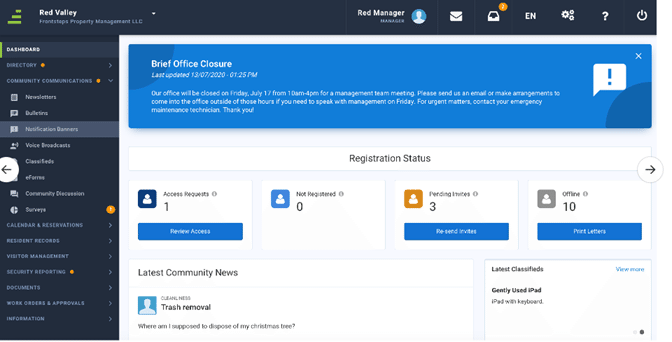
The Notification Banners landing page displays Active and Inactive banners.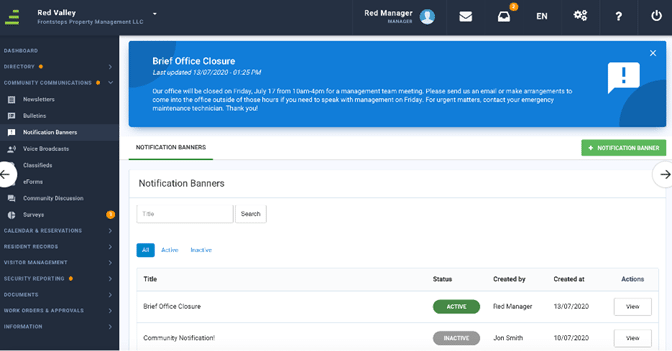
To add a new Notification Banner, select + NOTIFICATION BANNER.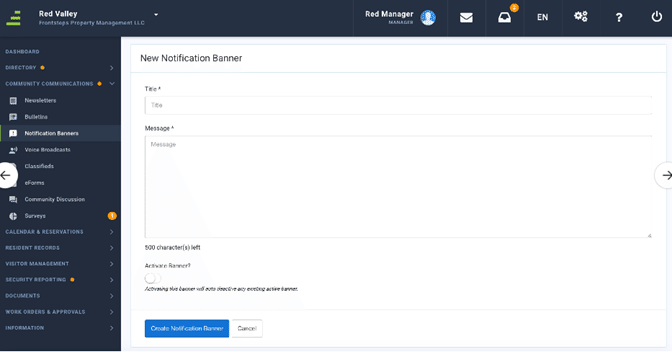
1. Add the Notification Banner Title
2. Add the Notification Banner Message (500 character limit).
3. To activate the Notification, select the Activate Banner? toggle.
4. Select Create Notification Banner.
Note: Once this Notification is activated and created it will replace any existing Notification already displaying on the portal pages.