
Moving Transactions Between Ledgers
We’re updating this article. Some screenshots or names may look older than what you see in the product.
To move a transaction to a different ledger, first, make sure the additional ledger(s) have already been created at the master level and that they are active within the Client.
Open the ledger that the transaction(s) are currently posted to from the Accounting Summary for the owner.
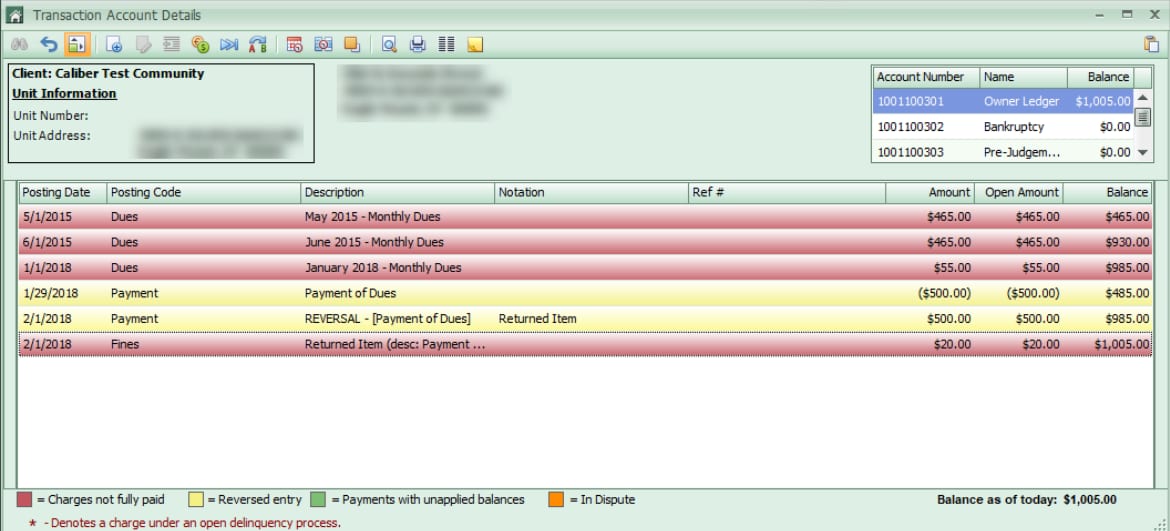
Click the button at the top for Move Transactions to Another Transaction Account (two blue arrows).
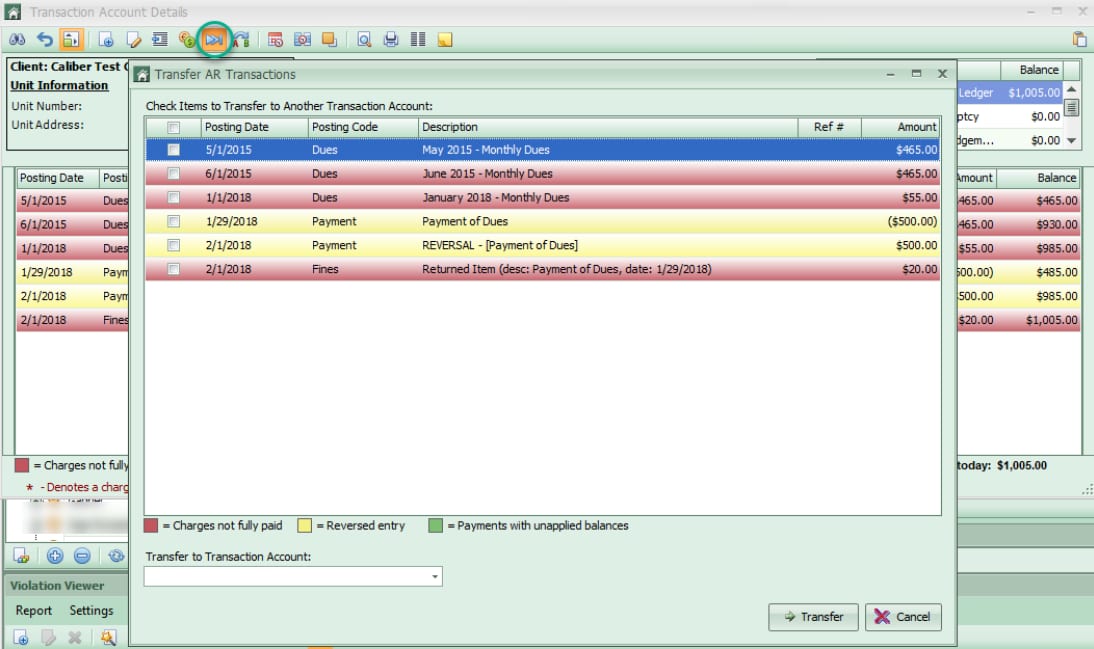
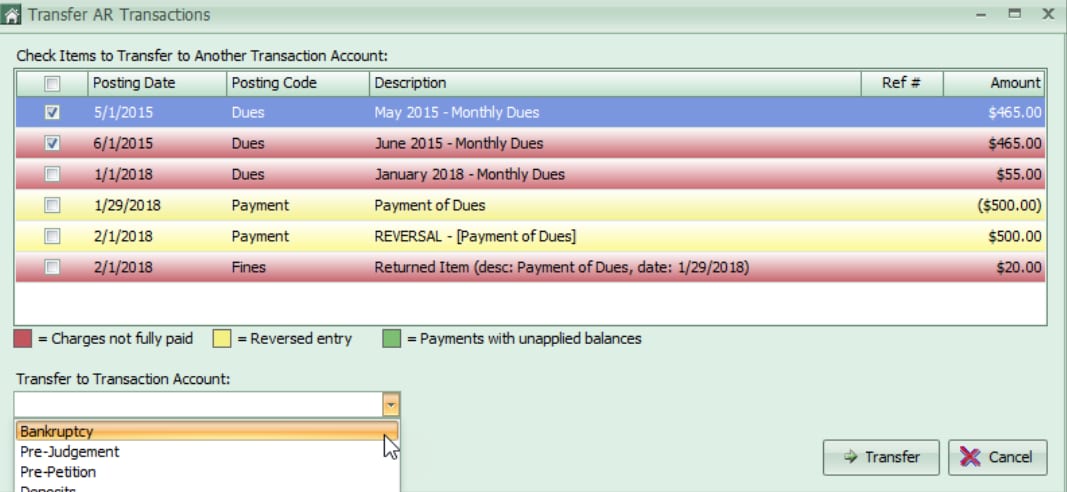
Choose the transactions that need to be moved and select the transaction account that they are moving to. Click Transfer.
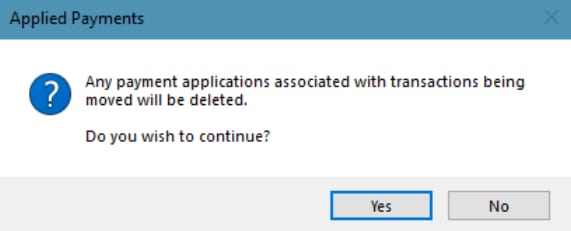
If any payments have been applied to the selected charges, those payments will automatically be unapplied and will have to be reapplied after moving.
Open the ledger that the transaction(s) are currently posted to from the Accounting Summary for the owner.
Click the button at the top for Move Transactions to Another Transaction Account (two blue arrows).
Choose the transactions that need to be moved and select the transaction account that they are moving to. Click Transfer.
If any payments have been applied to the selected charges, those payments will automatically be unapplied and will have to be reapplied after moving.