
Admin - Managing the User Consent Form
We’re updating this article. Some screenshots or names may look older than what you see in the product.
This feature should be used if your state / province requires users' consent before they can receive any electronic transmissions of any communication from the management.
When this feature is enabled, all users will be required to accept the consent form in order for them to use the community portal.
From the Manager Dashboard, select the Administrator Tools icon , then select Consent Form.
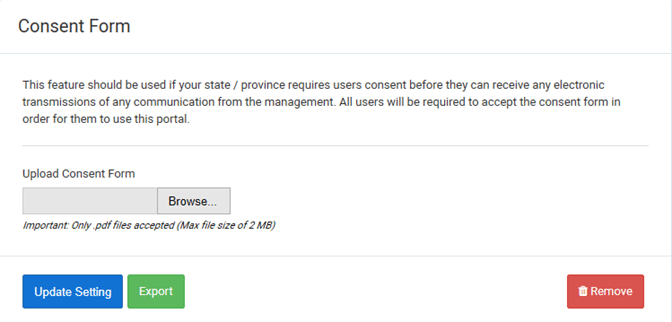
1. To upload the Consent Form, select the Browse option, then select the document from your computer. The form will display on the screen.
Note: Only .pdf files can be uploaded, with a maximum file size of 2 MB.
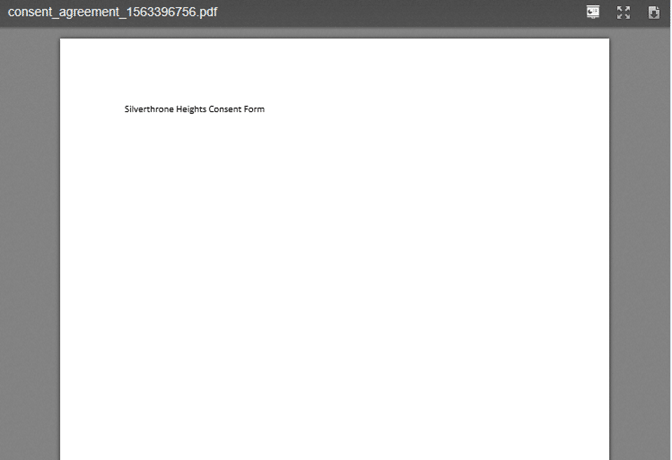 2. Select Update Setting to save the form to the system, and activate the consent form acceptance process. Residents will now be required to review and accept the terms of the Consent Form when selecting electronic communication options.
3. To download a report of users who have accepted the terms of the Consent Form, select the Export option. An Excel document will be created containing the information.
4. To remove the Consent Form, and disable the consent form acceptance process, select the Remove option.
When this feature is enabled, all users will be required to accept the consent form in order for them to use the community portal.
From the Manager Dashboard, select the Administrator Tools icon
, then select Consent Form. 1. To upload the Consent Form, select the Browse option, then select the document from your computer. The form will display on the screen.
Note: Only .pdf files can be uploaded, with a maximum file size of 2 MB.
2. Select Update Setting to save the form to the system, and activate the consent form acceptance process. Residents will now be required to review and accept the terms of the Consent Form when selecting electronic communication options. 3. To download a report of users who have accepted the terms of the Consent Form, select the Export option. An Excel document will be created containing the information.
4. To remove the Consent Form, and disable the consent form acceptance process, select the Remove option.