
Manager- Rename Documents Menus
For Managers within FRONTSTEPS Community we have added the ability for them to rename the various documentation menus. This will allow Community Managers to customize the naming convention of their various document menus, creating a more intuitive experience for their directors and residents.
If you are interested in having this feature turned on for your community, please contact our support team.
NOTE: Please be advised that all managers have access to change documents navigation names. Please consider implementing a change management plan for your managers to ensure that this powerful feature is utilized properly and with intention.
Managers may edit each of the various document menu options under the main ‘Documents’ menu. These include ‘Internal Documents’, ‘Accounting Documents’ and ‘External Documents’.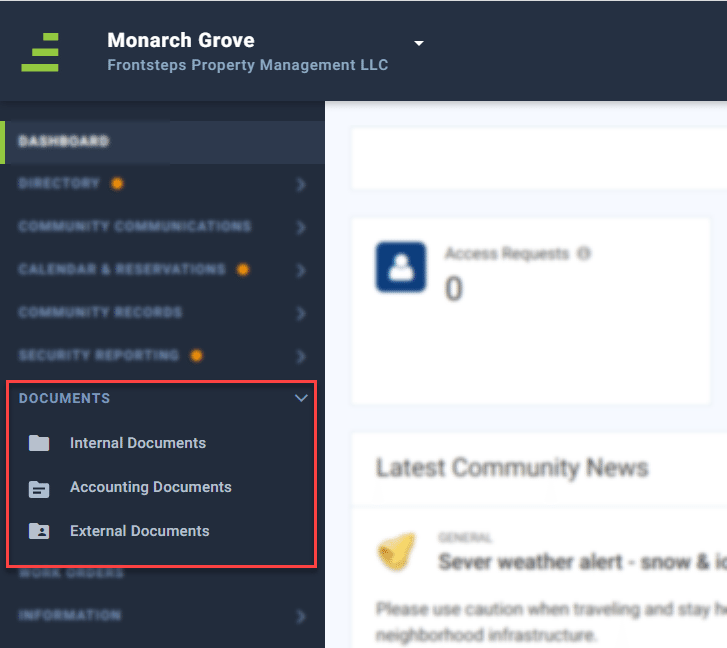
To rename/edit a menu option, navigate to the ‘Documents’ menu, and then click on the menu option for the documents you wish to rename (for example, ‘Internal Documents’).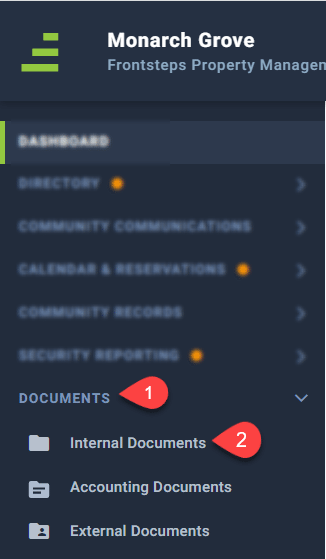
From the document dashboard, click the edit icon in the upper left section of the dashboard, next to the document name.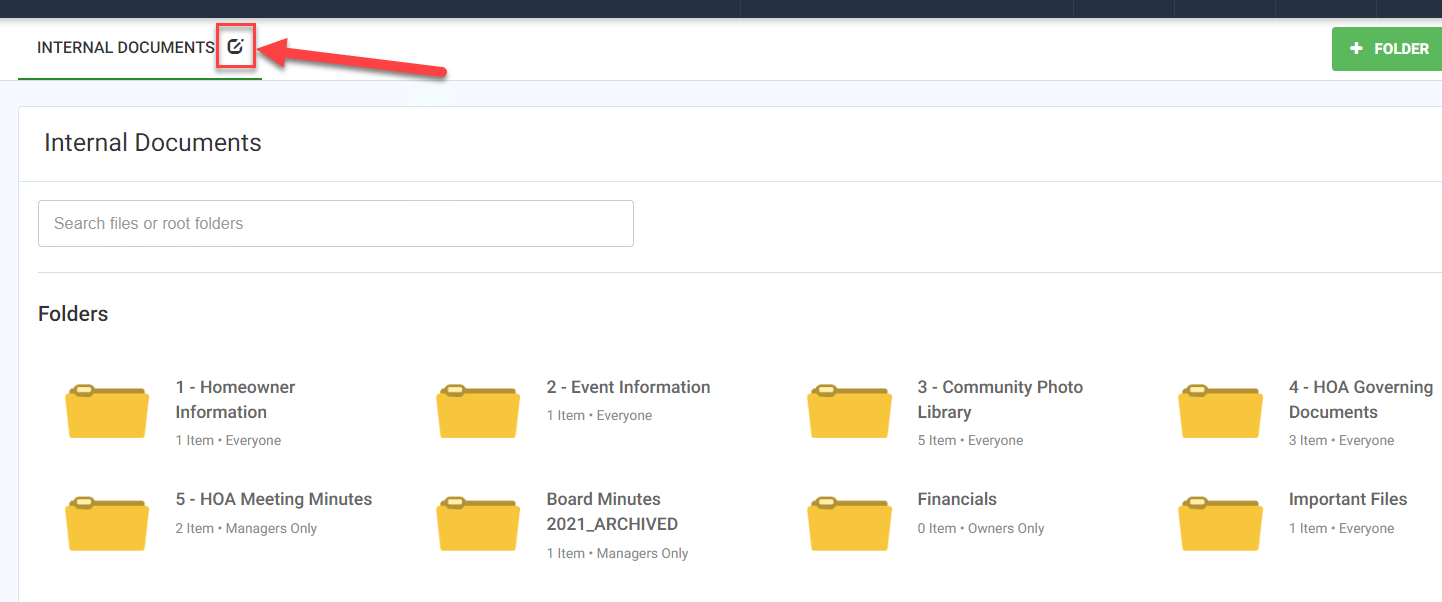
Enter in the name for the document option. If this naming convention should be adopted for the entire management company check the box for ‘Company Wide’.
It is important to note that if this box is checked, whatever name has been entered for the document menu will update for ALL communities for your ENTIRE management company. If this name should only be used for this Community, do not check the box for ‘Company Wide’.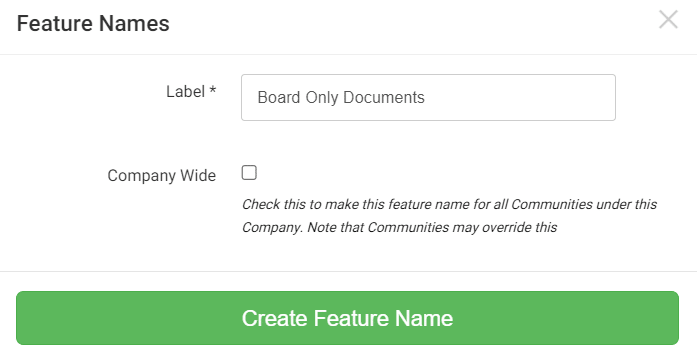
Once you have fill out the appropriate information, click ‘Create Feature Name’ to save.
This change will now display to all users of the Community (or Company if selected). These changes are only for FRONTSTEPS Community and will not update data in any accounting platforms that may be integrated.
If you would like to view a video walk through on how to rename a document menu, click here.