
Manager- Move In/Move Out Message Log
Manager- Move In/Move Out Message Log
The Move In/Out Message log is a new feature designed to help admins and managers to visualize, filter and export errors logged when the Move In/Move Out (MIMO) process fails.
This can be helpful in cases when you may need to escalate support tickets or fix issues in the accounting system.
This feature is defaulted to be on for each Community and is visible to Managers only.
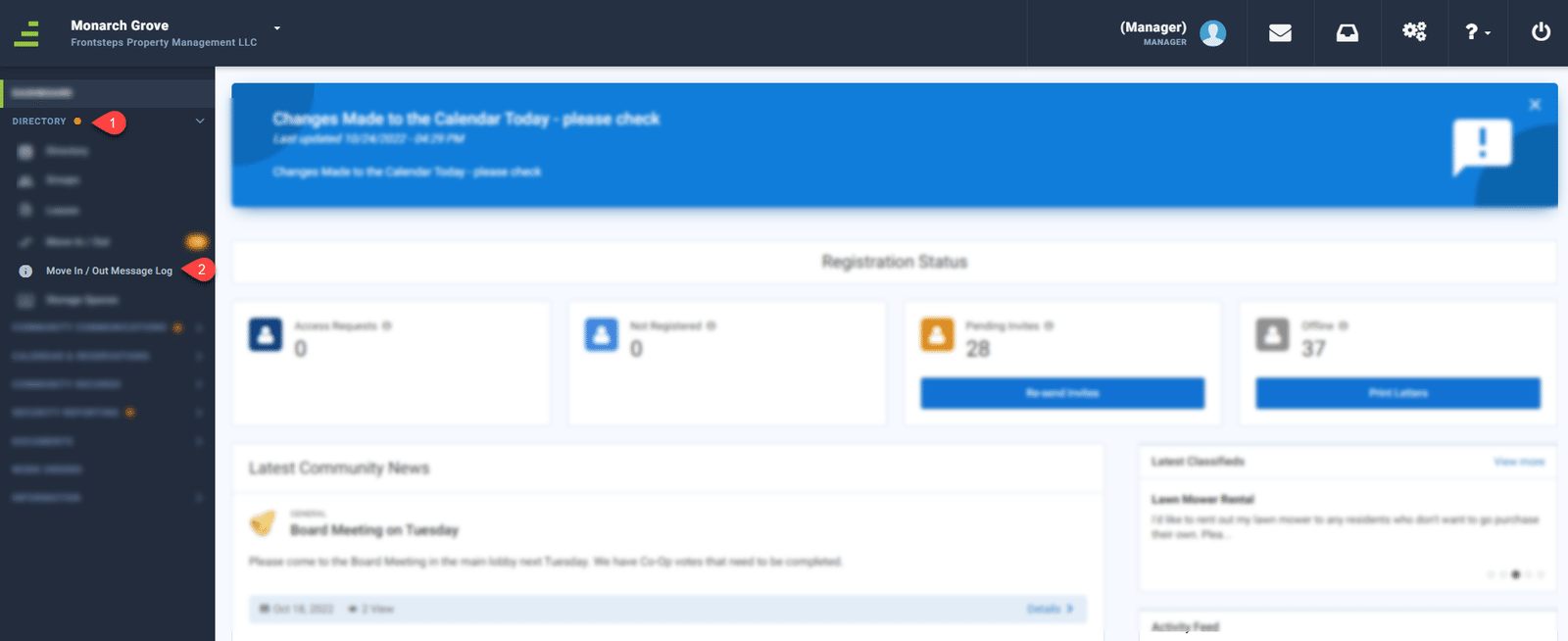
To access this feature navigate to the ‘Directory’ menu and select ‘Move In/Out Message Log’
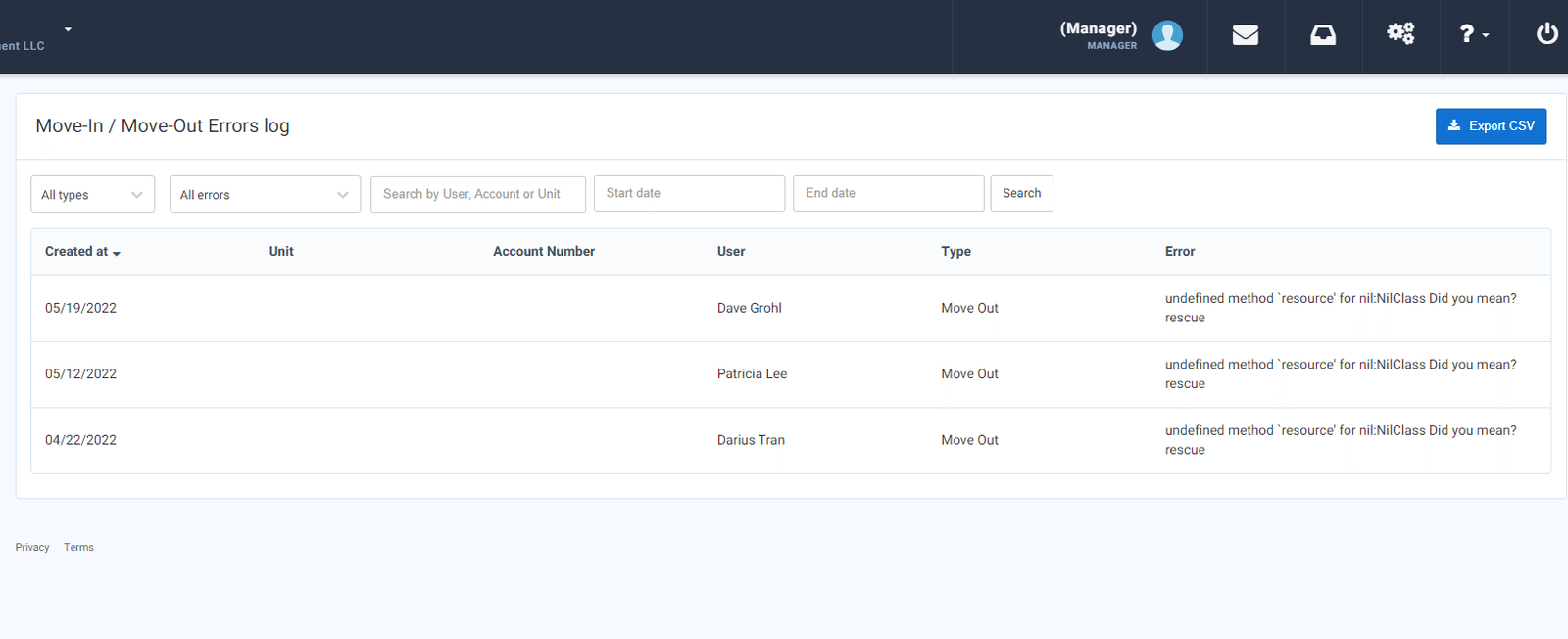
From here Managers can filter by Move In/Out, Errors, Account and/or Date
This will provide a list view of any Errors that were produced in the Move In/Move out process.
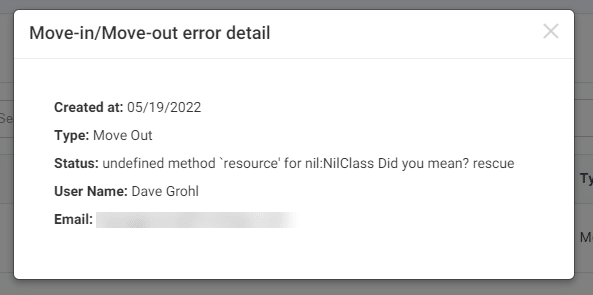
To view additional error details, click on the row.
The Move In/Out Message log is a new feature designed to help admins and managers to visualize, filter and export errors logged when the Move In/Move Out (MIMO) process fails.
This can be helpful in cases when you may need to escalate support tickets or fix issues in the accounting system.
This feature is defaulted to be on for each Community and is visible to Managers only.
To access this feature navigate to the ‘Directory’ menu and select ‘Move In/Out Message Log’
From here Managers can filter by Move In/Out, Errors, Account and/or Date
This will provide a list view of any Errors that were produced in the Move In/Move out process.
To view additional error details, click on the row.