
Manager- How to Unsuspend a User
In certain situations where a Community Manager needs to allow access to a User again, they may need to ‘Unsuspend’ a User.
To do this the community manager will start by logging into the Community portal. Once logged in: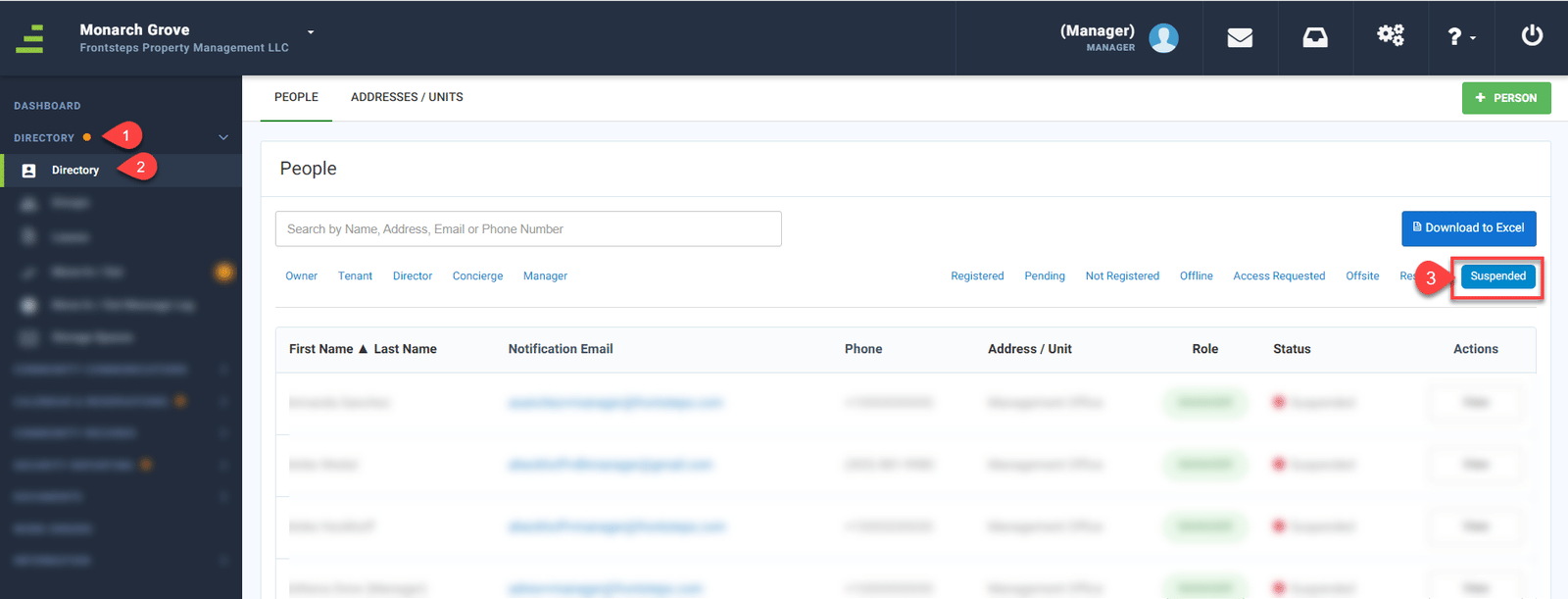
A list of Users who have been suspended from this community will now show.

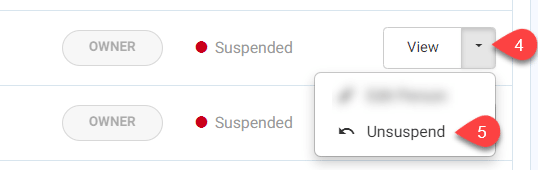
To unsuspend an Owner or Director, click the drop down arrow (4) to the right of the ‘View’ button. Then select ‘Unsuspend’ (5).
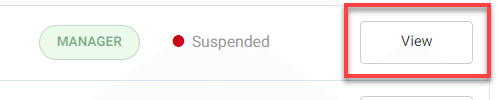
To unsuspend a Manager, click the ‘View’ button.
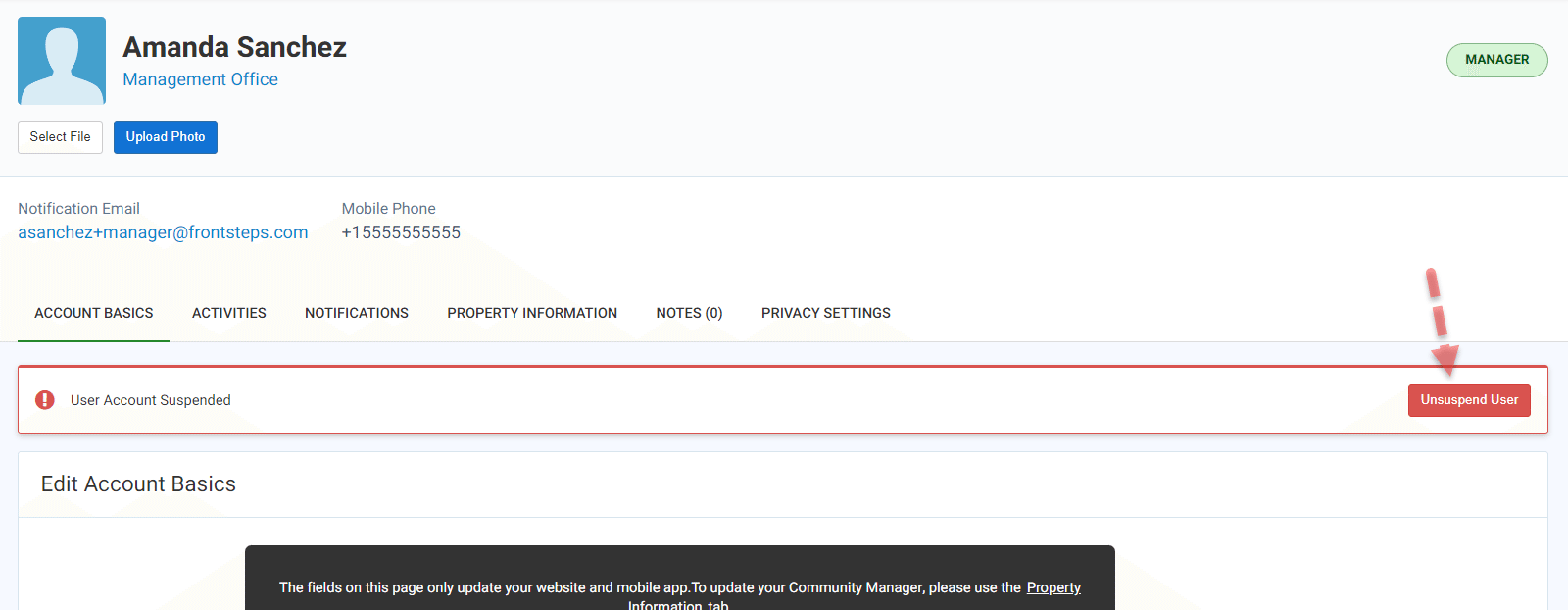
From here you will see their account information. Click the ‘Unsuspend User’ button.
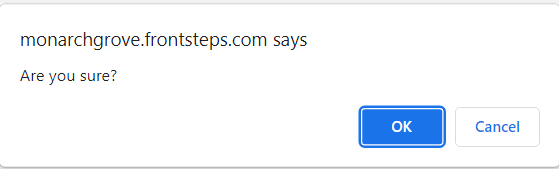
After clicking to Unsuspend a User (regardless of role), a pop up will appear asking ‘Are you sure’.
To continue click, ‘Ok’.
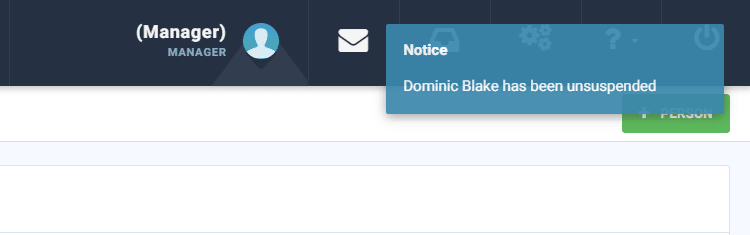
A notice will appear in the upper right corner to let you know that the action has been completed and the User has been unsuspended.
If the User previously had credentials to the FRONTSTEPS Community Portal, now that they are unsuspended they can login using that same email address and password to access their FRONTSTEPS Community Portal.
If a User does not remember their password a Community Manager can reset their password, or the Resident can reset their password.
To learn more about how a Community Manager can reset a Users password, click here.
To learn more about how a Resident can reset their password, click here .
To do this the community manager will start by logging into the Community portal. Once logged in:
- Navigate to the ‘Directory’ menu.
- Select the ‘Directory’ menu option.
- Filter to show the ‘Suspended’ Users.
A list of Users who have been suspended from this community will now show.
To unsuspend an Owner or Director, click the drop down arrow (4) to the right of the ‘View’ button. Then select ‘Unsuspend’ (5).
To unsuspend a Manager, click the ‘View’ button.
From here you will see their account information. Click the ‘Unsuspend User’ button.
After clicking to Unsuspend a User (regardless of role), a pop up will appear asking ‘Are you sure’.
To continue click, ‘Ok’.
A notice will appear in the upper right corner to let you know that the action has been completed and the User has been unsuspended.
If the User previously had credentials to the FRONTSTEPS Community Portal, now that they are unsuspended they can login using that same email address and password to access their FRONTSTEPS Community Portal.
If a User does not remember their password a Community Manager can reset their password, or the Resident can reset their password.
To learn more about how a Community Manager can reset a Users password, click here.
To learn more about how a Resident can reset their password, click here .