
Manager- Community FAQs
The Community FAQs feature allows managers to add frequently asked questions or general information that may help to reduce the number of calls or inquiries they may receive from community members.
Managers and Directors will have the ability to add FAQs and Residents, Tenants and Concierges can view them.
Managers & Directors:
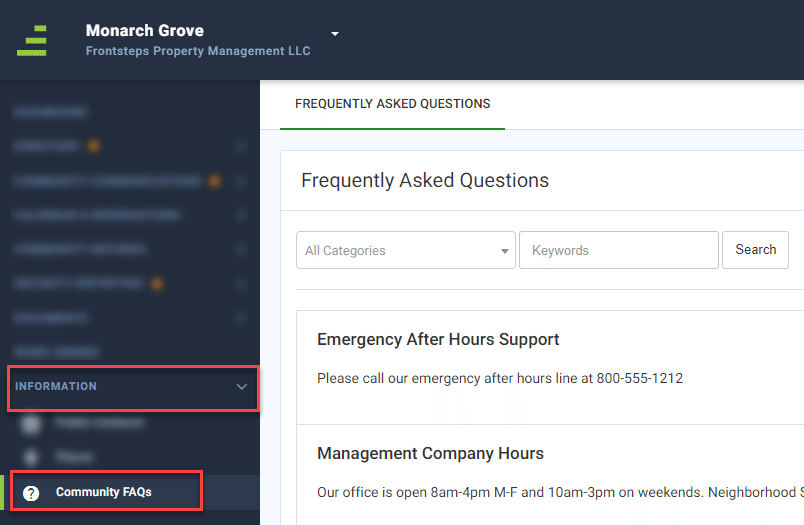
To access the FAQs navigate to the ‘Information’ menu and select the ‘Community FAQs’ menu option
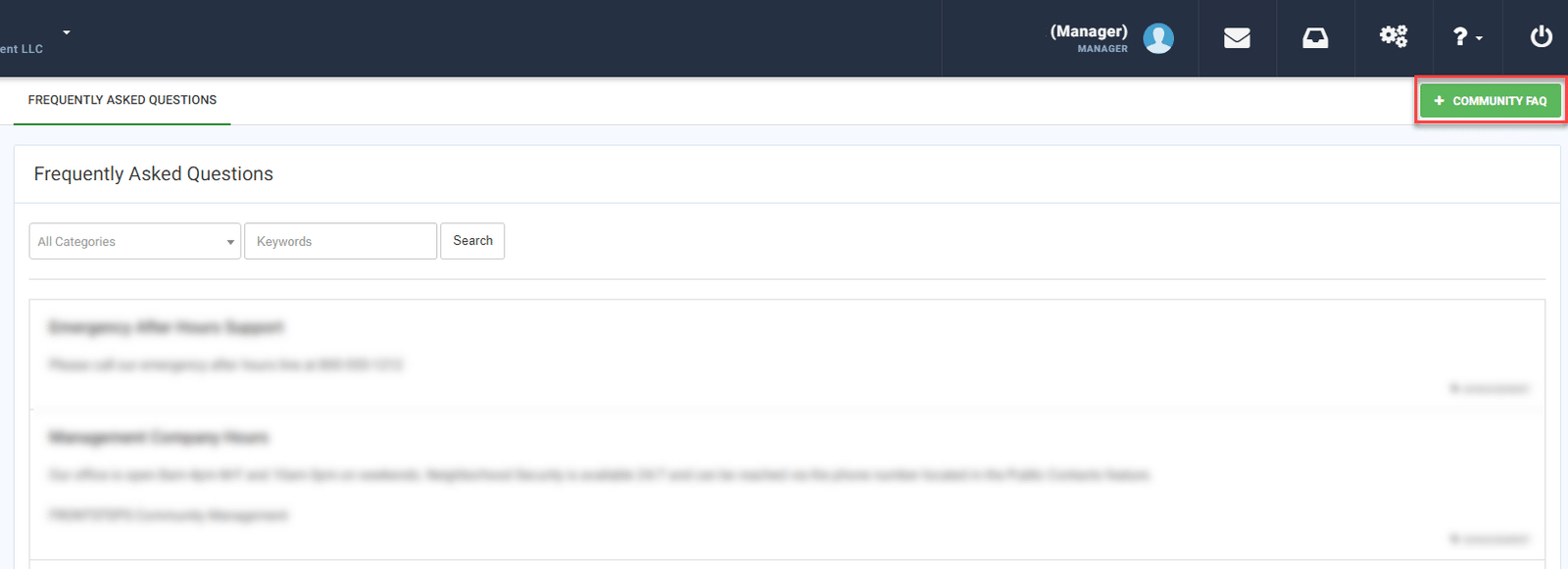
As a Manager or Director you can add an FAQ from this page by clicking the green ‘+Community FAQ’ button.
When adding a new FAQ you will need to enter the ‘Question’ and ‘Answer’, then select the Category/Topic that can be used to group related questions/answers.
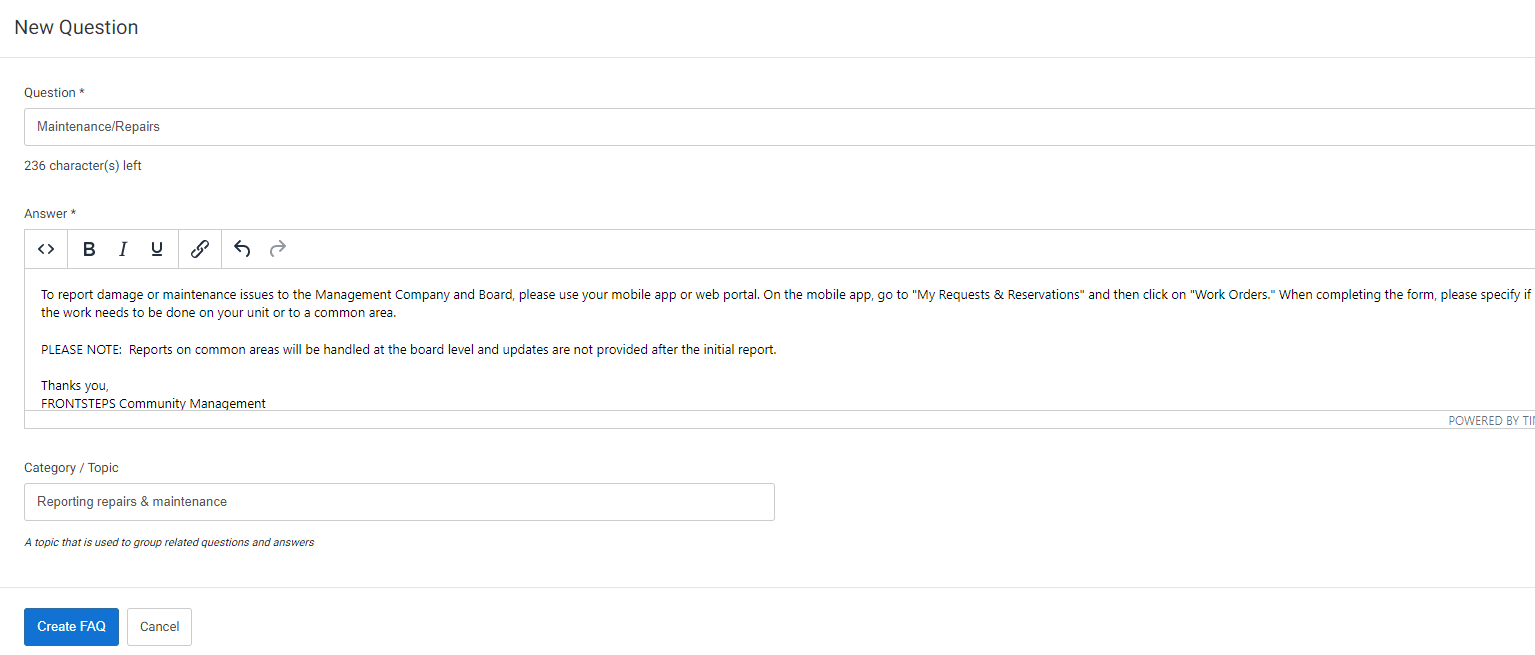
When complete click ‘Create FAQ’
To edit an existing FAQ, hover over the question from the ‘Frequently Asked Questions’ page and click the edit icon

To delete an FAQ, hover over the question from the ‘Frequently Asked Questions’ page and click the delete icon.

Owners & Tenants:
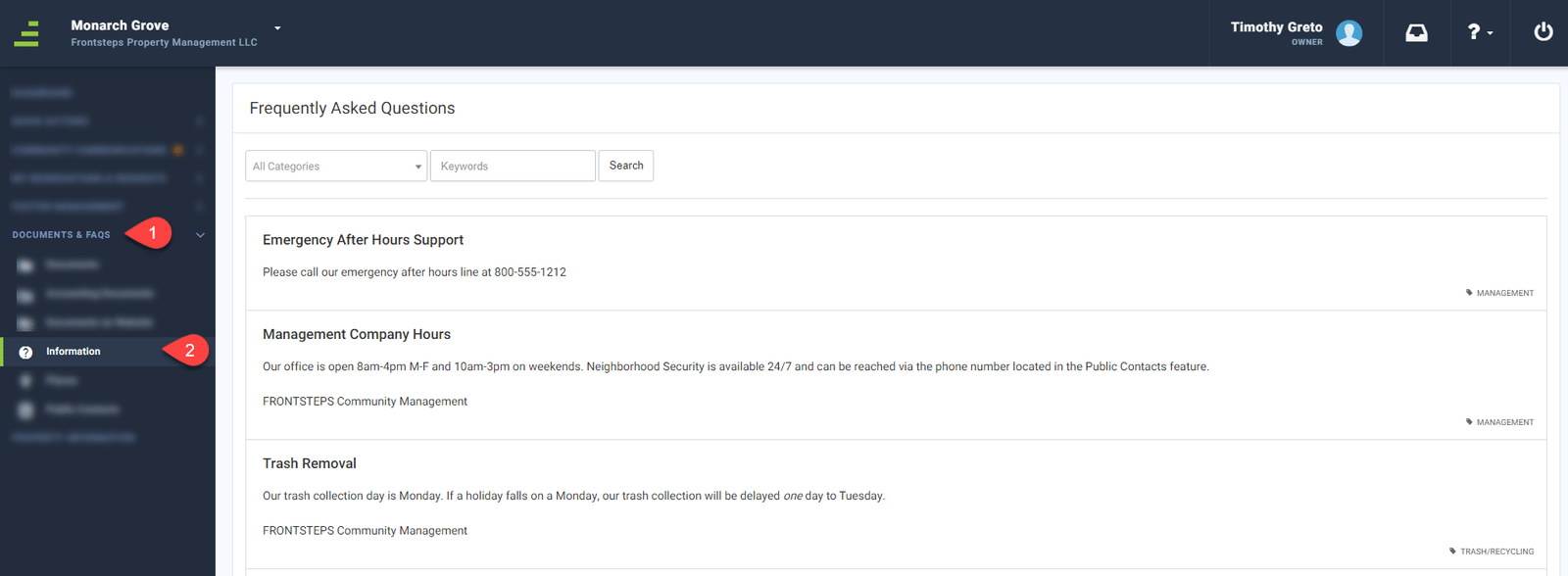
To view the Community FAQs navigate to the ‘Documents & FAQs’ menu and select the ‘Information’ menu option.
Concierges:
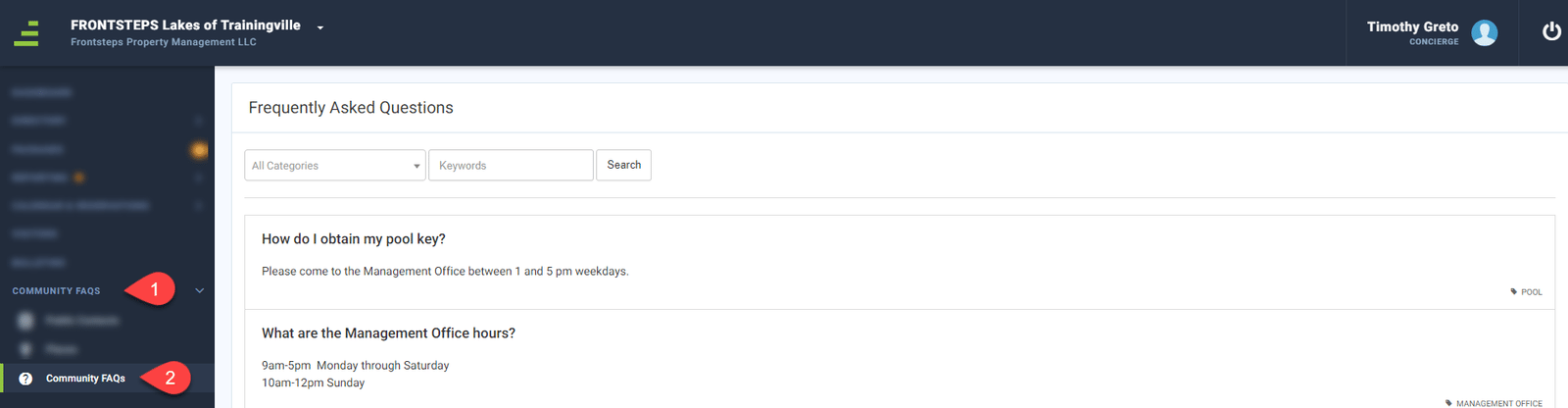
To view the Community FAQs navigate to the ‘Community FAQs’ menu and select the ‘Community FAQs’ menu option.
Managers and Directors will have the ability to add FAQs and Residents, Tenants and Concierges can view them.
Managers & Directors:
To access the FAQs navigate to the ‘Information’ menu and select the ‘Community FAQs’ menu option
As a Manager or Director you can add an FAQ from this page by clicking the green ‘+Community FAQ’ button.
When adding a new FAQ you will need to enter the ‘Question’ and ‘Answer’, then select the Category/Topic that can be used to group related questions/answers.
When complete click ‘Create FAQ’
To edit an existing FAQ, hover over the question from the ‘Frequently Asked Questions’ page and click the edit icon
To delete an FAQ, hover over the question from the ‘Frequently Asked Questions’ page and click the delete icon.
Owners & Tenants:
To view the Community FAQs navigate to the ‘Documents & FAQs’ menu and select the ‘Information’ menu option.
Concierges:
To view the Community FAQs navigate to the ‘Community FAQs’ menu and select the ‘Community FAQs’ menu option.