Manager- Architectural Change Request Guide- Mobile App
We’re updating this article. Some screenshots or names may look older than what you see in the product.
Board Members and Managers – Architectural Change Requests (FS Suite)
Background
FRONTSTEPS has built out the architectural change requests (ACR) experience as part of our best-in-class integration between FRONTSTEPS COMMUNITY/CONNECT (FSC) and Caliber Desktop. To ensure the process is efficient, FRONTSTEPS is enabling Homeowners to submit ACRs, Board Members to view and approve ACRs, and Managers to customize the experience.Notes
- The feature is available to all users as follows:
- Board Members/Directors: Board Members/Directors can view all ACRs and details for the Community. Board Members with approval rights may approve or reject ACRs.
- Managers: Managers can view all ACRs.
- Homeowners (Residents): can submit ACRs and follow the progress. Homeowners with approval rights may approve or reject ACRs.
- This feature is available to communities integrated with the Caliber Desktop system. It is not available with other Accounting integrations.
Features
The following functionality is provided:
- Manager Settings – This feature allows Managers to customize the instructions that Homeowners see when submitting the ACRs. These also allow Managers to show/hide details and set notification settings.
- Homeowner Creation of Architectural Requests – Homeowners can complete and submit ACRs on the FSC Web Portal and update ACRs from the FSC Mobile App.
- Approvals – Board Members and Homeowners who are approvers can approve or reject ACRs on the FSC Web Portal and update ACRs from the FSC Mobile App.
Homeowner Updates of an Architectural Request via the FSC Mobile App for Residents
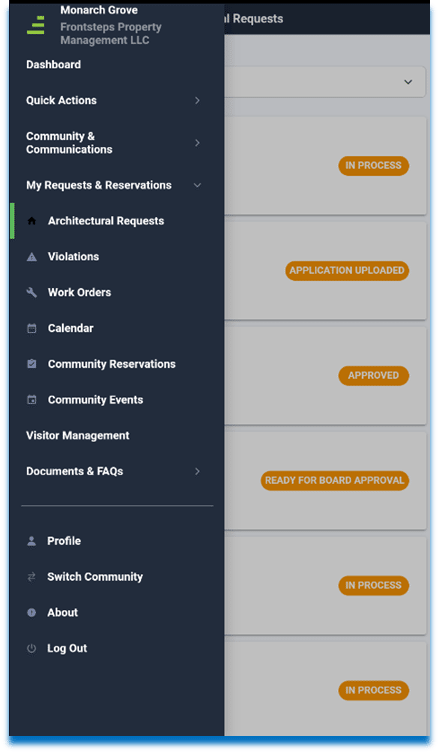
- Select My Requests & Reservations.
- Select Architectural Requests.
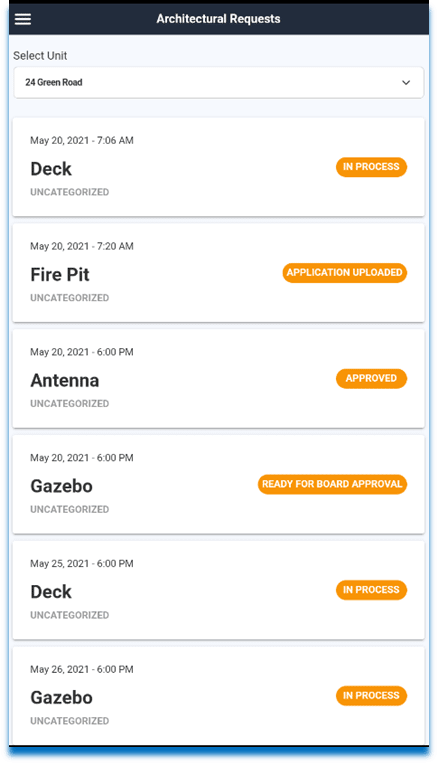
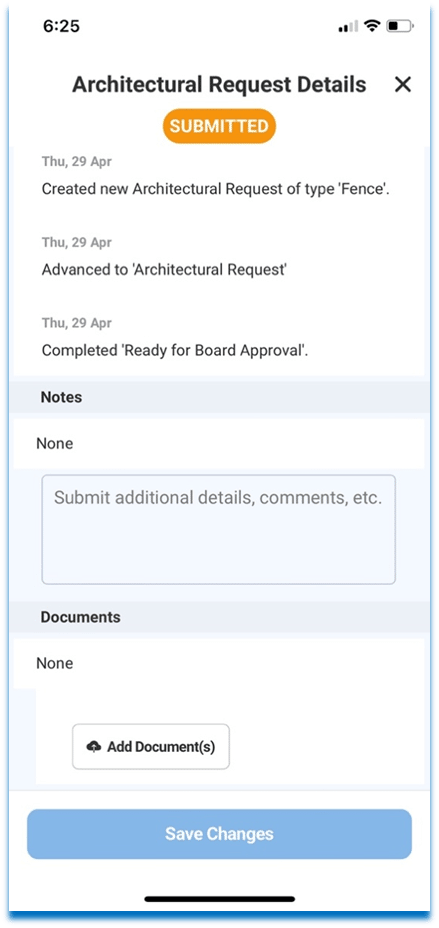
3. Tap an Architectural Request to view the details. Residents can add notes and documents from the Mobile App.
ACR Approval via the FSC Mobile App
Homeowners with approval rights can approve or reject Architectural Requests. Homeowners may have the Resident or Director role in FSC. Approval rights for the individuals are determined by settings in Caliber.
- Select Community Records.
- Select Architectural Requests.
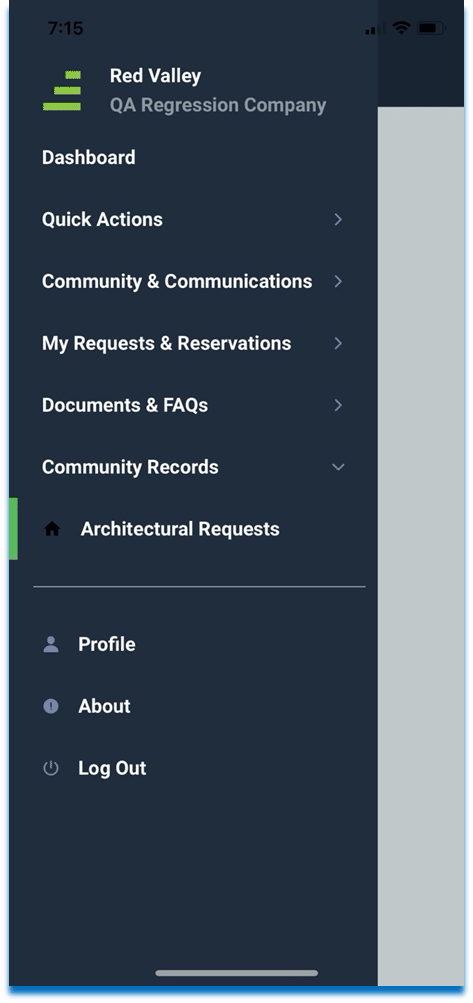
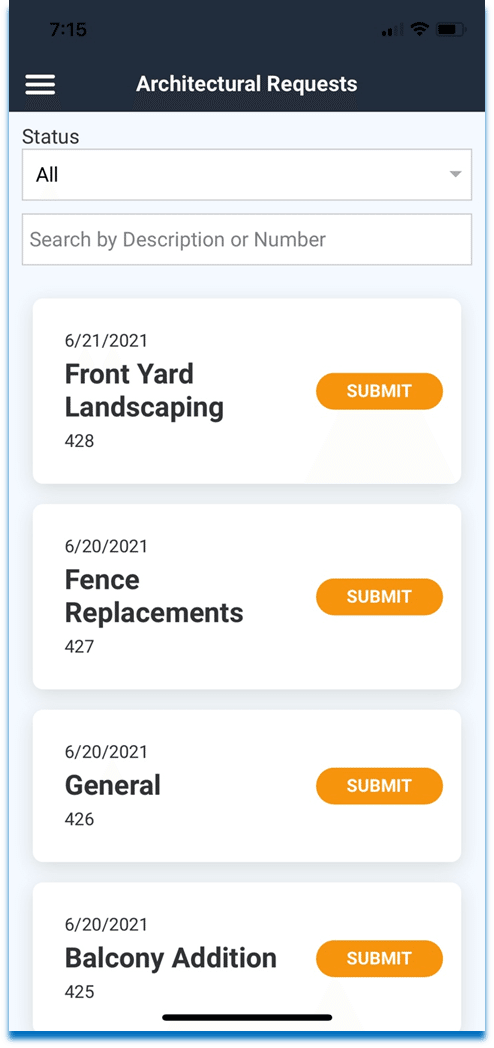
- Tap an Architectural Request to view the details.
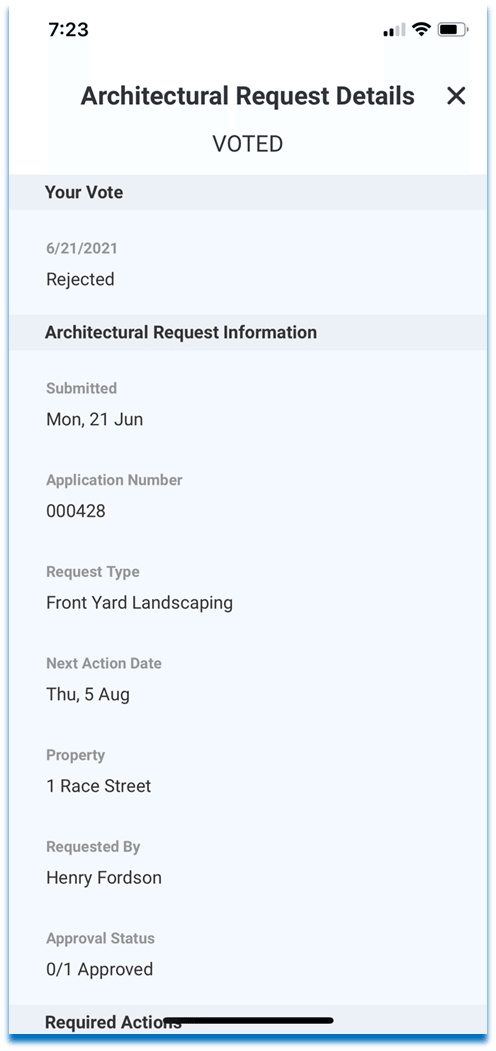
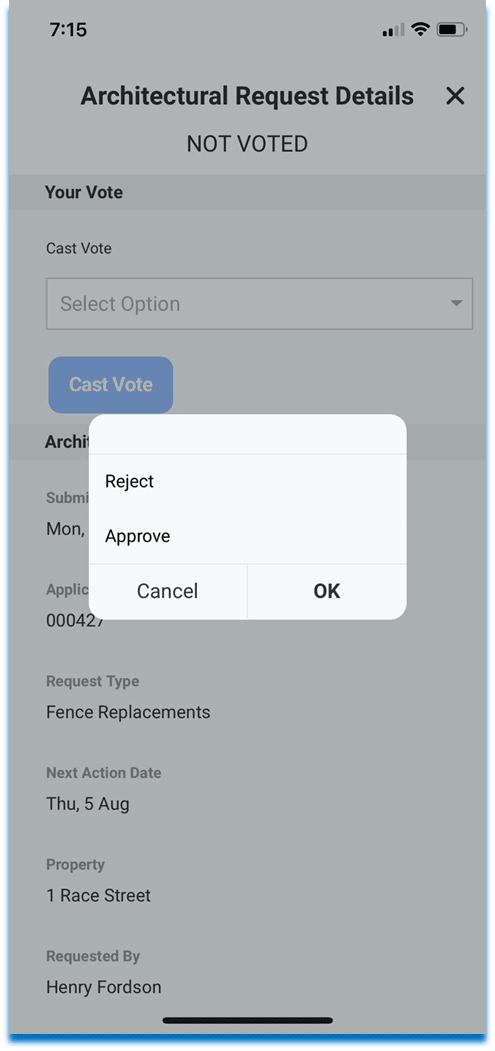
- Select Approve or Reject from the dropdown menu. If the Architectural Request is rejected, a comment must be added.
- Select Cast Vote.
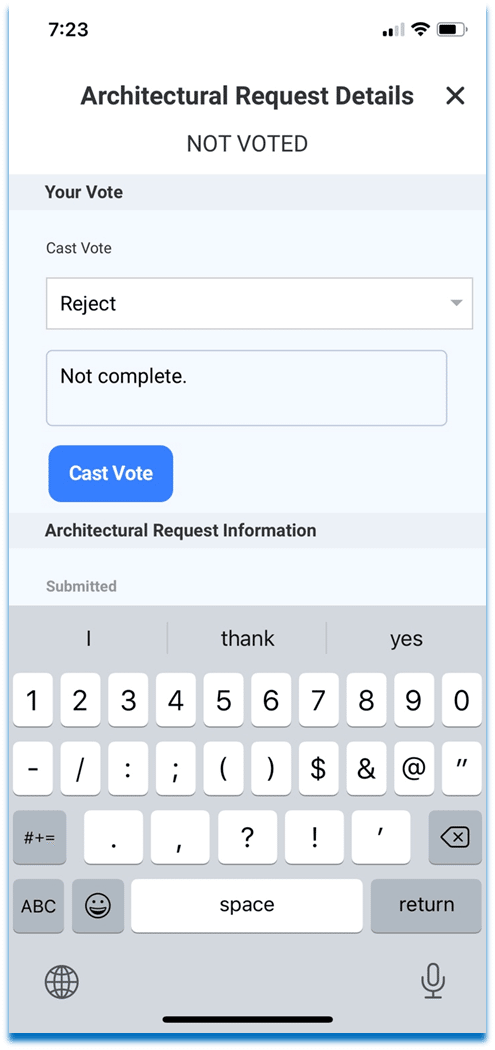
After the vote, the status on the Architectural Request changes to Voted.