
Admin/Dealer - Issuing Activation Keys for the dwellingLIVE Gatehouse App
We’re updating this article. Some screenshots or names may look older than what you see in the product.
The Gatehouse App requires a unique activation key to connect to a community in dwellingLIVE. There are times when the Gatehouse App’s connection to dwellingLIVE breaks and a new activation key is required. In this situation, Community Administrators, Attendant Supervisors, and Dealers can issue activation keys to rebuild that connection.
Steps
1. Log into community.dwellinglive.com as a Community Administrator, Attendant Supervisor, or Dealer.
· If using a dwellingLIVE app station, open the Administrator icon to log in.
2. Select Visitor Stations from the Visitor Management drop-down menu.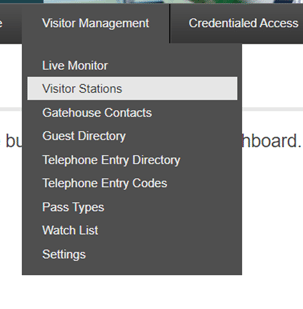
3. Select "Edit" to the right of the visitor station requesting an activation key.
4. At the bottom of the next page, select "Issue New Activation Key".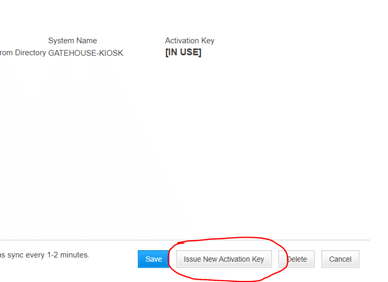
5. A series of letters and numbers will appear under Activation Key.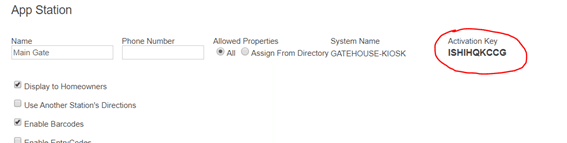
6. Select “Save” to return to the Visitor Stations page.
7. Close the Gatehouse app on the app station, then relaunch it and enter the new activation key when prompted.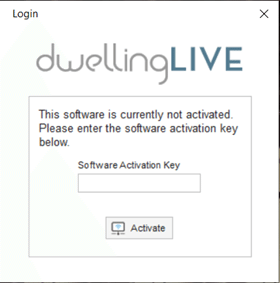
If additional assistance is needed, please submit a support ticket by calling 800-992-4384 (select 1 for Support, then 1 again for Security), or send an email to [email protected].