
How to Find Homeowner Details – FSPay 3.0
We’re updating this article. Some screenshots or names may look older than what you see in the product.
To view details about homeowners, select the Homeowners option from the drop-down menu in the title bar.

The following filters are available to search for a specific homeowner(s):
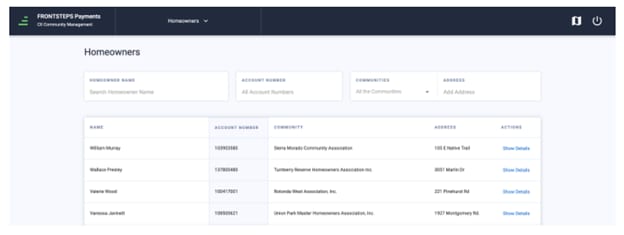
To view additional details about a specific homeowner, click ‘Show Details’. A fly out appears with details about the homeowner and their scheduled payments.
The following filters are available to search for a specific homeowner(s):
- Homeowner Name – Search for a specific homeowner by typing in their name. First and/or last name can be used.
- Account Number – Search for a homeowner by their Account Number.
- Community – Search and limit the list of homeowners for one specific community.
- Address – Search for a homeowner by the building/house number, street name, and unit number.
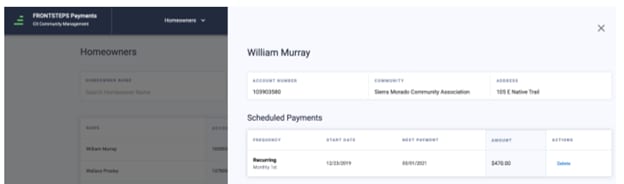
To view additional details about a specific homeowner, click ‘Show Details’. A fly out appears with details about the homeowner and their scheduled payments.