How-to
FRONTSTEPS Manager
Managers & CAMs
How to Export Work Orders
Article 000002227 · Updated Mar 31, 2026
How to Export Work Orders in FRONTSTEPS Manager
This guide provides a straightforward process for exporting work orders in FRONTSTEPS Manager, making it easy to manage and analyze your data. By following these simple steps, users can efficiently download and organize their work orders, enhancing productivity and ensuring better data handling. Whether you're looking to streamline reporting or maintain records, this guide is an essential resource for maximizing the functionality of Community Manager.
- Navigate to FRONTSTEPS Manager
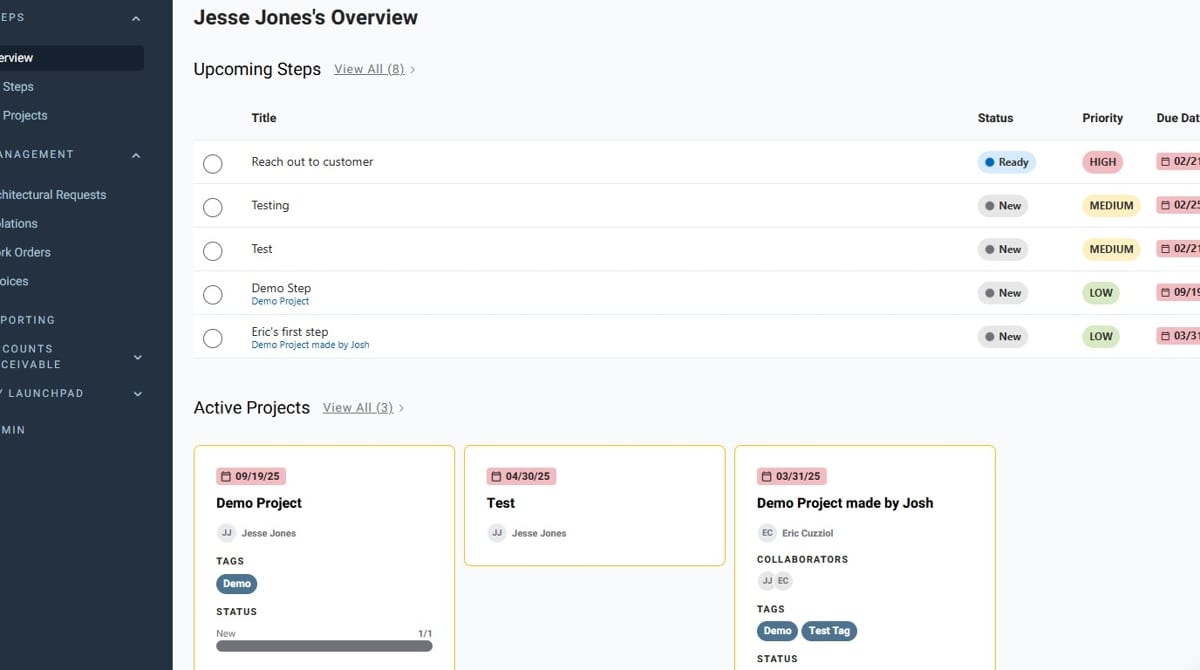
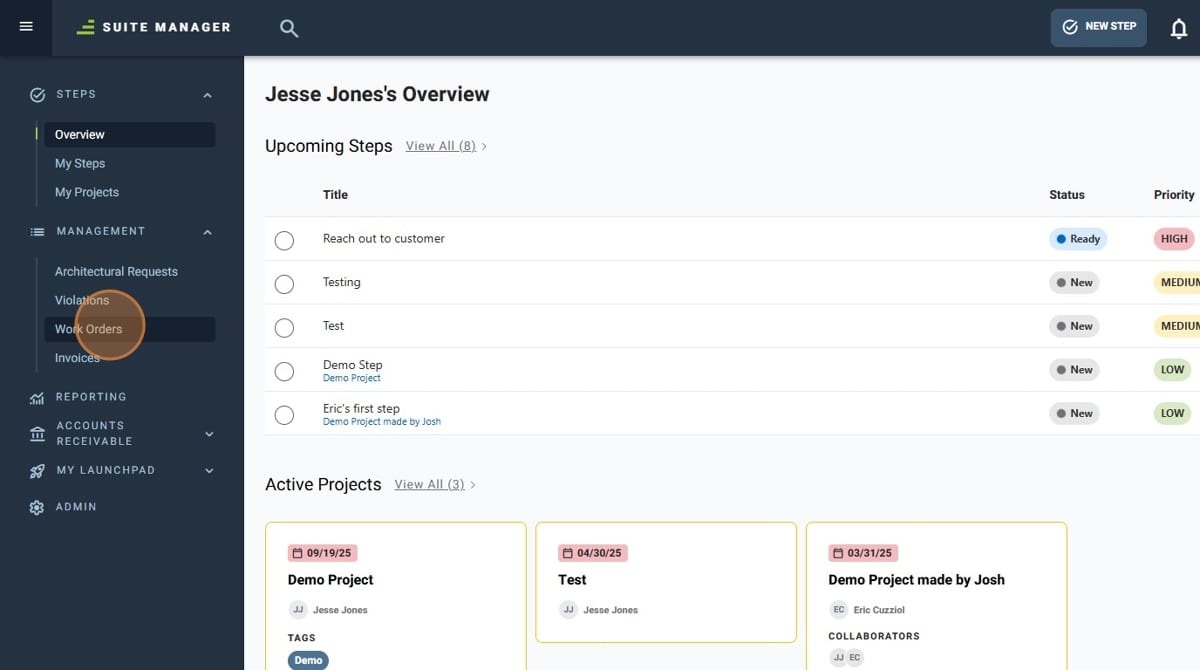
- Click "Work Orders"
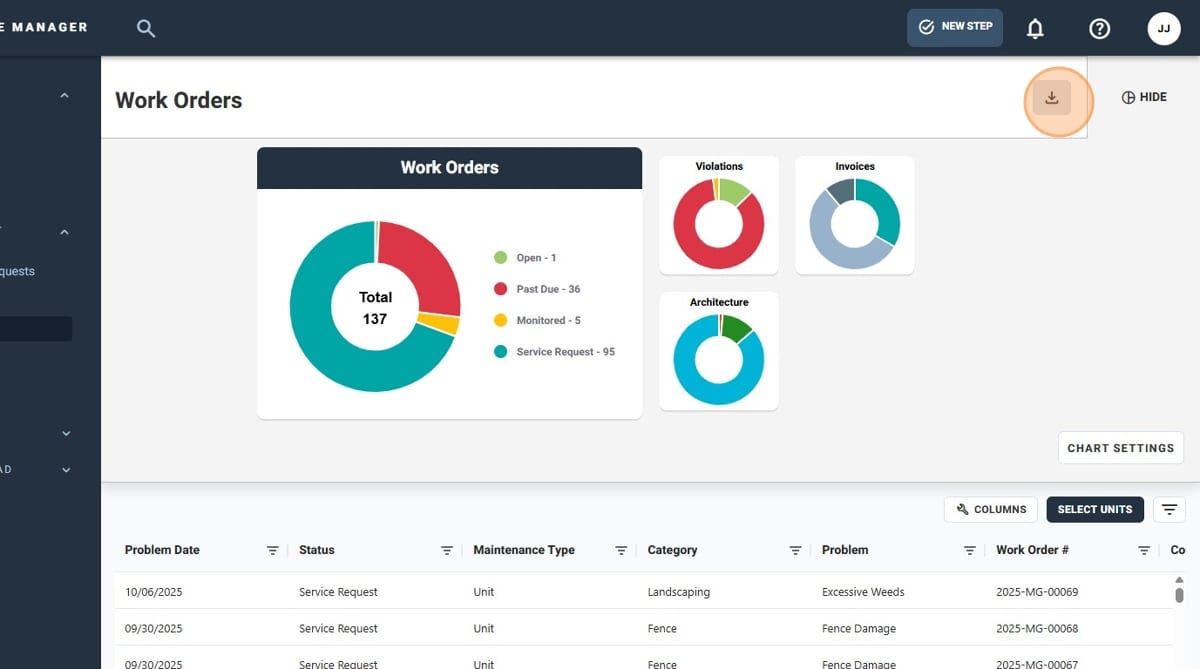
- Click the download icon on the upper right-hand side of the graph
- Give your export a title
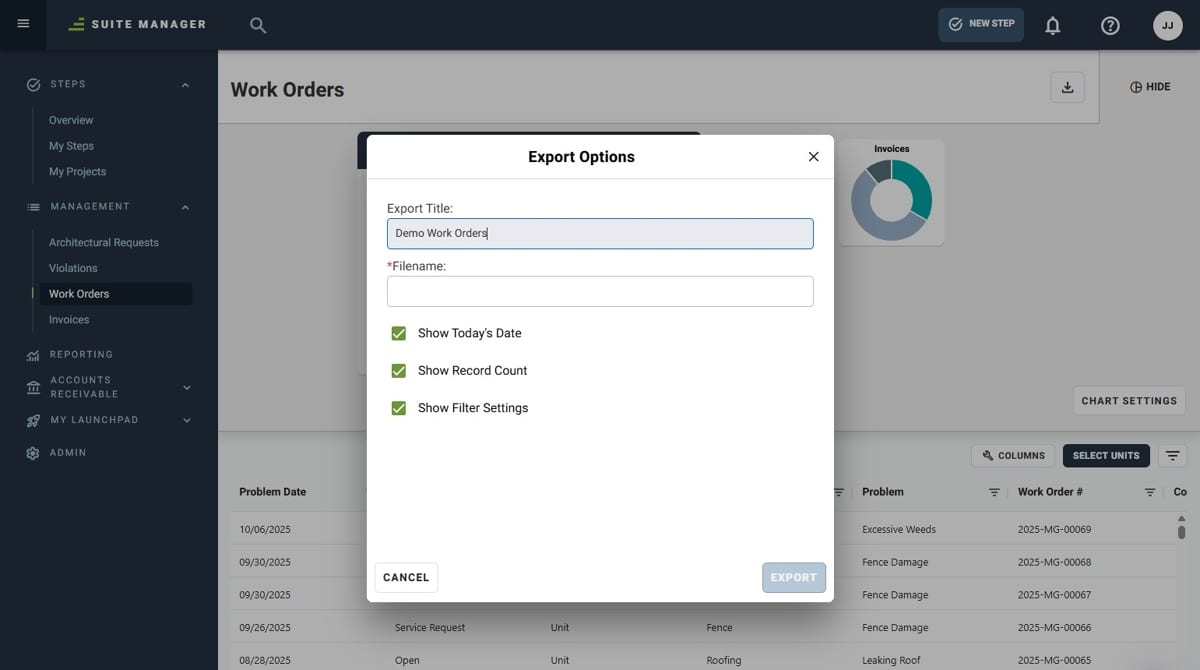
- Give your exported file a name
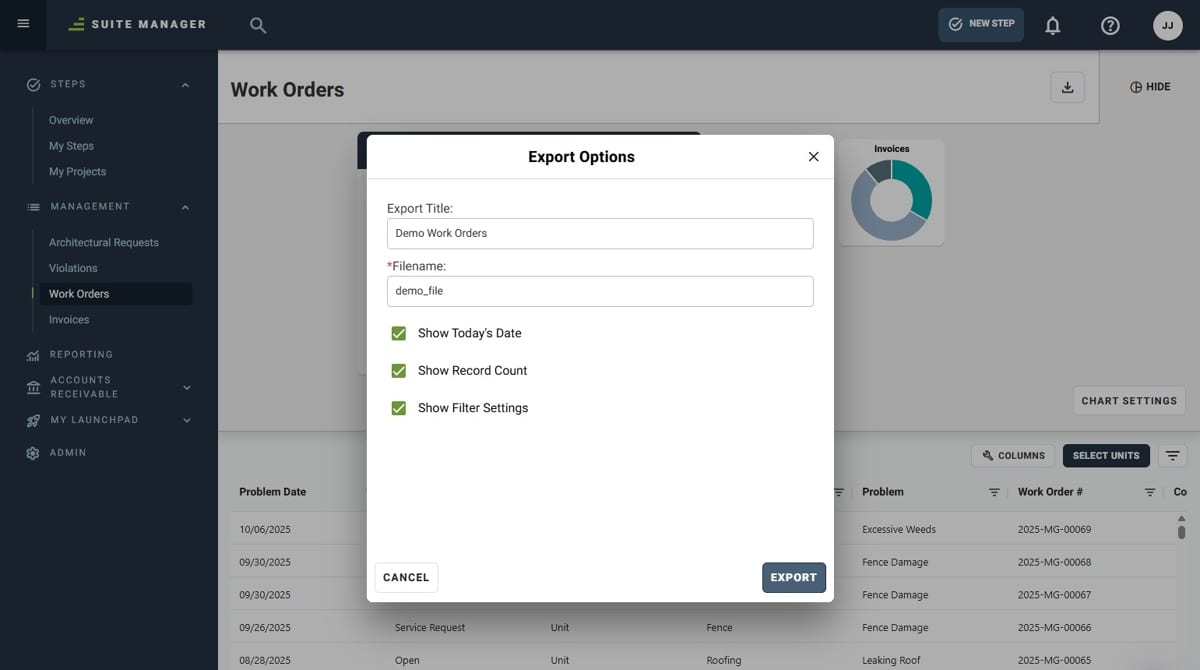
- Click "Export"
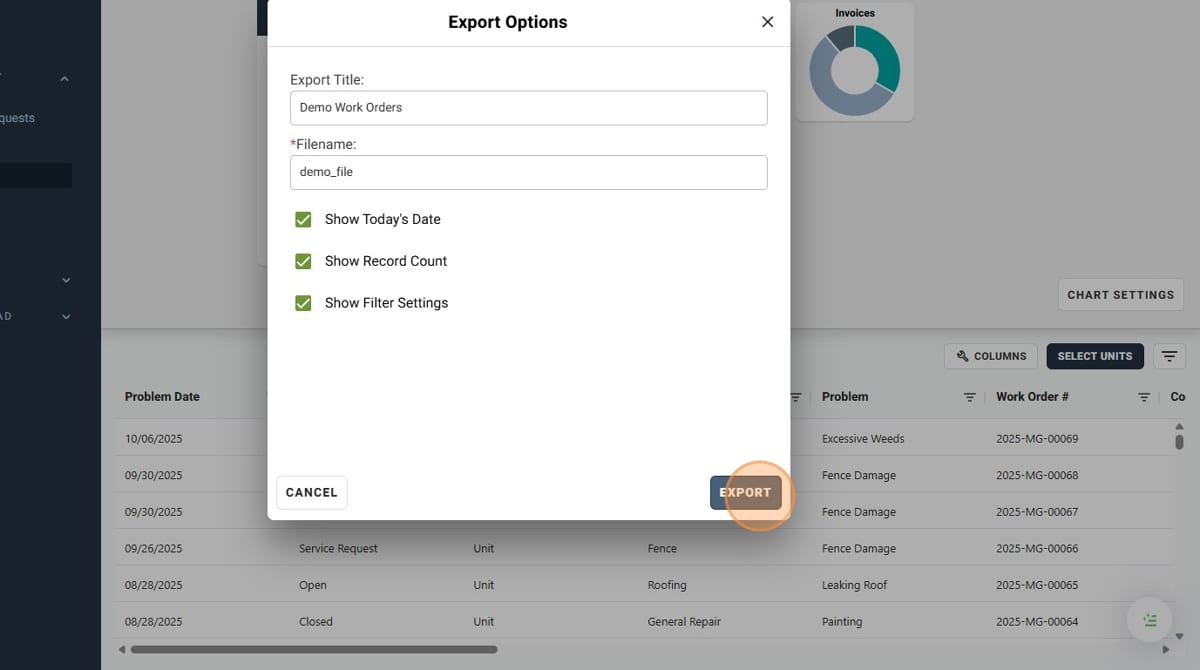
- You have successfully exported your Work Orders!
