How-to
FRONTSTEPS Manager
Managers & CAMs
How to Edit a Project
Article 000002230 · Updated Mar 31, 2026
How to Edit a Project in FRONTSTEPS Manager
This guide provides a straightforward process for editing a project in FRONTSTEPS Manager, ensuring users can efficiently manage project details and collaborators. By following these simple steps, users can enhance their project organization and collaboration, making it easier to keep track of team contributions. It's an essential resource for anyone looking to streamline their project management tasks within the Manager platform.
- Navigate to "Projects"
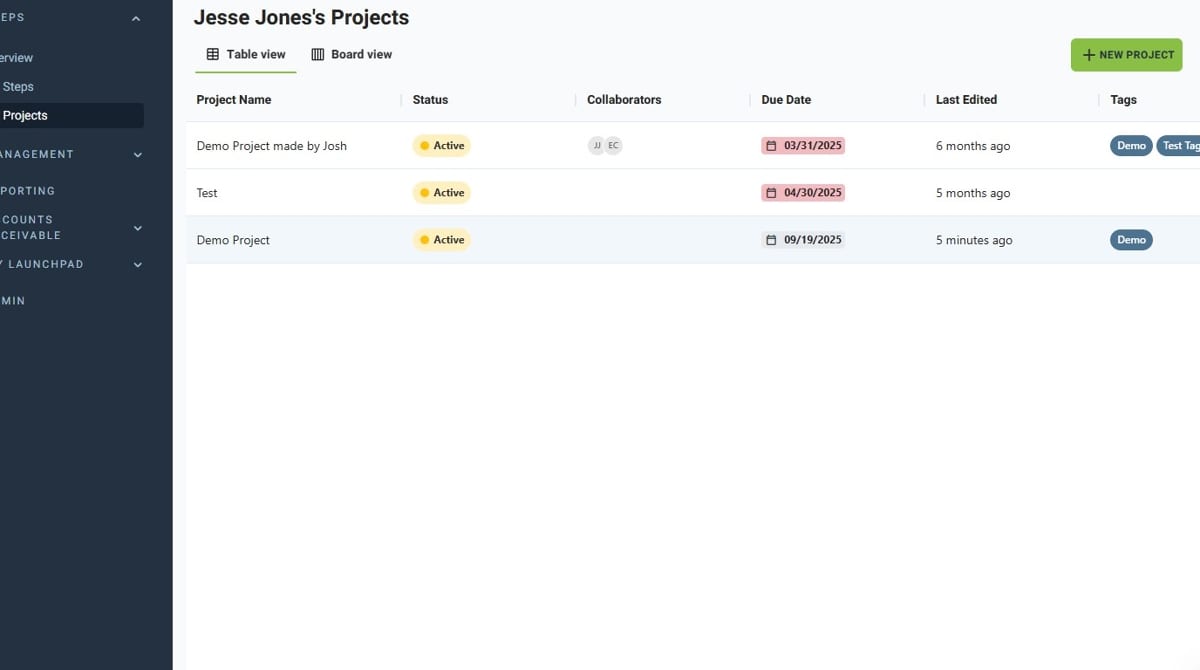
- Select the Project you wish to edit
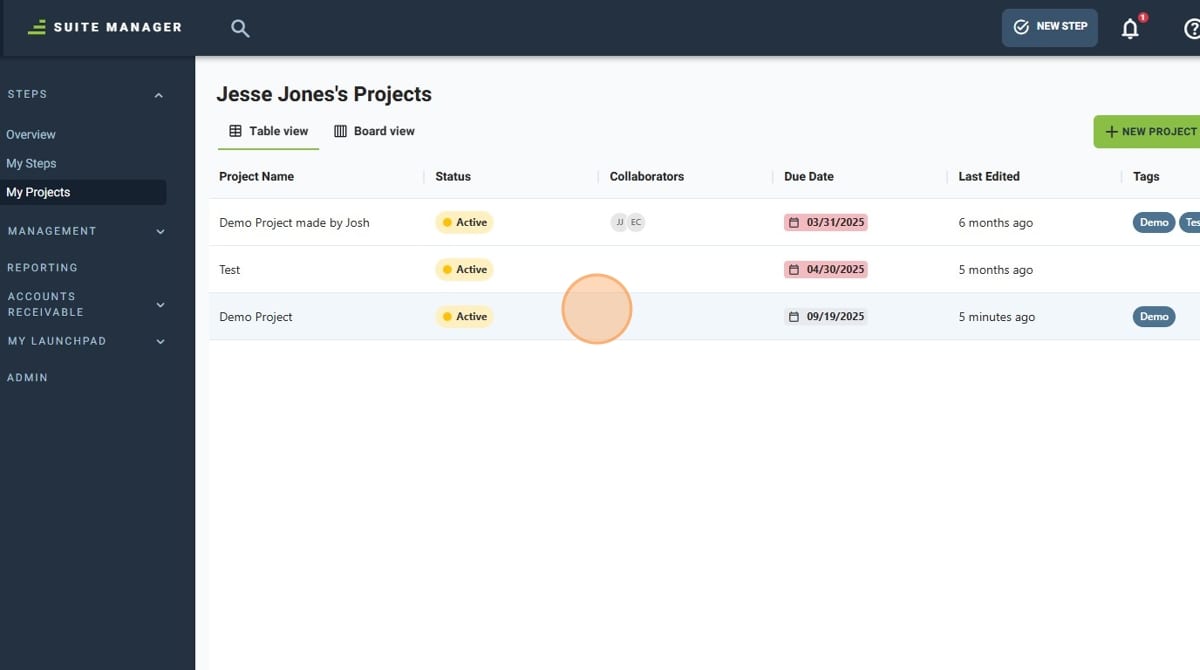
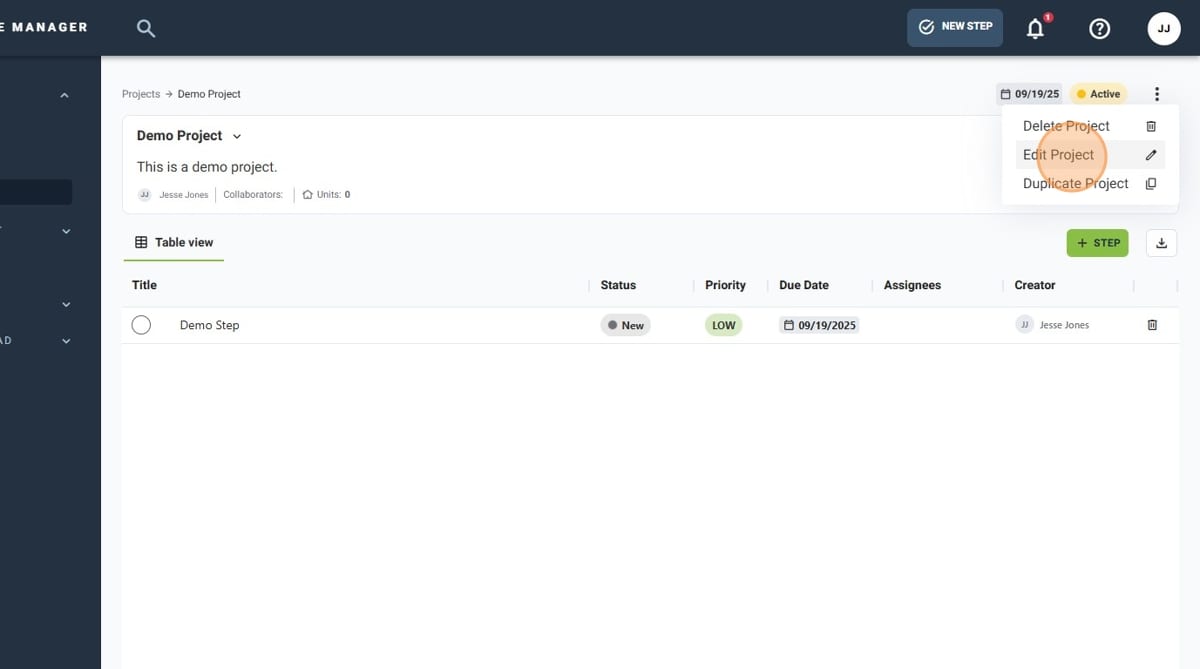
- Click the 3-dot menu
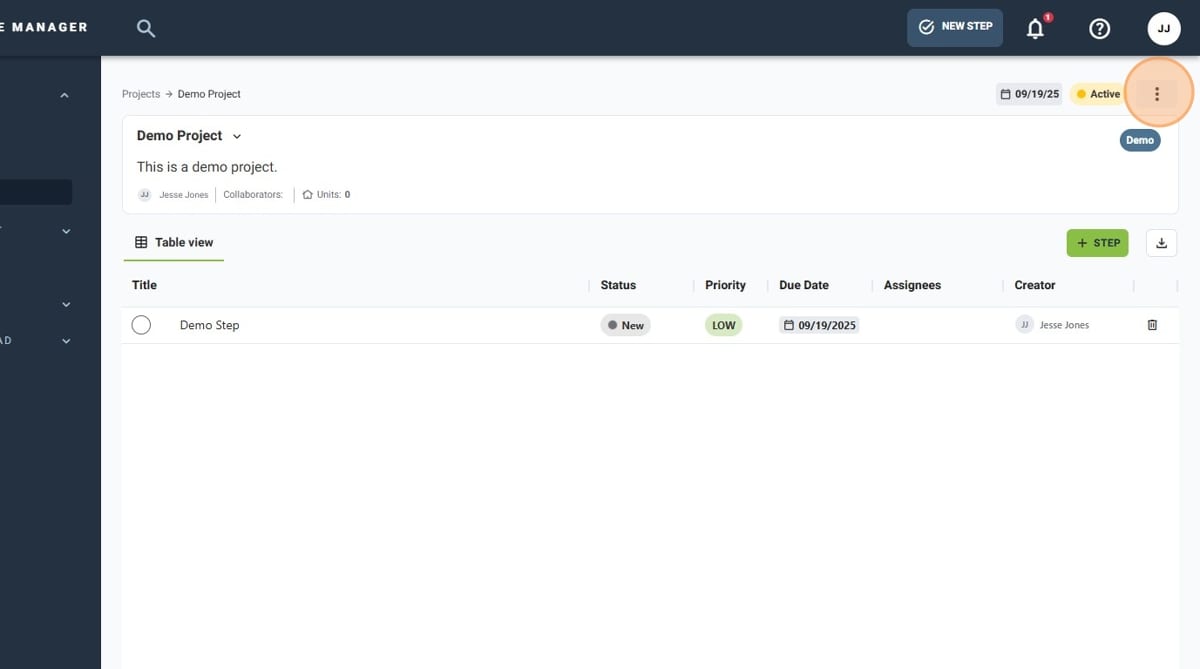
- Click "Edit Project"
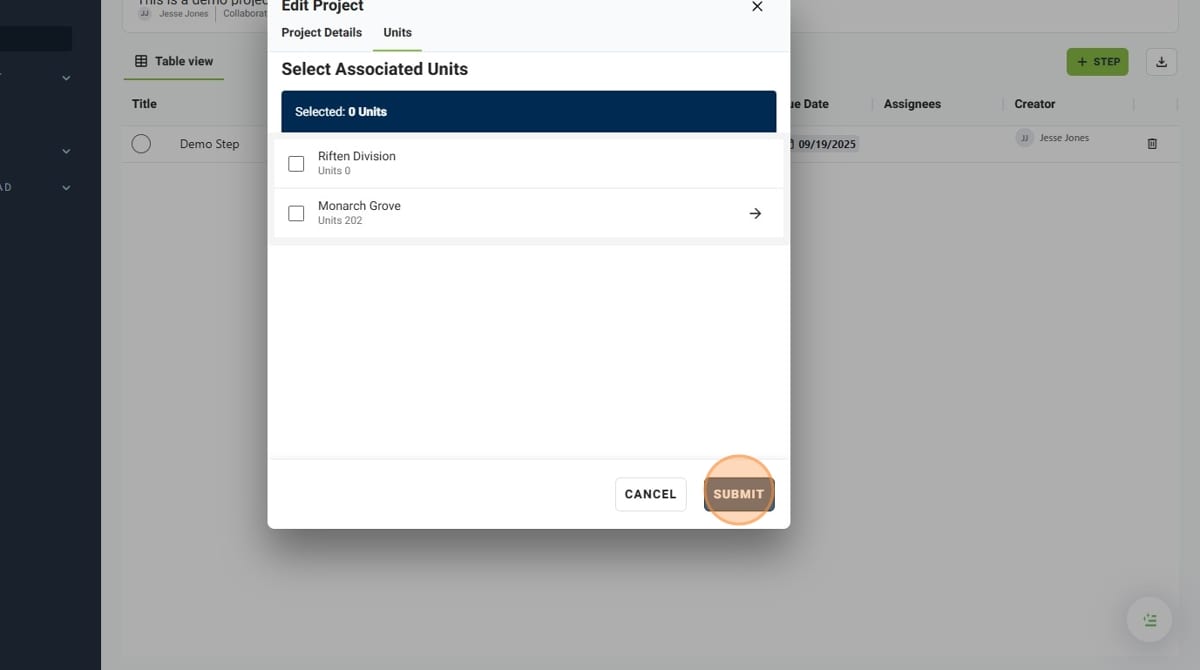
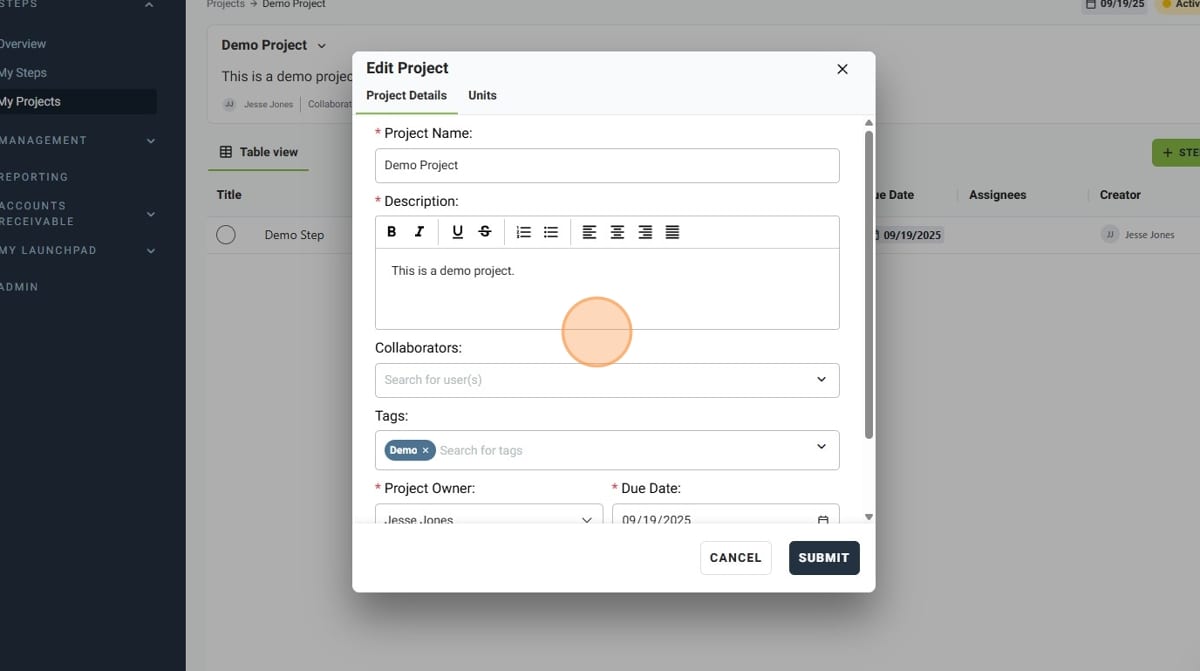
- In the pop-up window, make the desired edits to the Project
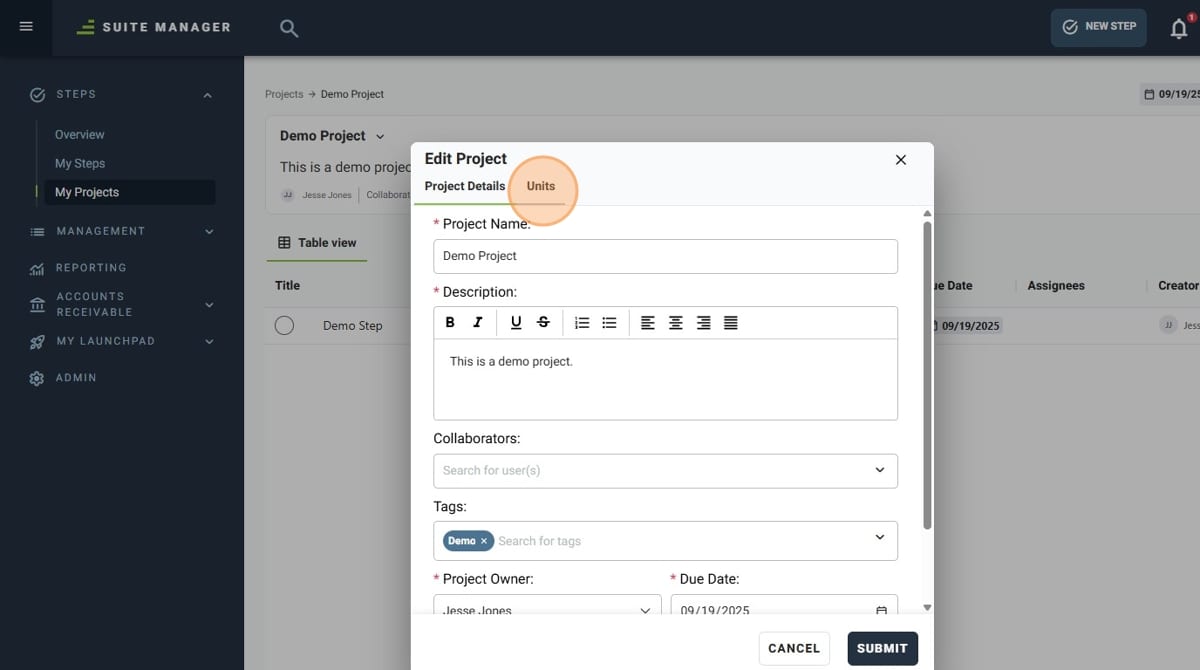
- The "Units" tab can be used to add or change the units the Project is for
- Once you are done with your updates, click "Submit". You have successfully updated a Project!