How-to
FRONTSTEPS Manager
Managers & CAMs
How To Create an Architectural Request
Article 000002220 · Updated Mar 31, 2026
How to Submit an Architectural Request in FRONTSTEPS Manager
This guide provides a straightforward, step-by-step process for submitting an architectural request in FRONTSTEPS Manager, making it easy for homeowners to navigate the system. It eliminates confusion by detailing each action required, ensuring users can efficiently submit their requests without hassle. Viewing this guide will save time and help ensure compliance with community standards when making architectural modifications.
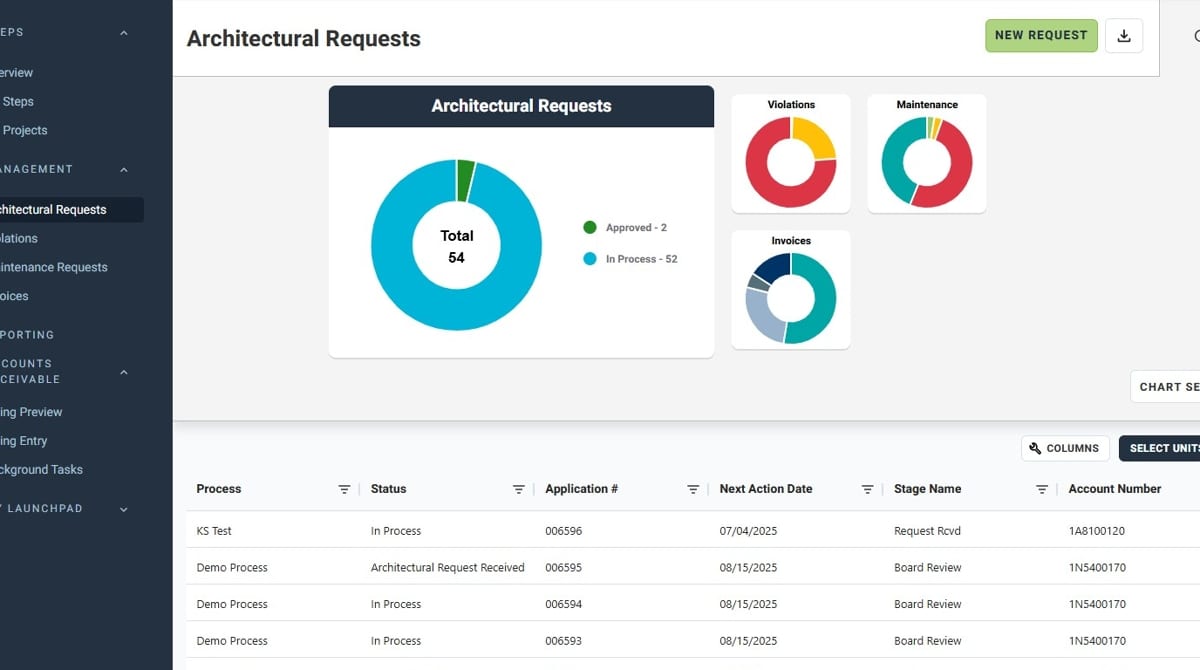
- Navigate to "Architectural Requests" under "Management"
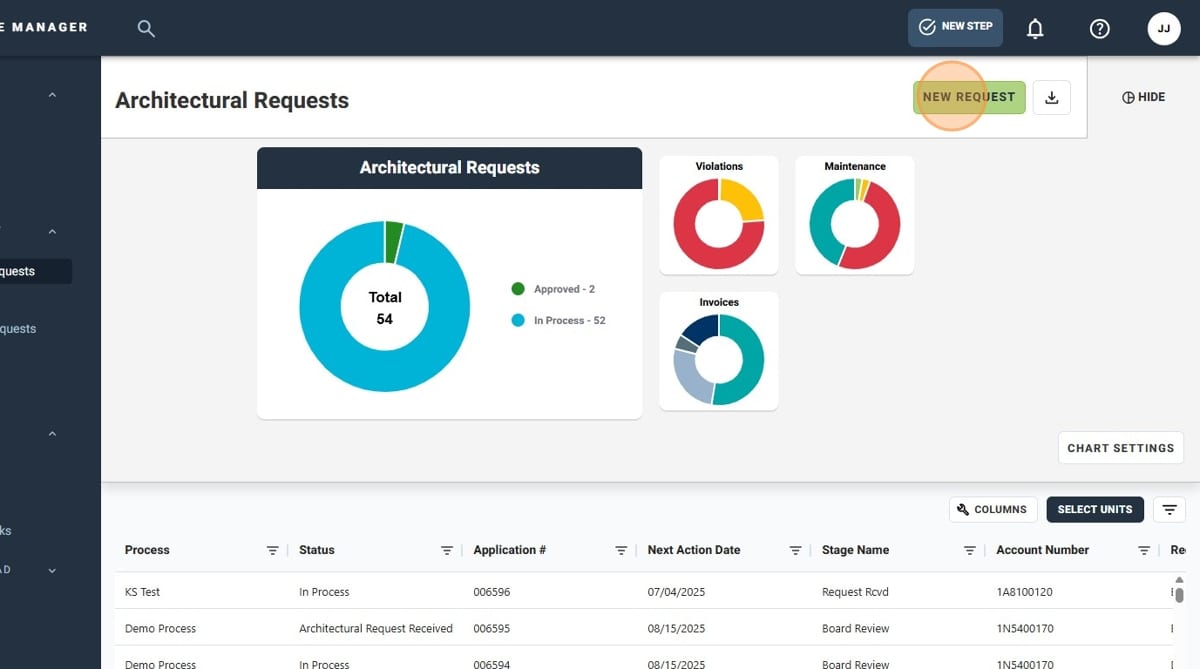
- Click "New Request"
- Search for the unit the Architectural Request is for
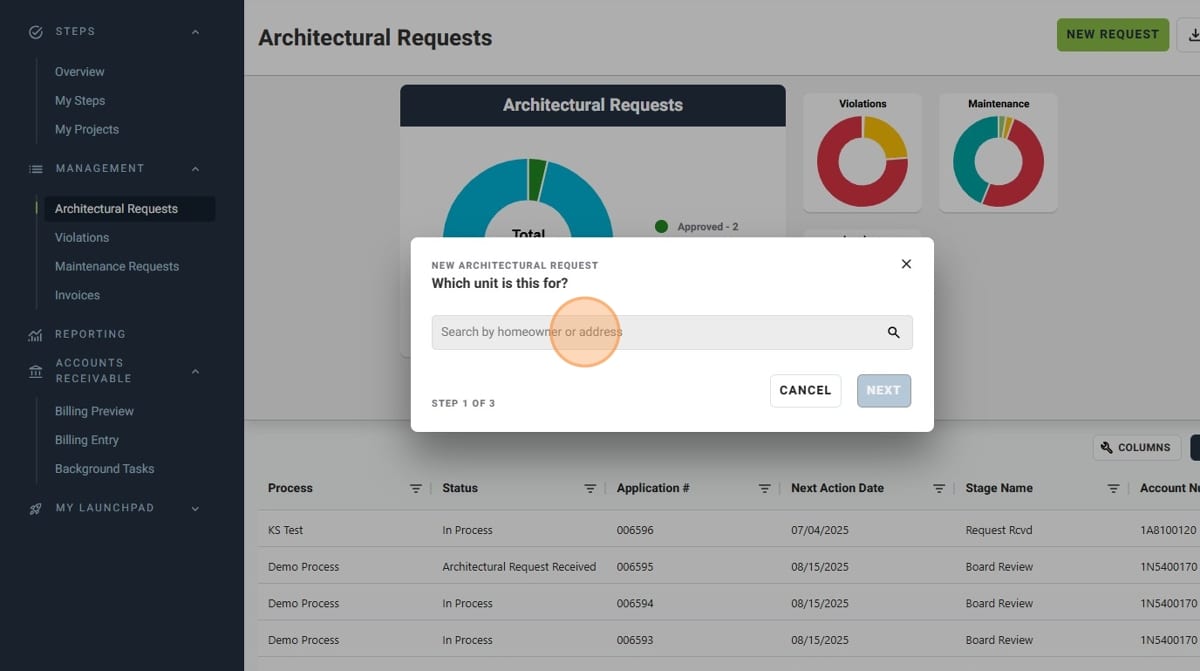
- Select the appropriate unit
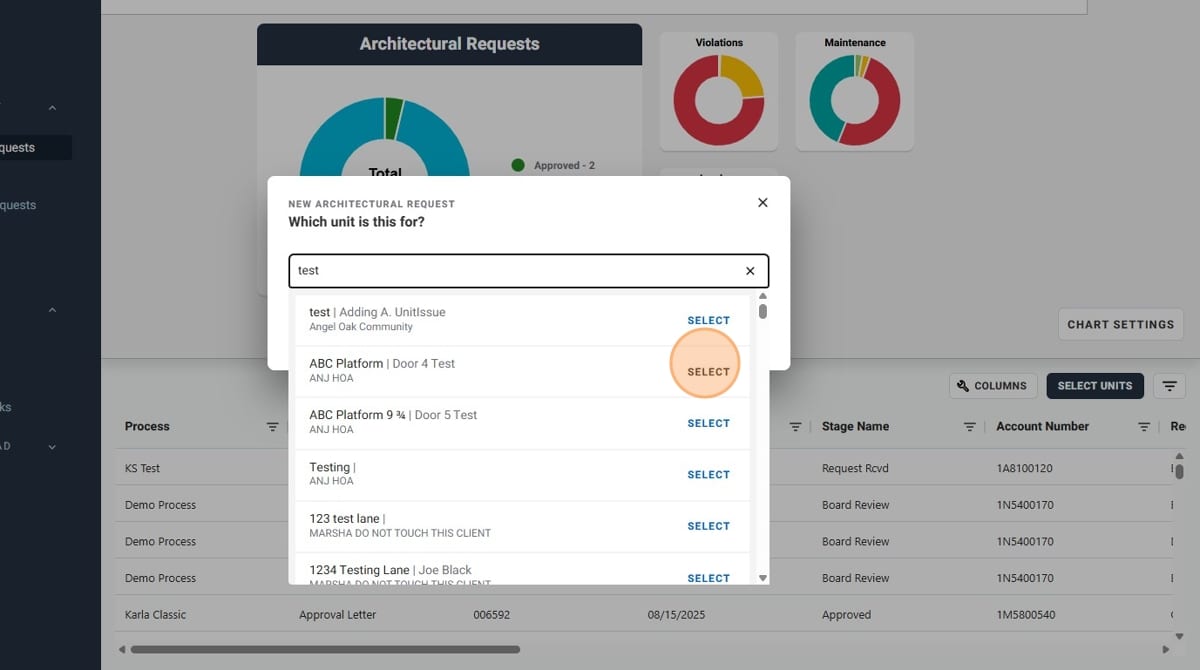
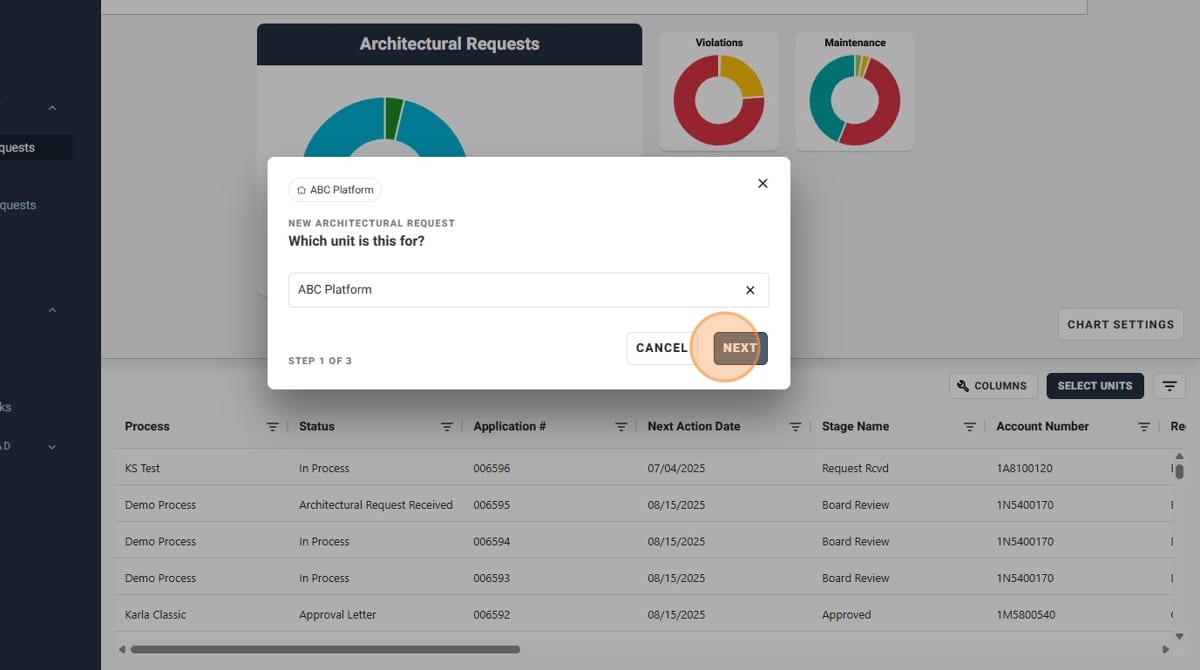
- Once you have selected the proper unit, click "Next"
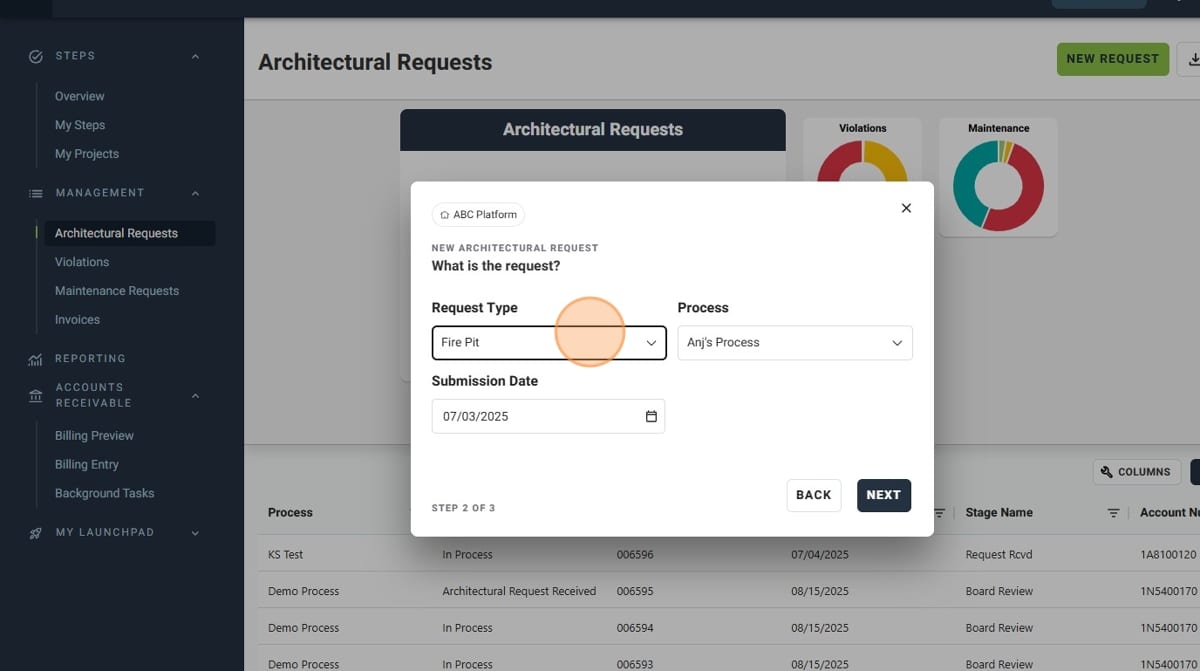
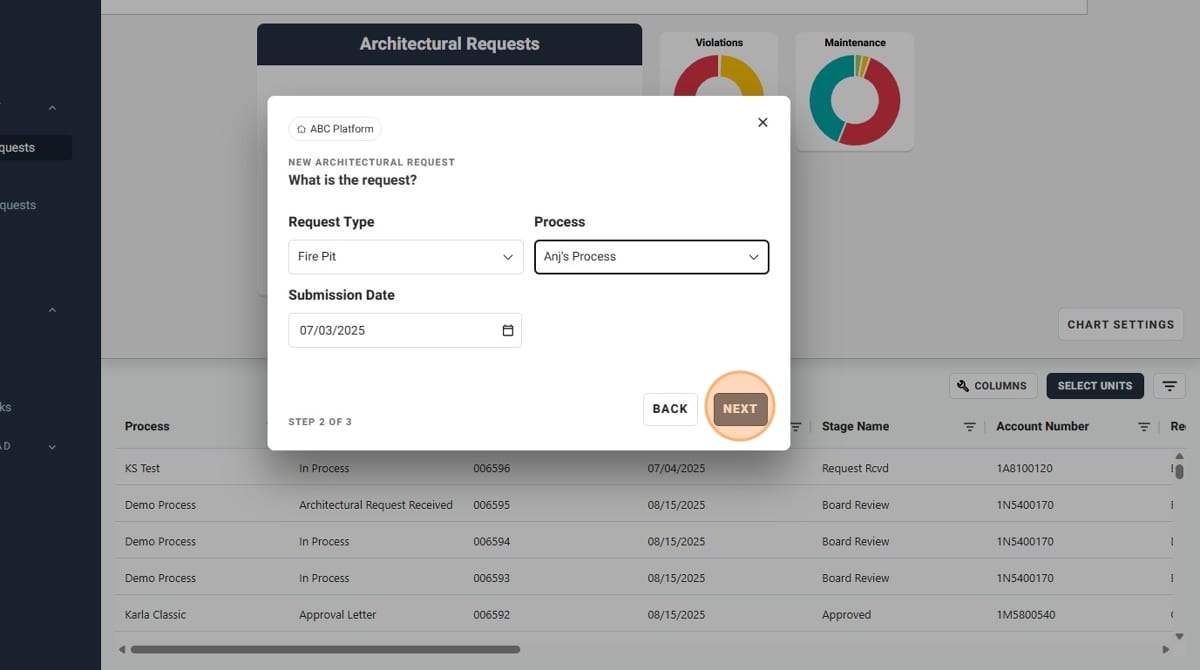
- Select the "Request Type" from the dropdown list.
- Select the "Process" to be used from the dropdown list.
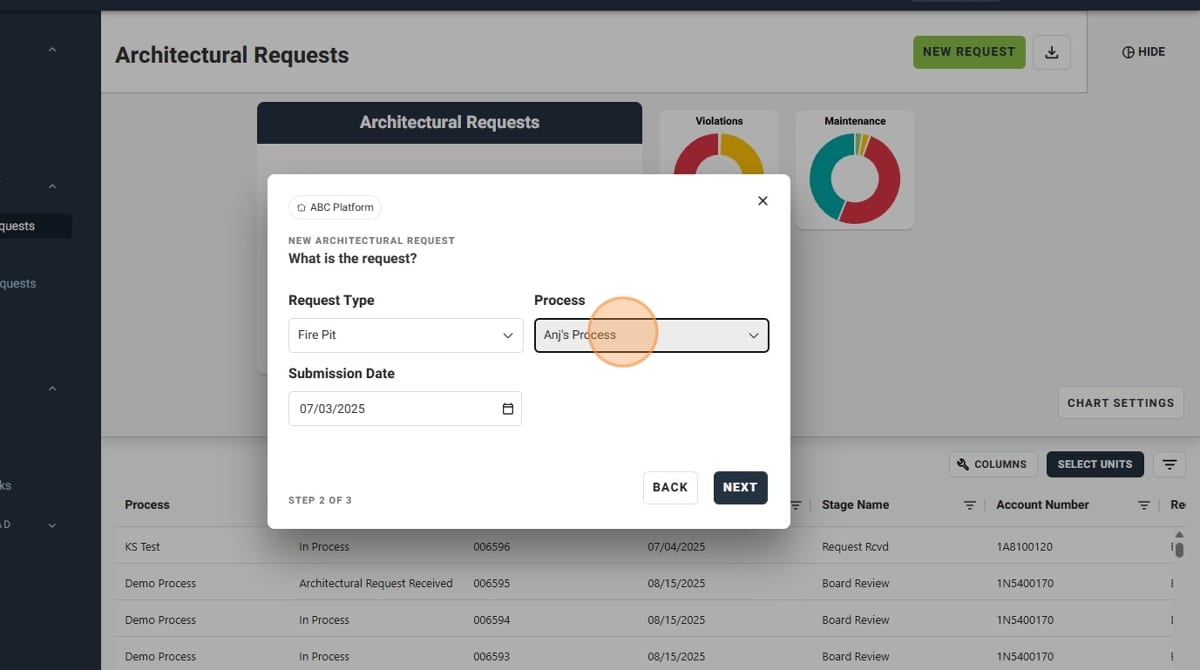
- Click "Next" once you have selected the appropriate options
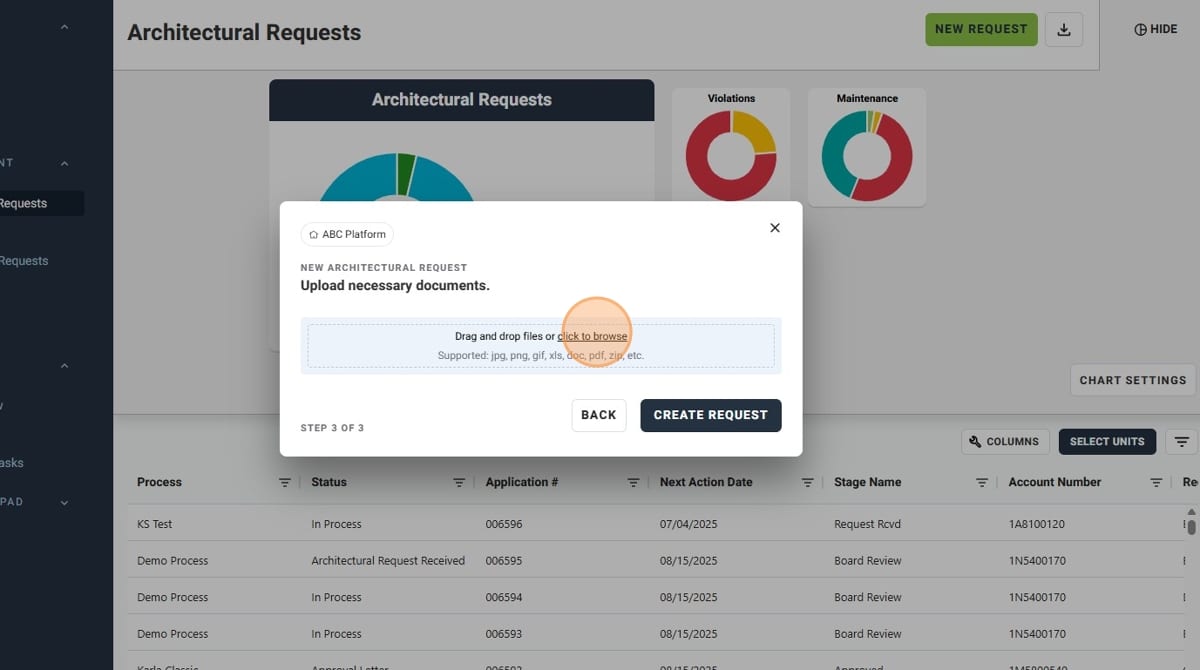
- Upload any necessary documents via the popup window that appears
- Once the uploads complete, or if there are no necessary documents to be added, click "Create Request"
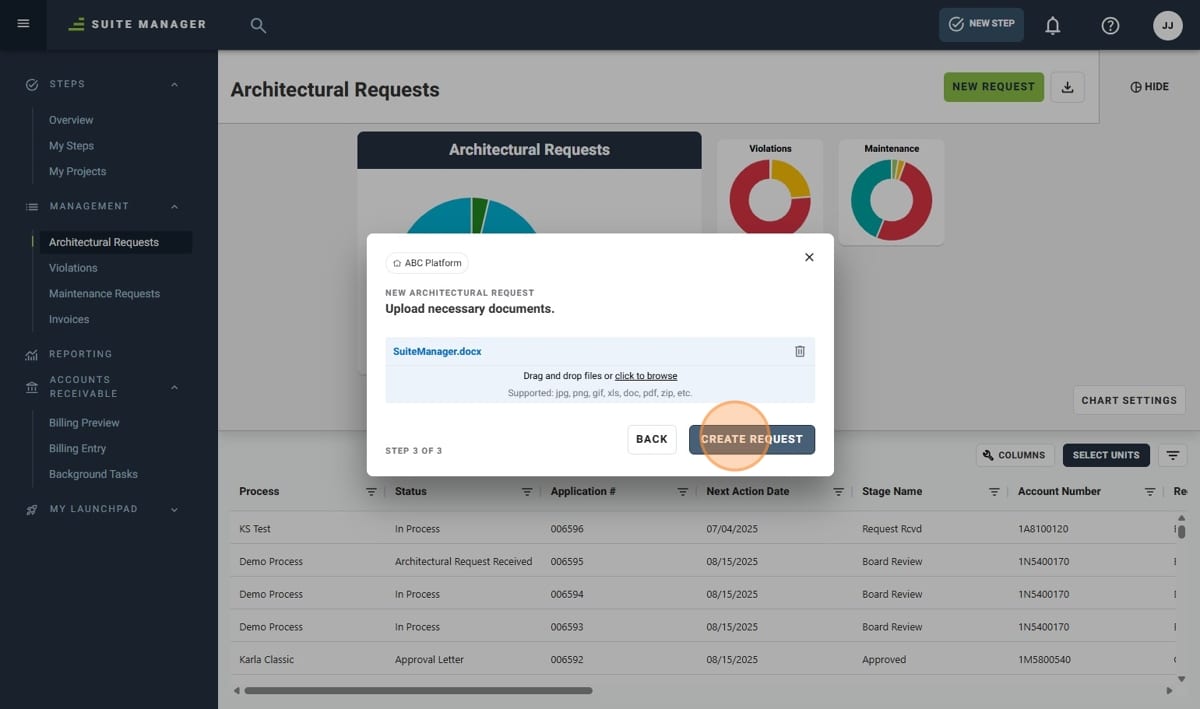
- You have successfully made an Architectural Request!