How-to
FRONTSTEPS Manager
Managers & CAMs
How to Create a New Project
Article 000002221 · Updated Mar 31, 2026
How To Create a New Project in Manager
This guide provides a step-by-step process for creating a new project in FRONTSTEPS Manager, making it easy for users to efficiently set up and manage their projects. By following these instructions, you can ensure that all essential details, such as project name, description, collaborators, and deadlines, are properly configured. Whether you're a beginner or looking to streamline your project management, this guide is an invaluable resource for enhancing productivity and organization.
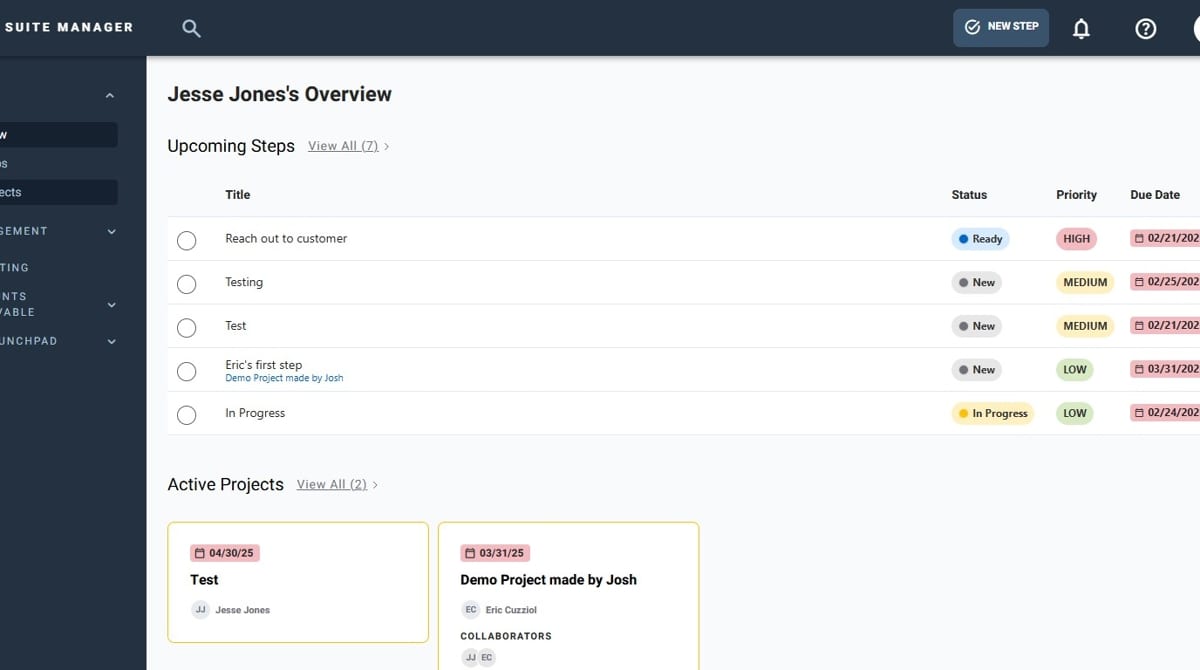
- Navigate to FRONTSTEPS Manager
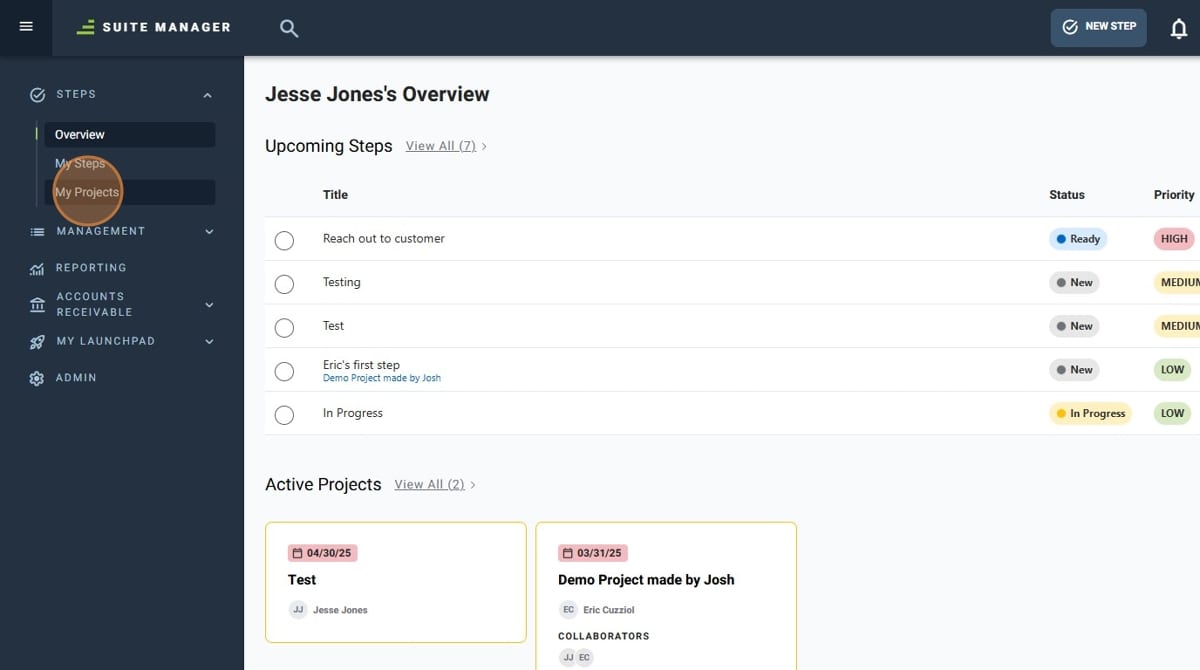
- Click "My Projects"
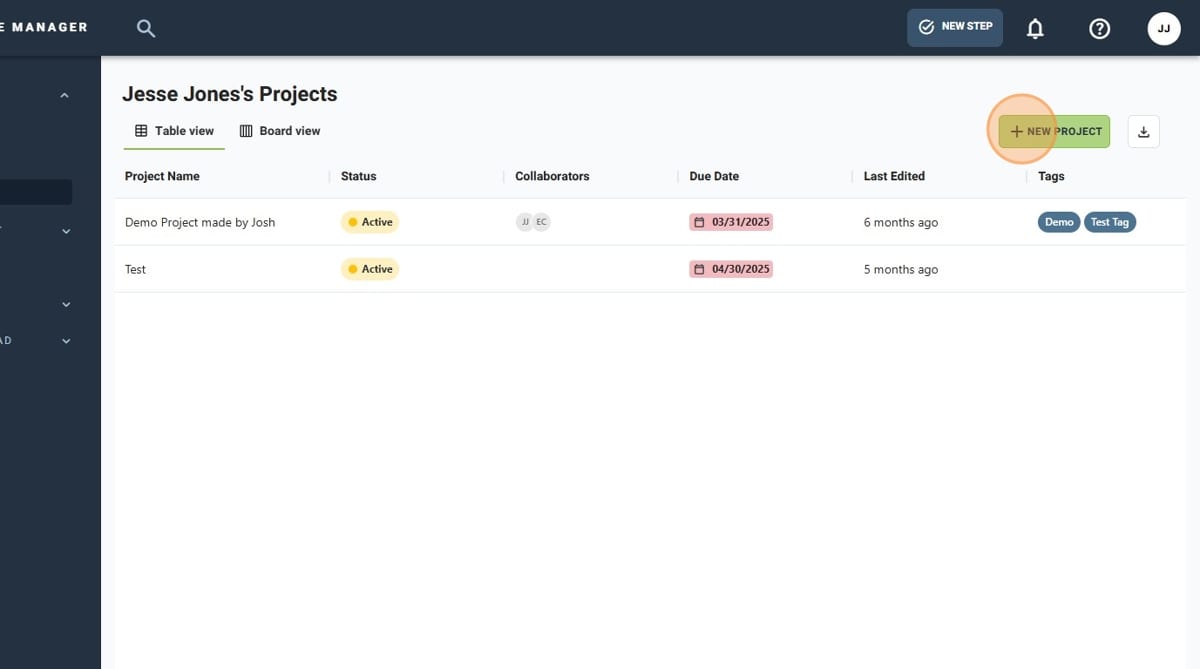
- Click "New Project"
- Give your new Project a name
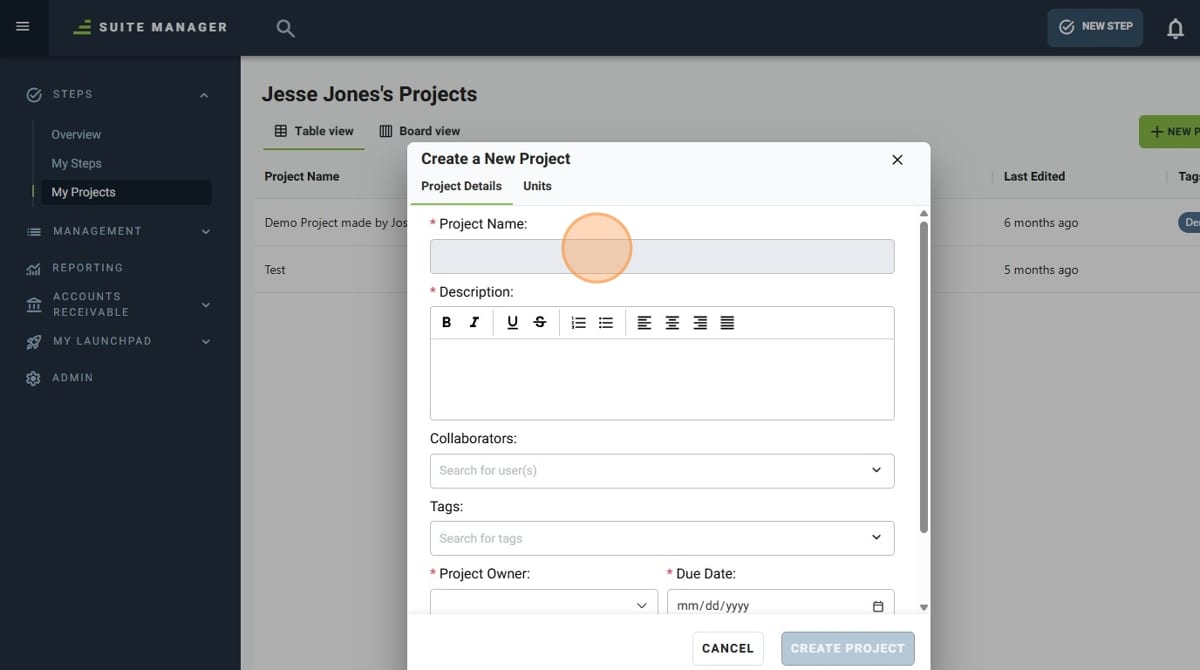
- Give your new Project a description
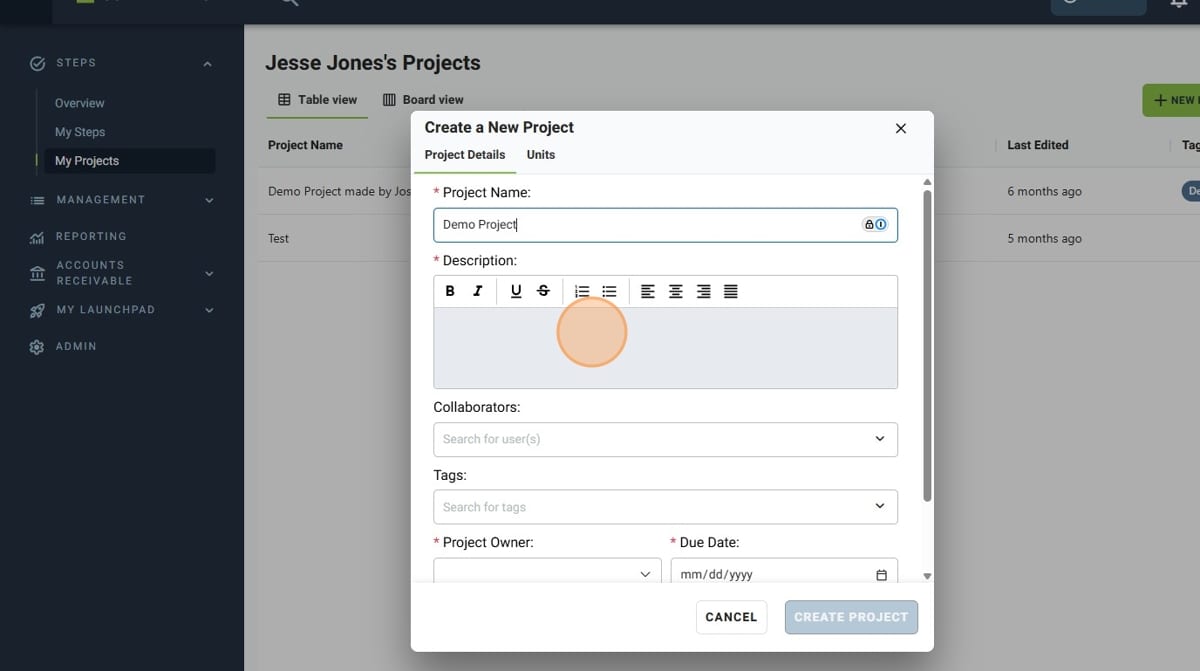
- Add any Collaborators via the "Collaborators" dropdown
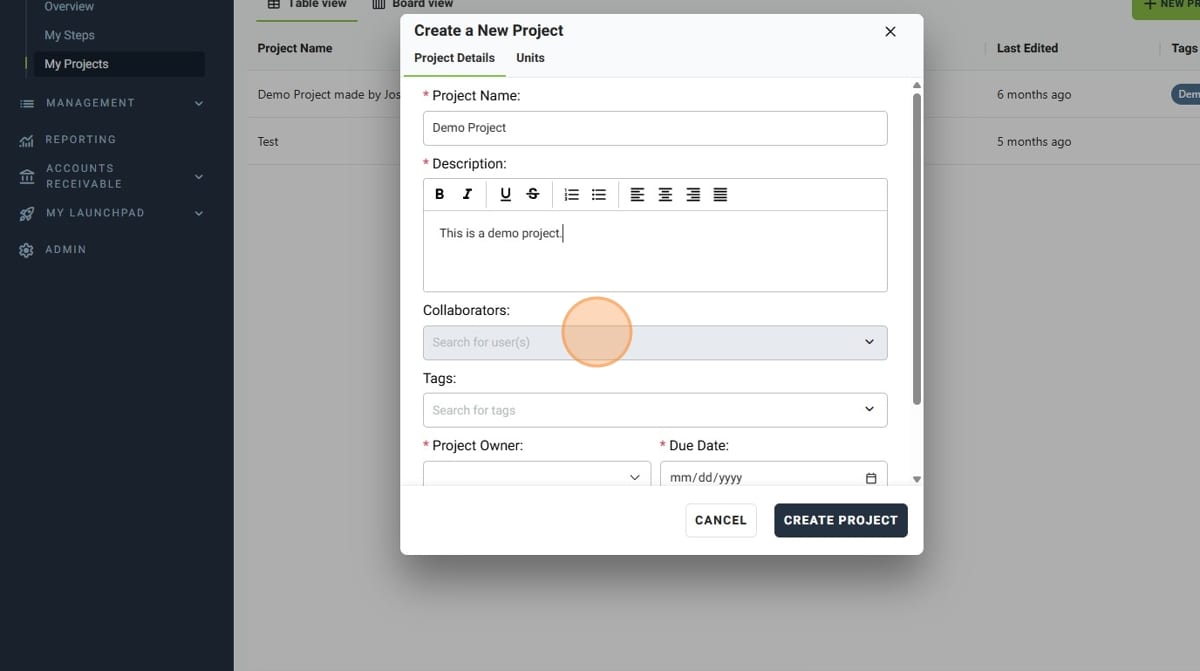
- Add any tags to your new Project with the "Tags" dropdown
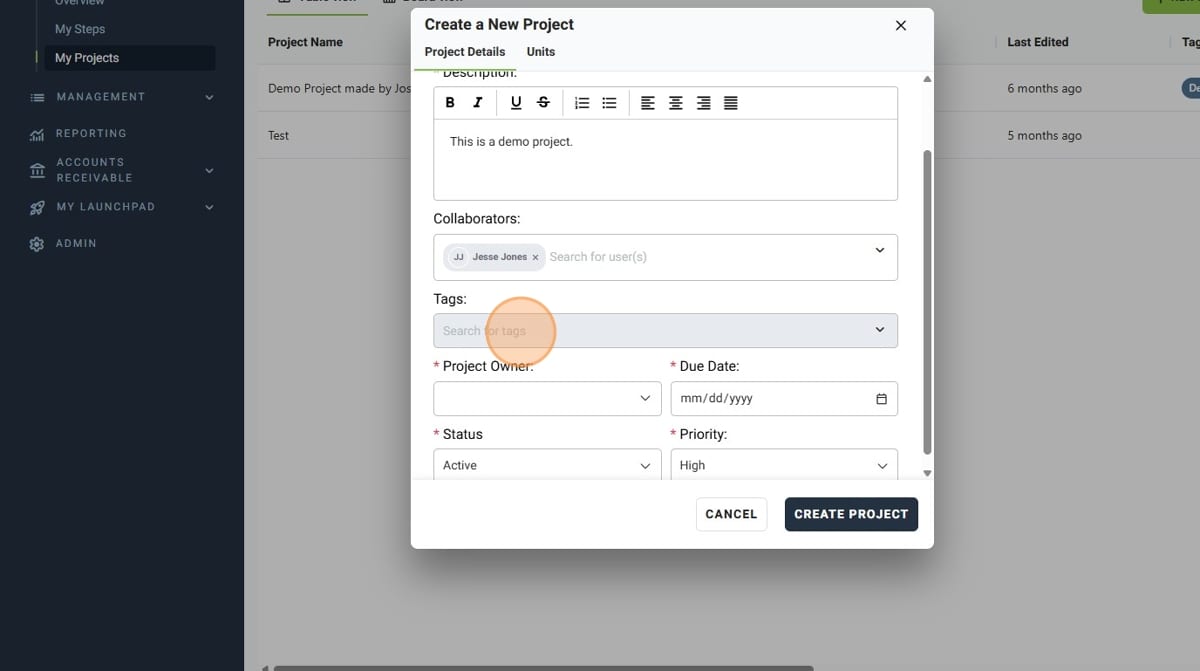
- Select the owner for the Project from the "Project Owner" dropdown
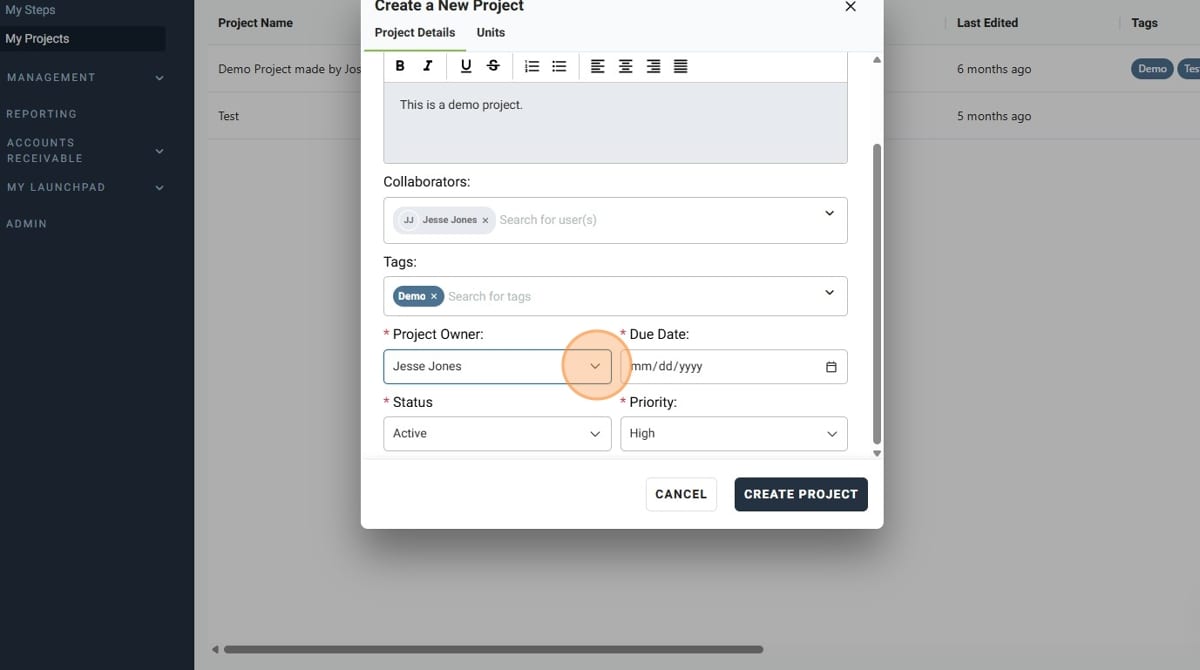
- Set a due date with the date selector
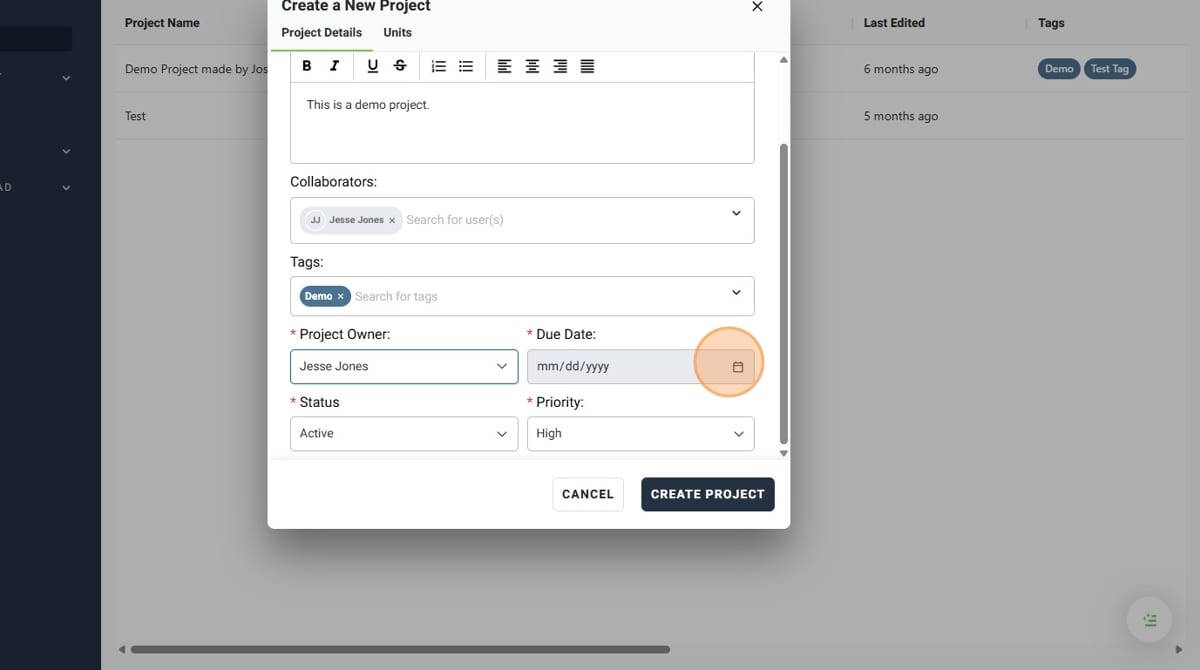
- Set the status of the Project with the "Status" dropdown
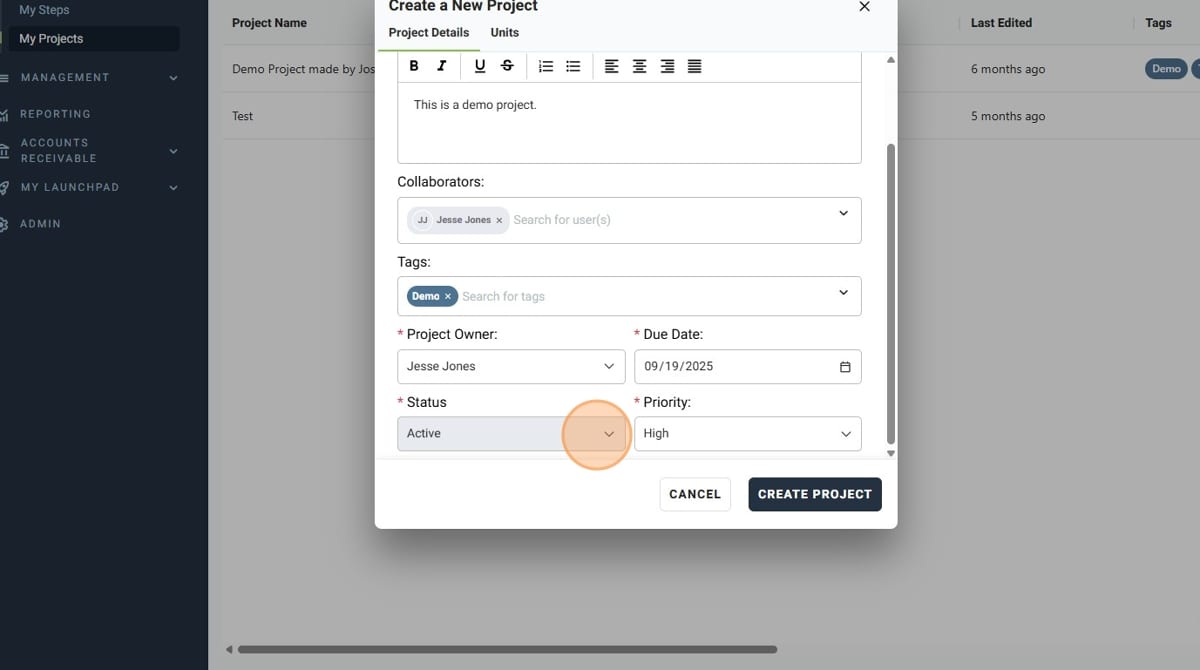
- Set the priority with the "Priority" dropdown
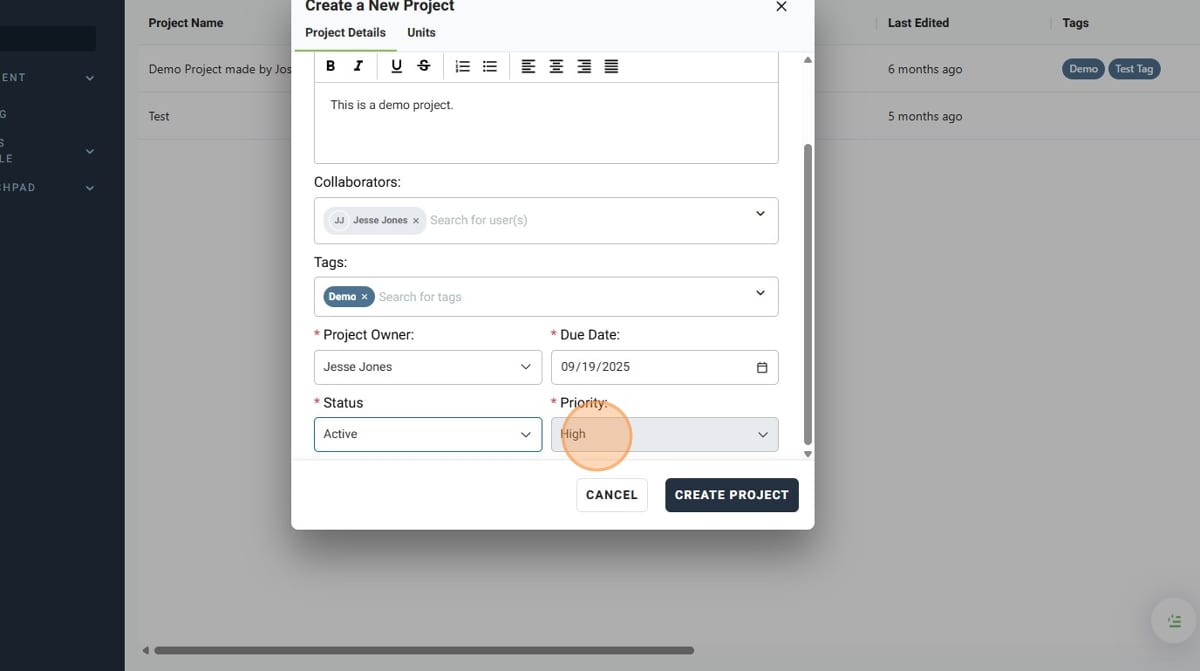
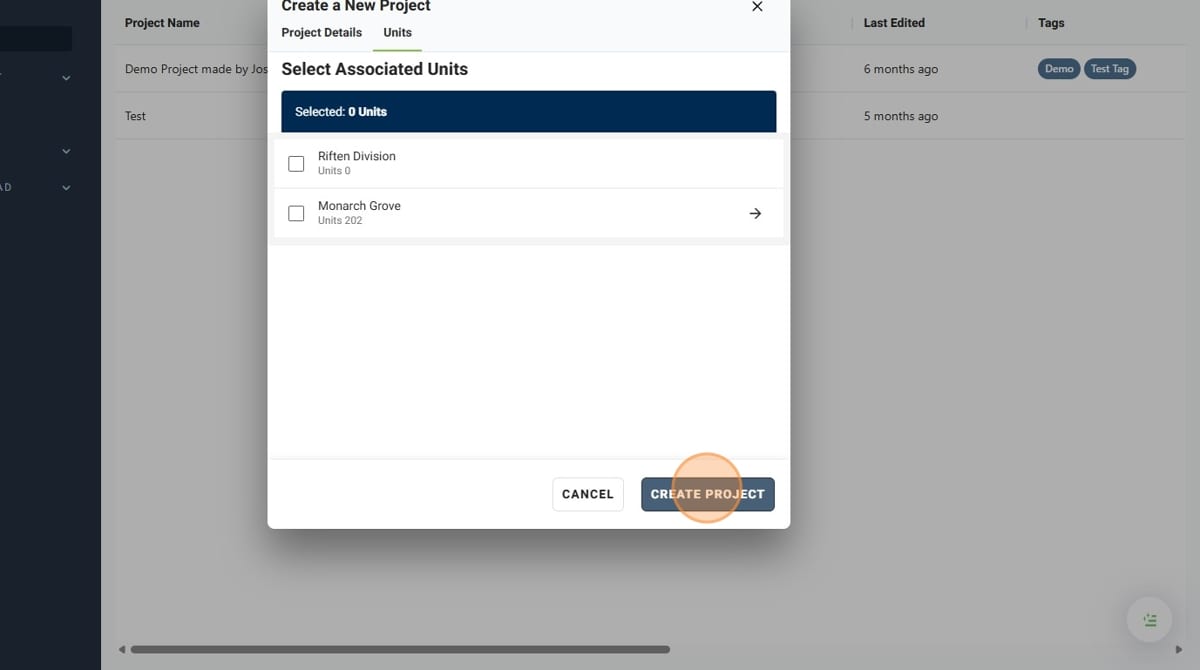
- Assign the Project to the appropriate units using the "Units" tab
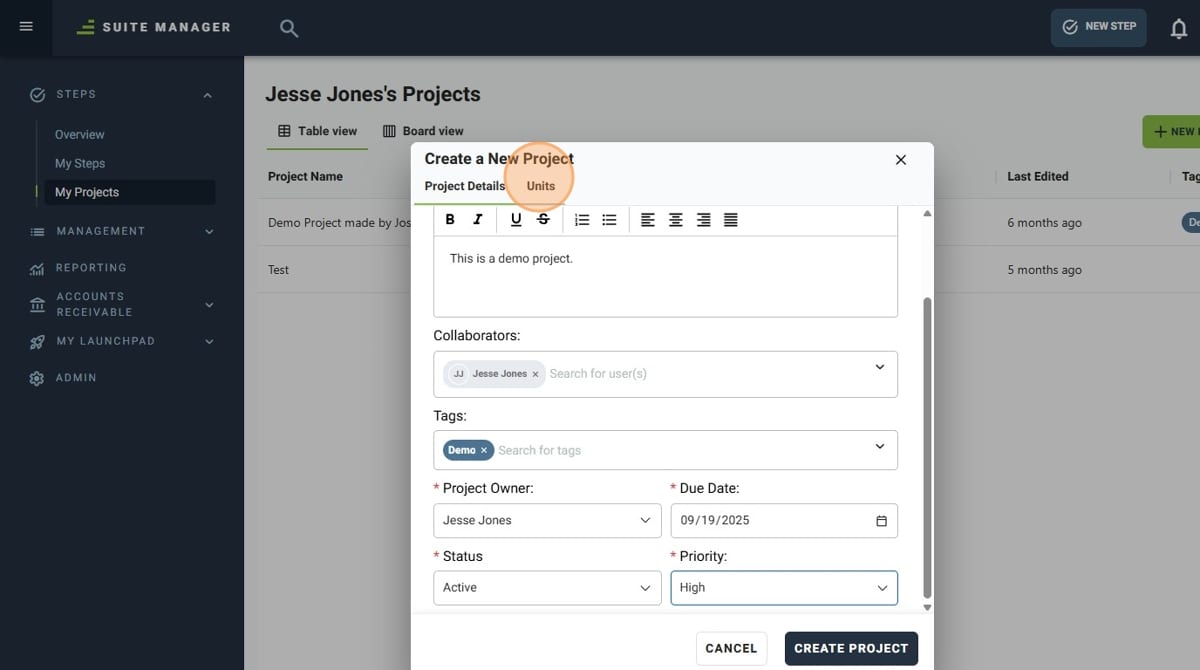
- Once you have finished, click "Create Project"