
Admin - Adding Communities to a Manager
We’re updating this article. Some screenshots or names may look older than what you see in the product.
You can add multiples communities to the same Manager.
From the Admin Dashboard, select Admin Dashboard, then select Manage Communities. 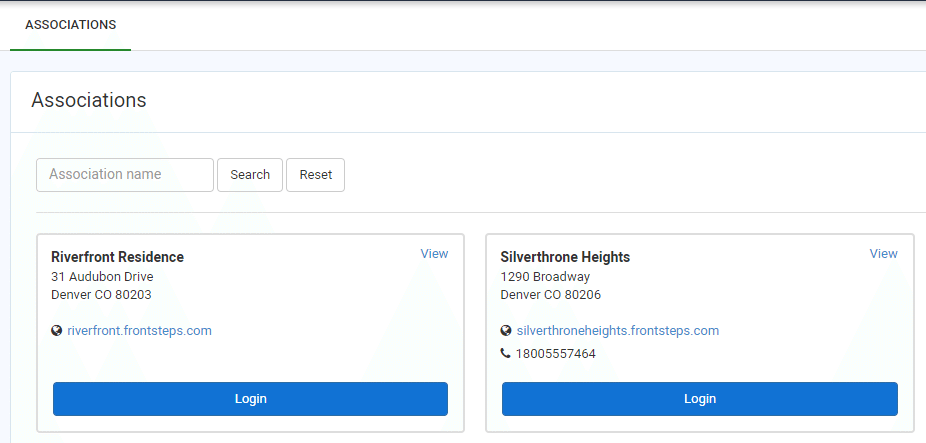
From the Associations screen, select the View option in the window of the community which you want to add to the Manager. The Managers screen will appear.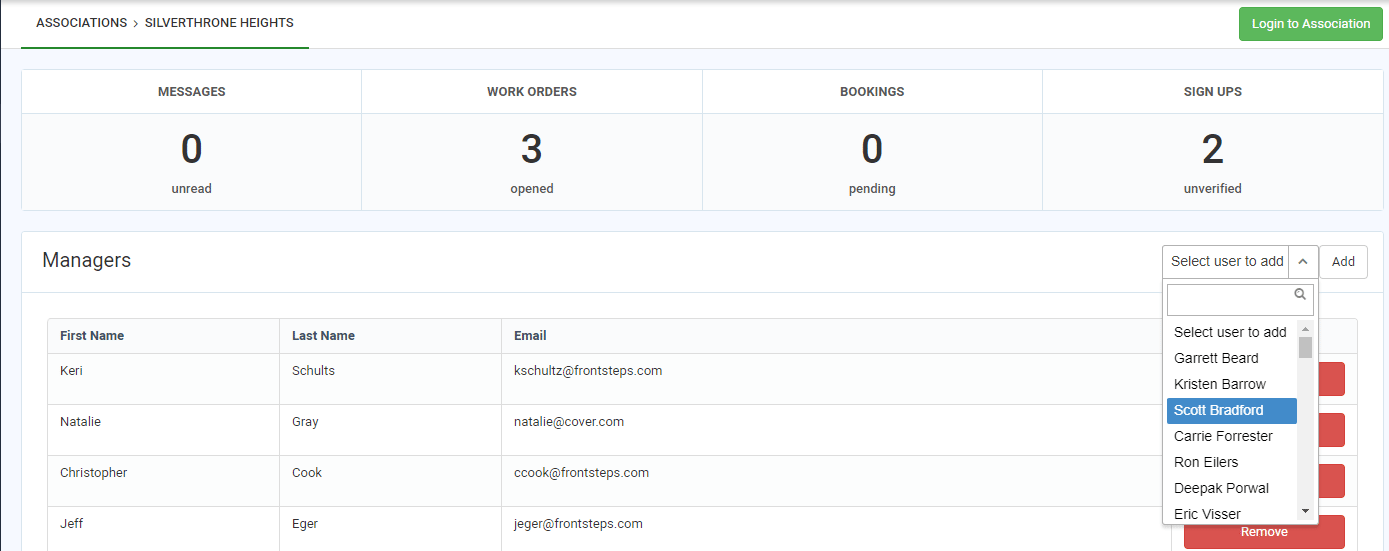
Select the Manager's name from the Select User to Add drop-down list.
Select the Add option. The Manager has been added to the Community.