
How to Activate the Gatehouse App
HOW TO ACTIVATE THE GATEHOUSE APP
A gatehouse visitor station can be created and activated easily on the FRONTSTEPS Dwelling web portal. Unlimited visitor stations can be added to a community portal.
|
NOTE: If a new activation key for an existing system is needed, you only need to follow steps 1-3 below to get to the page to edit that station. Once in the ‘edit station’ page, there is a button to generate an activation key. An activation key can be generated as many times as needed by Dealer users, Guard Supervisor users or Community Administrator Users
|
Process for new Visitor Stations:
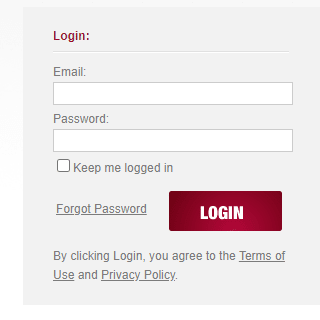
- Sign into community.dwellinglive.com as a Dealer of Community Administrator
- Click ‘Visitor Management’.
- Click ‘Visitor Stations’.
- If adding a new station, click ‘Add Station’.

- Select ‘App station’ from the drop-down menu.
- Name the App station, best practice is the name of the gate where the PC will be used.
- Leave other settings as default.
- Select the ‘classic’ pass template.
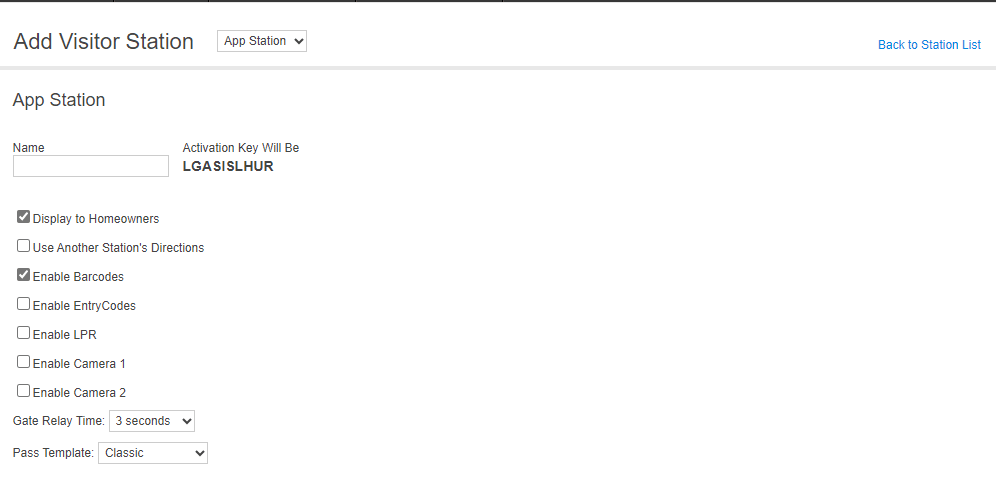
- Click ‘Save’.
- Copy the Key (the sequence between brackets after ‘Key:’)

- Enter the Activation Key into the Gatehouse App Window.
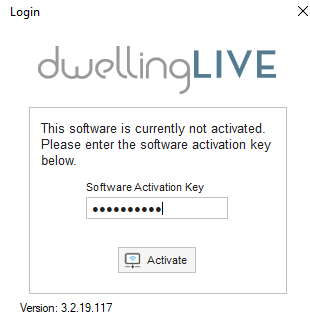
- Click ‘Activate’.
- See ‘Initializing’.
- See Login screen for Gate attendant credentials.