
Manager - Resending a Bulletin
We’re updating this article. Some screenshots or names may look older than what you see in the product.
You may find it necessary to resend a Bulletin to your community members.
From the Manager Dashboard, select Community Communications, then select Bulletins.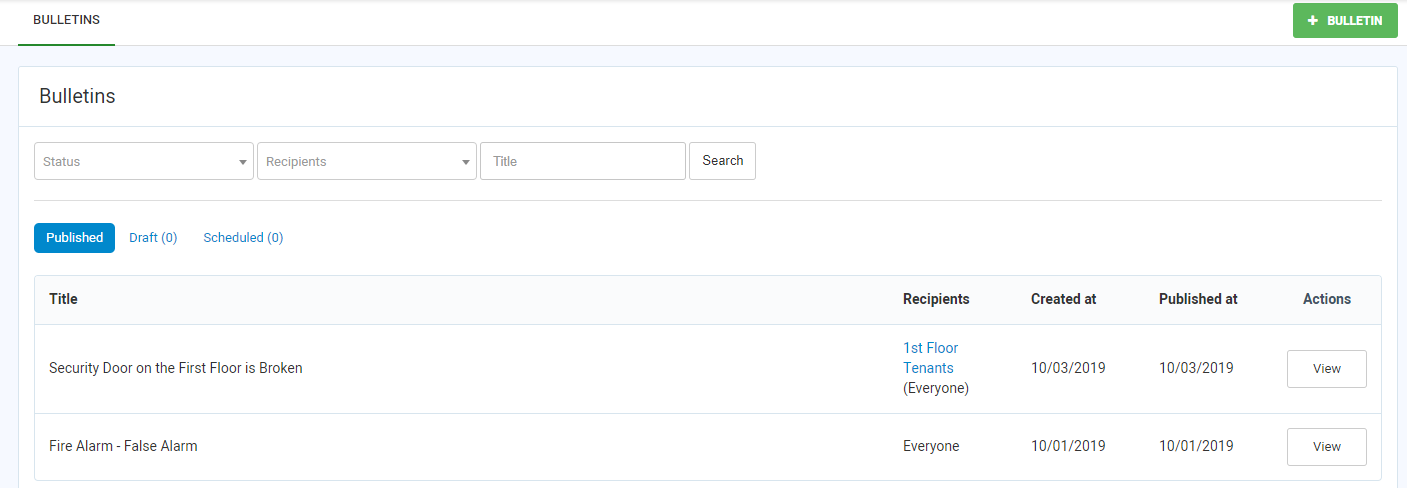
Select the View option next to the Bulletin you want to resend.
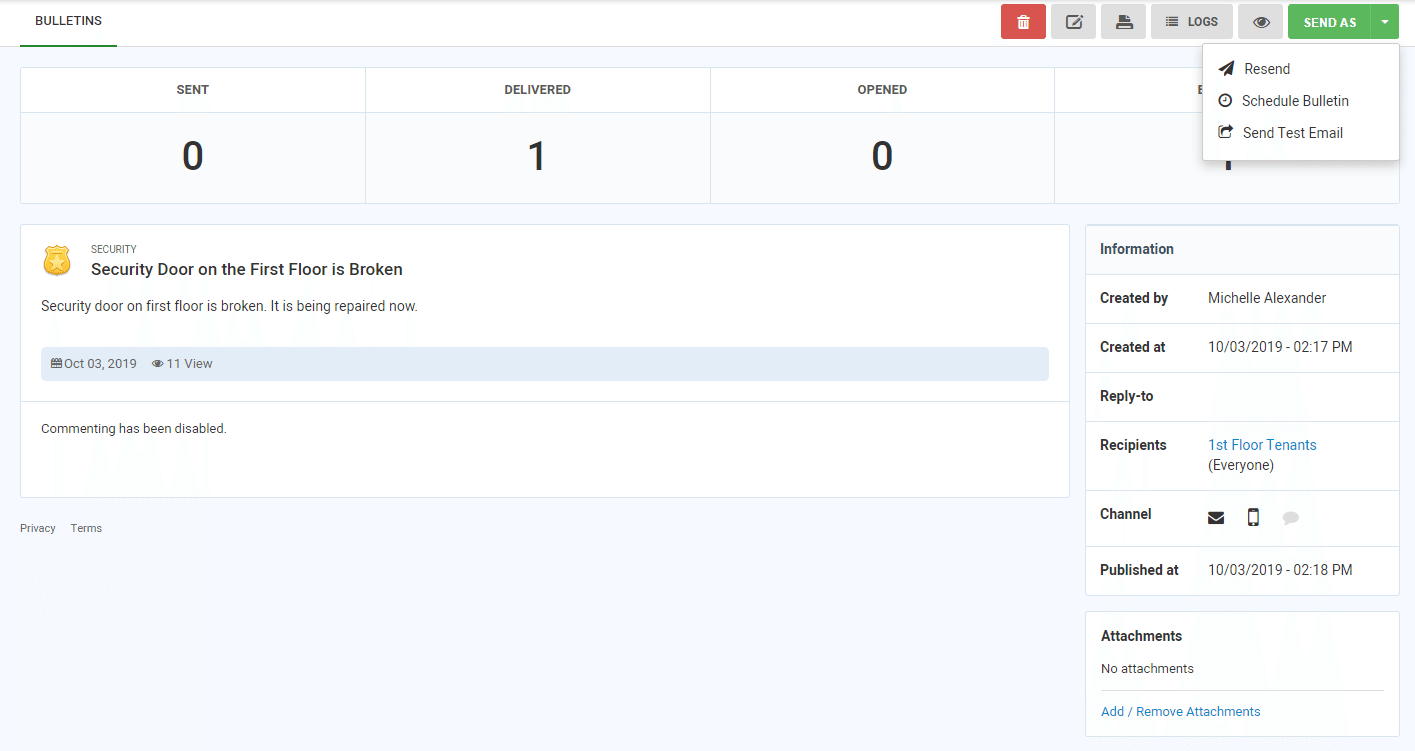
From the Send As drop-down list, select the Rese