
Resident - FRONTSTEPS Mobile App
We’re updating this article. Some screenshots or names may look older than what you see in the product.
FRONTSTEPS Resident Mobile App
The FRONTSTEPS Resident Mobile App puts the Resident portal features right at Residents’ fingertips through an easy-to-use, best-in-class Mobile App. The App has been updated to included enhanced User Interface features and additional functionality.
Note: To login to your portal using your phone or mobile device, please follow the instructions when attempting to log in to the website on your mobile device to download your community's associated mobile app. The mobile app is required to access your account using a mobile device.
Download the FRONTSTEPS App
From the App store, search for "FRONTSTEPS"
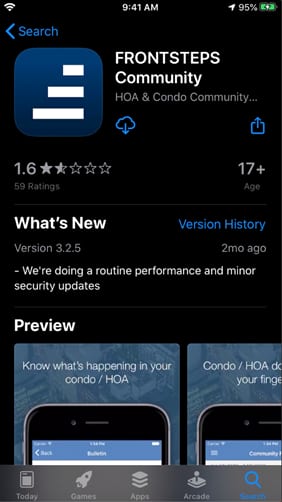
Select the option to download the App.
Login
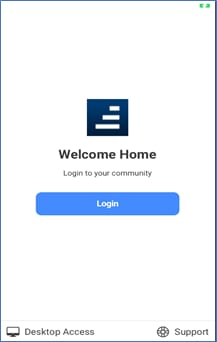
Select the Login button from the FRONTSTEPS App home page.
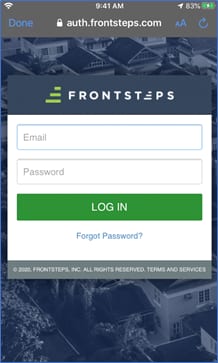
Dashboard
Bulletins
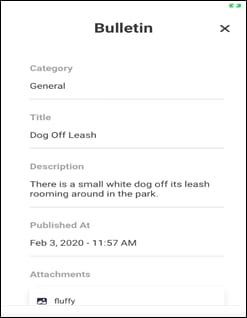
The Dashboard displays important Bulletins sent to Residents by community management.
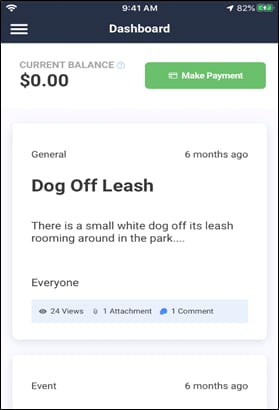
Select a Bulletin to review the detail.
Payments
To make a payment from the Dashboard, select Make Payment.
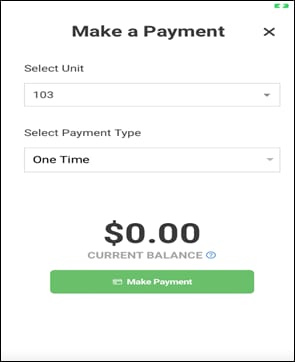
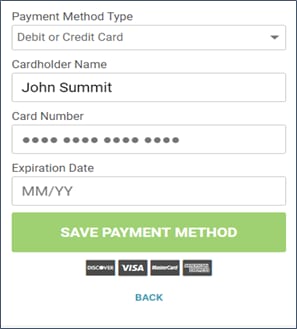
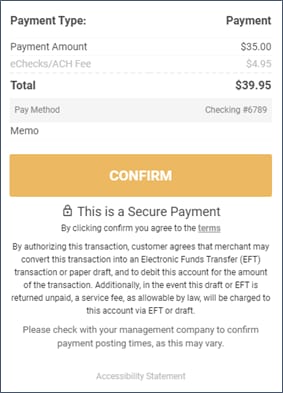
On the Make a Payment page, enter your unit and Payment Type (One Time or Recurring), then proceed to the next pages to complete the payment process.
Quick Actions
From the menu, select Quick Actions.
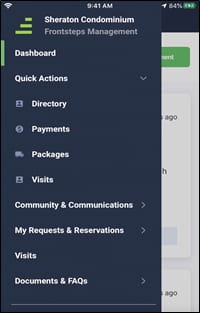
Directory
The Directory feature displays residents to have opted in to display their information in the community Directory.
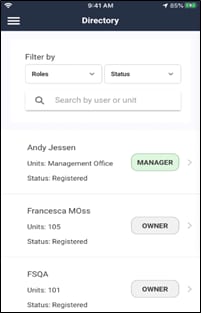
Search the Directory by User or Unit Number.
Payments
To make a payment from the menu, select Payments.
Follow the same steps you use to Make a Payment from the Dashboard.
Packages
The Packages feature is available to users in communities with the FRONTSTEPS Rise add-on package.
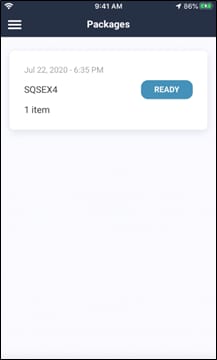
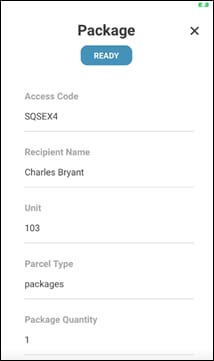
Select the package for details and status.
Visits
Visitor management is available to users in communities with the FRONTSTEPS Rise add-on package.
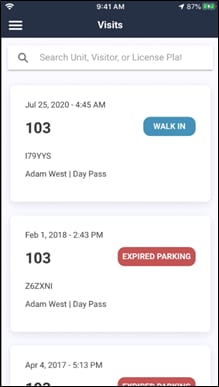
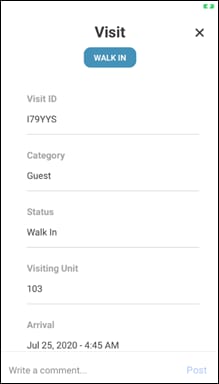
Select a Visit to review the details.
Community & Communications
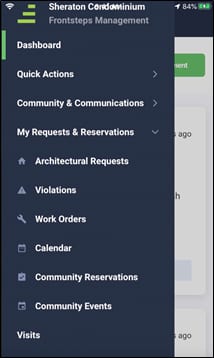
From the menu, select Community & Communications.
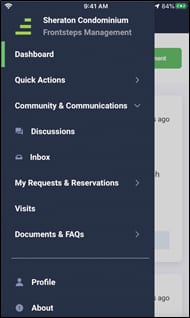
Discussions
Discussions are the community “chat” feature for communications between residents.
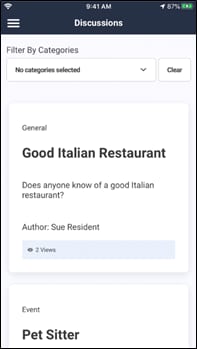
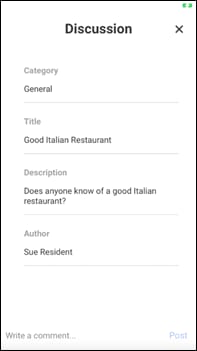
Select the Discussion to read the detail or post a response.
Inbox
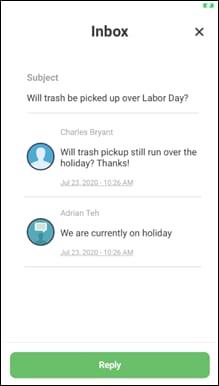
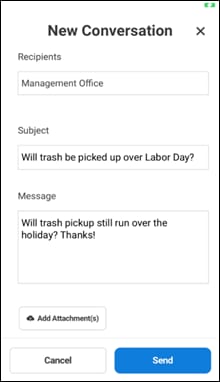
The Inbox provides a communication method between residents and managers.
My Requests and Reservations
Architectural Requests
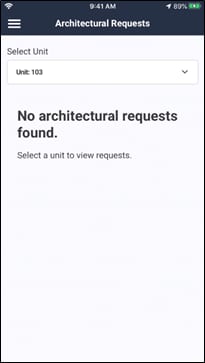
Architectural Change Requests (ACRs) - Residents of communities that use AIS, TOPS Proxy or CondoManager Accounting Integrations can view their ACRs.
Violations
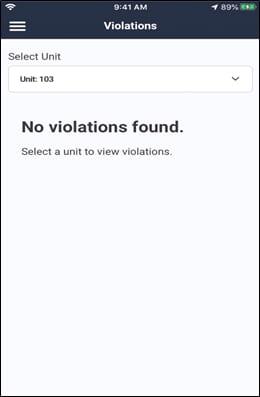
Violations – Residents of communities that use AIS, TOPS Proxy or CondoManager Accounting Integrations can view their Violations.
Work Orders
Residents of communities that use AIS, TOPS Proxy, or CondoManager Accounting Integrations can view their Work Orders.
Residents of communities that do not have Accounting Integration, but use the FRONTSTEPS Work Order system can view their Work Orders and add new Work Orders from the App.
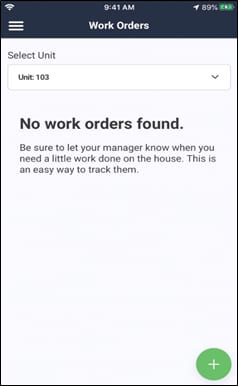
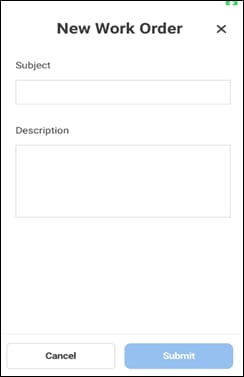
To add a new Work Order, select the + option.
Calendar
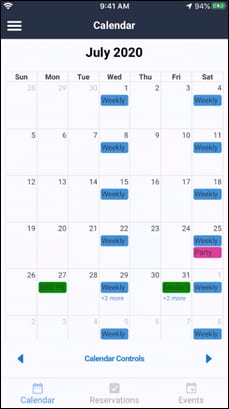
The Calendar displays community events posted by the manager, as well as your own facility reservations.
Facility reservations display in Green. Events default to a blue display, but may also display in other colors.
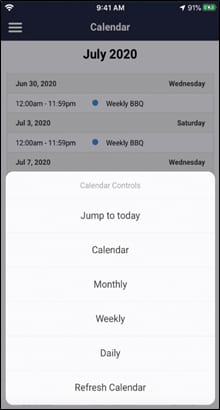
You can display the calendar in a monthly, weekly or daily view.
Community Reservations
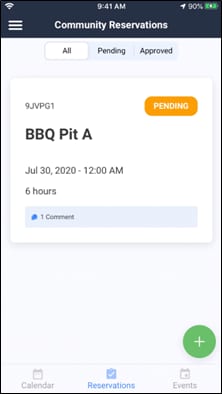
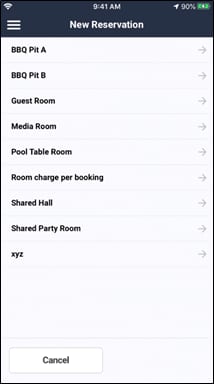
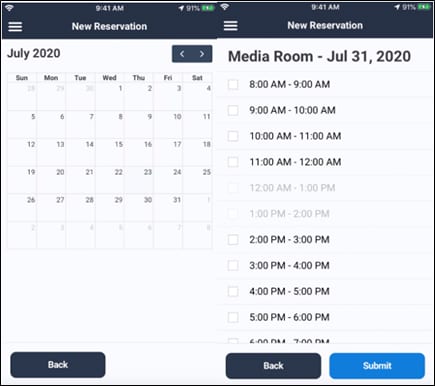
To add a new Reservations, select the + option, then select the facility and dates and times.
Community Events
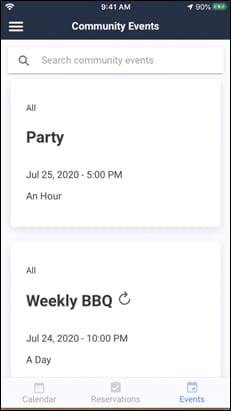
Select the Event to review Event detail.
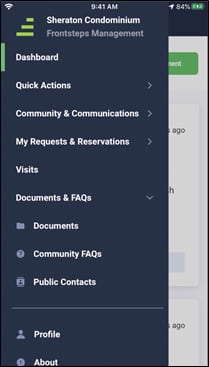
Documents and FAQs
Documents
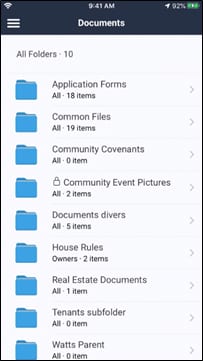
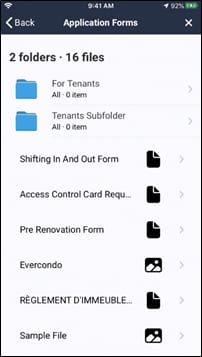
You can view internal community documents. Select a folder to view the documents in that folder.
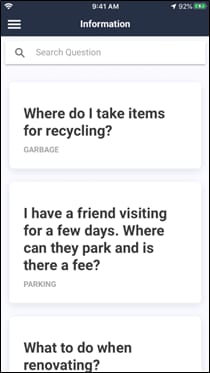
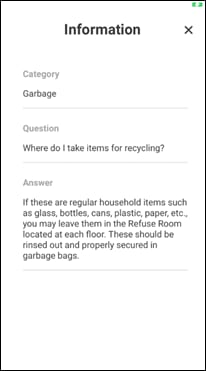
Community FAQs
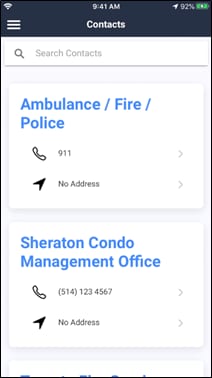
Public Contacts
Profile
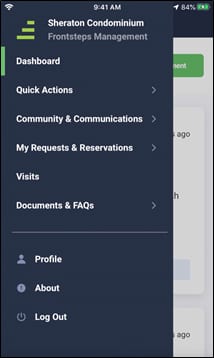
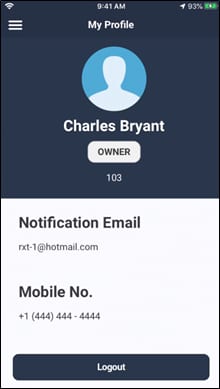
You can view your Profile information on the App, but changes to yourProfile must be made on the FRONTSTEPS portal.
The FRONTSTEPS Resident Mobile App puts the Resident portal features right at Residents’ fingertips through an easy-to-use, best-in-class Mobile App. The App has been updated to included enhanced User Interface features and additional functionality.
Note: To login to your portal using your phone or mobile device, please follow the instructions when attempting to log in to the website on your mobile device to download your community's associated mobile app. The mobile app is required to access your account using a mobile device.
Features
- Dashboard
- Make Payment option
- Bulletins
- Quick Actions
- Directory
- Payments
- Packages and Visits
- Community & Communications
- Discussions
- Inbox
- My Reservations and Requests
- Architectural Change Requests (ACRs)
- Violations – Residents of communities that use AIS, TOPS Proxy or CondoManager Accounting Integrations can view their Violations.
- Calendar
- Community Reservations
- Community Events
- Visits (available through the FRONTSTEPS Rise package)
- Documents & FAQs
- Internal Documents
- Community FAQs
- Public Contacts
- Profile – View only access
Download the FRONTSTEPS App
From the App store, search for "FRONTSTEPS"
Select the option to download the App.
Login
Select the Login button from the FRONTSTEPS App home page.
Dashboard
Bulletins
The Dashboard displays important Bulletins sent to Residents by community management.
Select a Bulletin to review the detail.
Payments
To make a payment from the Dashboard, select Make Payment.
On the Make a Payment page, enter your unit and Payment Type (One Time or Recurring), then proceed to the next pages to complete the payment process.
Quick Actions
From the menu, select Quick Actions.
Directory
The Directory feature displays residents to have opted in to display their information in the community Directory.
Search the Directory by User or Unit Number.
Payments
To make a payment from the menu, select Payments.
Follow the same steps you use to Make a Payment from the Dashboard.
Packages
The Packages feature is available to users in communities with the FRONTSTEPS Rise add-on package.
Select the package for details and status.
Visits
Visitor management is available to users in communities with the FRONTSTEPS Rise add-on package.
Select a Visit to review the details.
Community & Communications
From the menu, select Community & Communications.
Discussions
Discussions are the community “chat” feature for communications between residents.
Select the Discussion to read the detail or post a response.
Inbox
The Inbox provides a communication method between residents and managers.
My Requests and Reservations
Architectural Requests
Architectural Change Requests (ACRs) - Residents of communities that use AIS, TOPS Proxy or CondoManager Accounting Integrations can view their ACRs.
Violations
Violations – Residents of communities that use AIS, TOPS Proxy or CondoManager Accounting Integrations can view their Violations.
Work Orders
Residents of communities that use AIS, TOPS Proxy, or CondoManager Accounting Integrations can view their Work Orders.
Residents of communities that do not have Accounting Integration, but use the FRONTSTEPS Work Order system can view their Work Orders and add new Work Orders from the App.
To add a new Work Order, select the + option.
Calendar
The Calendar displays community events posted by the manager, as well as your own facility reservations.
Facility reservations display in Green. Events default to a blue display, but may also display in other colors.
You can display the calendar in a monthly, weekly or daily view.
Community Reservations
To add a new Reservations, select the + option, then select the facility and dates and times.
Community Events
Select the Event to review Event detail.
Documents and FAQs
Documents
You can view internal community documents. Select a folder to view the documents in that folder.
Community FAQs
Public Contacts
Profile
You can view your Profile information on the App, but changes to yourProfile must be made on the FRONTSTEPS portal.