
Manager - FRONTSTEPS/Caliber Document Integration
We’re updating this article. Some screenshots or names may look older than what you see in the product.
Background
FRONTSTEPS customers using Caliber did not want to have to upload documents into both Caliber and FRONTSTEPS as it was causing double work for their staffs.
This feature integrates the Caliber Accounting Documents with the FRONTSTEPS Document application. Documents uploaded inside the Caliber portal will automatically be transferred into the FRONTSTEPS portal through an AIS.
This is the first of many planned, best-in-class FRONTSTEPS/Caliber integration features.
Important Notes
If you would like to have this feature enabled on your FRONTSTEPS system, please contact FRONTSTEPS Customer Support.
Using the FRONTSTEPS/Caliber Accounting Document Integration Feature
From the FRONTSTEPS Manager or Resident Portal menu, click Documents, then select Accounting Documents.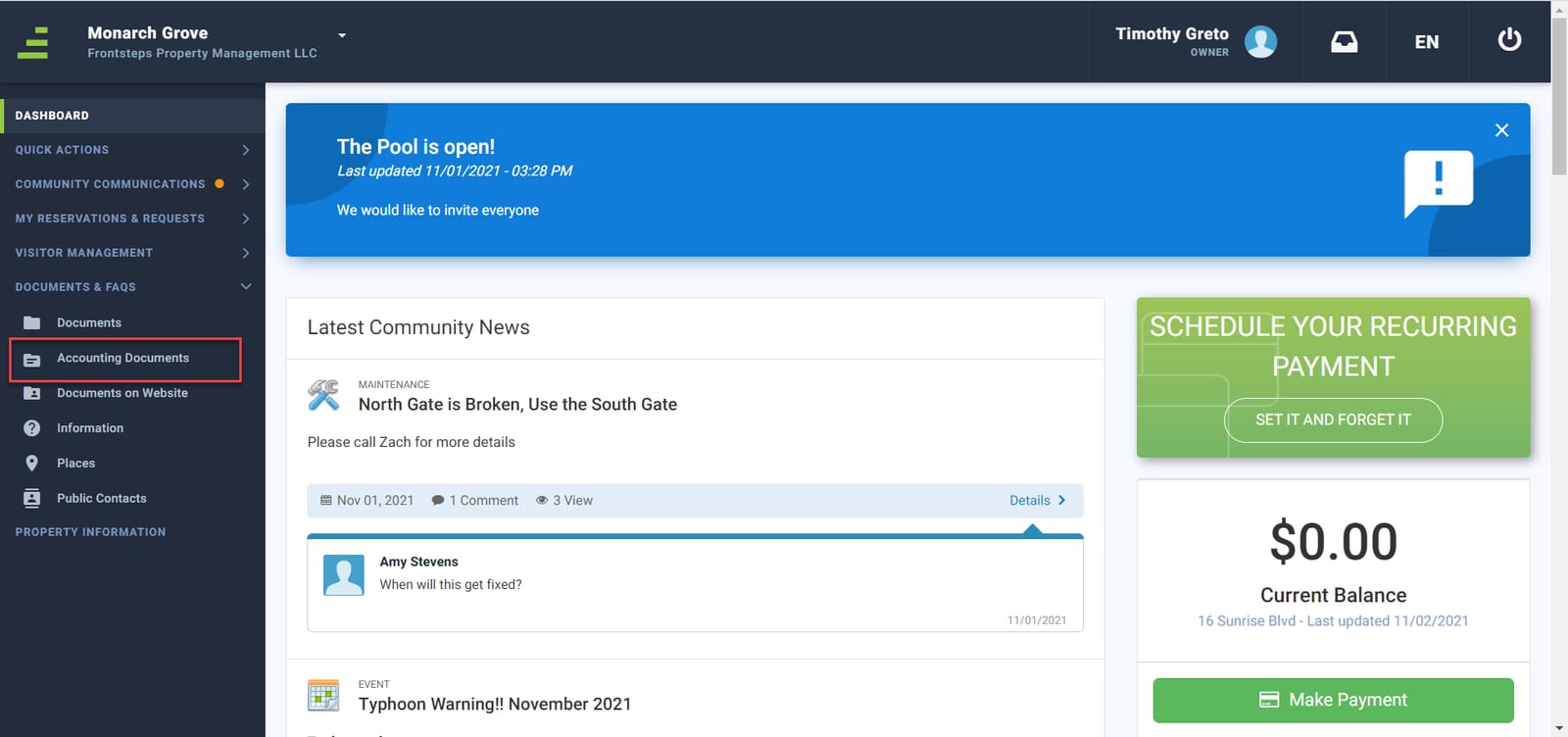
FRONTSTEPS customers using Caliber did not want to have to upload documents into both Caliber and FRONTSTEPS as it was causing double work for their staffs.
This feature integrates the Caliber Accounting Documents with the FRONTSTEPS Document application. Documents uploaded inside the Caliber portal will automatically be transferred into the FRONTSTEPS portal through an AIS.
This is the first of many planned, best-in-class FRONTSTEPS/Caliber integration features.
Important Notes
- This feature is only available to customers using the Caliber accounting integration system.
- A dashboard titled Accounting Documents has been added to Documents menu, which signifies that documents within that dashboard are from the Caliber Accounting Integration system.
- The accounting documents must reside in a Caliber documents folder with permissions for Everyone to view.
- The documents transfer from Caliber into FRONTSTEPS, but documents cannot be transferred from FRONTSTEPS to Caliber.
If you would like to have this feature enabled on your FRONTSTEPS system, please contact FRONTSTEPS Customer Support.
Using the FRONTSTEPS/Caliber Accounting Document Integration Feature
From the FRONTSTEPS Manager or Resident Portal menu, click Documents, then select Accounting Documents.