
Resident - Retrieving Your Forgotten Login Name and/or Password
We’re updating this article. Some screenshots or names may look older than what you see in the product.
If you are having trouble signing in, you can retrieve your Login Name and/or Password by following the instructions provided below.
Use your Web Browser to go to your Community’s page.
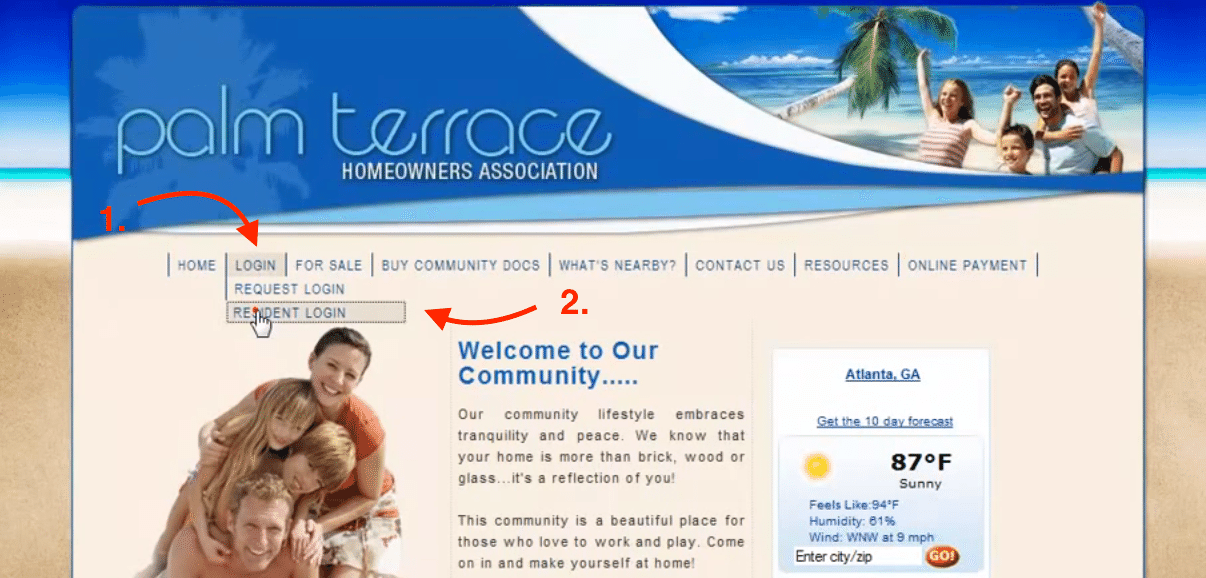
Navigate to “Login” then click the “Resident Login” link.
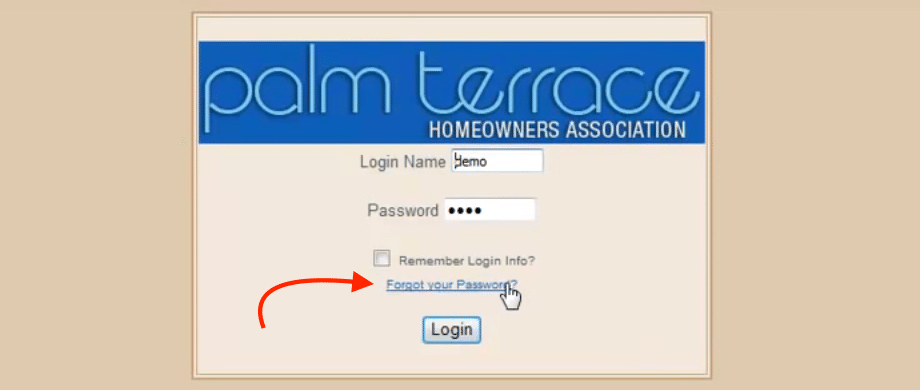
Click the “Forgot your Password” button to go to the password retrieval page.
In the Lost Password Help form, enter your account’s Email Address or enter your First Name and Last Name. Then, click the “Submit” button.
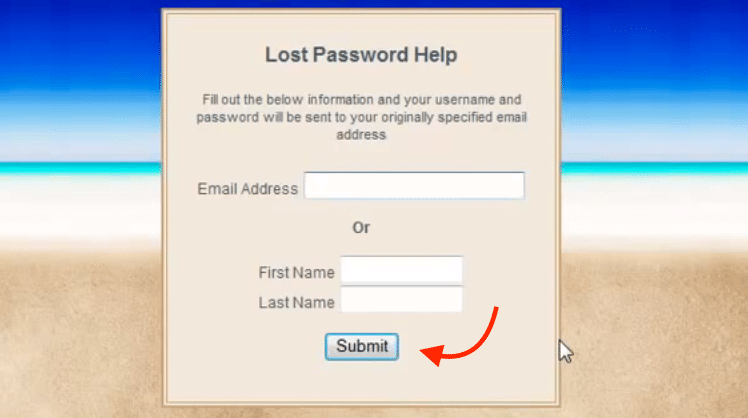
If your account exists in the system, your Login Name and most recent Password will be emailed to you.