
Dealer - Exporting Data
We’re updating this article. Some screenshots or names may look older than what you see in the product.
Exporting Data From dwellingLIVE
-
Log in to dwellingLIVE as a dealer
-
Select a community and click “Manage”
-
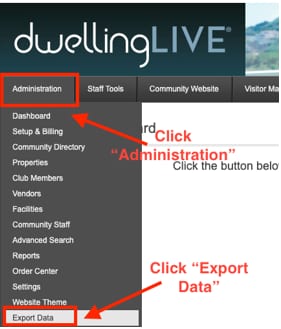
Click “Administration” on the top menu
-
Select “Export Data” from the drop-down menu
-
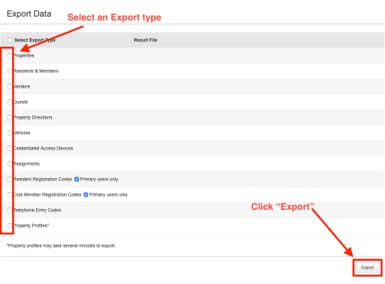
Click the checkbox next what you would like to export and click “Export”
-
A blue link to the file will appear when the export is complete
-
Click the blue link to begin the spreadsheet download