
Resident - Editing or Deleting a News Article
To edit or delete a news article:
- Click on the Group Page title

- In the News section of the Group Page, Click the Pencil icon (Edit button) next to a News Article.
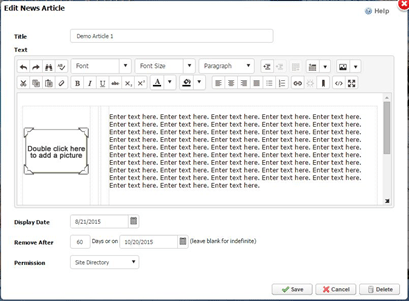
- In the Edit News Article window:
- Make any necessary changes and Click Save, or…
- Click Delete, then Yes when prompted.