Article
Legacy Products: AssociationVoice
Residents
Resident - Editing Group Members
Article 000001674 · Updated Jan 27, 2021
- Go to the Group Page List and click on the name of a specific Group Page
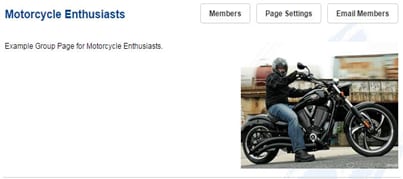
- Once in the group page click the Members button
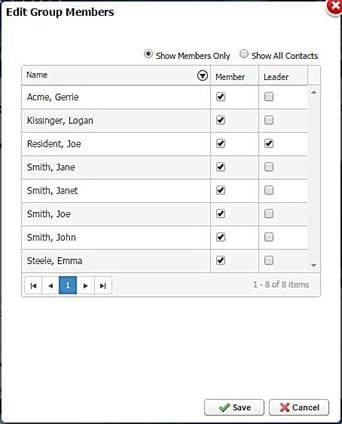
- The Edit Group Members window will contain the following:
- Show Members Only: Lists current Group Members of the Group Page
- Show All Contacts: Lists all website Directory Members
- Name: Lists name of person
- Filter: Allows filtering of the list of names
- Member: Grants/removes Member access to a Group Page
- Leader: Grants/removes Leader access to a Group Page
- Page Toggle: Moves to next page of the list
- Click Save
