
Directors- Community Mobile Architectural Approval
We’re updating this article. Some screenshots or names may look older than what you see in the product.
Directors (Board Members or Architectural Committee Members) can use the FRONTSTEPS Community Mobile app to Vote (Approve or Reject) on Architectural Requests.
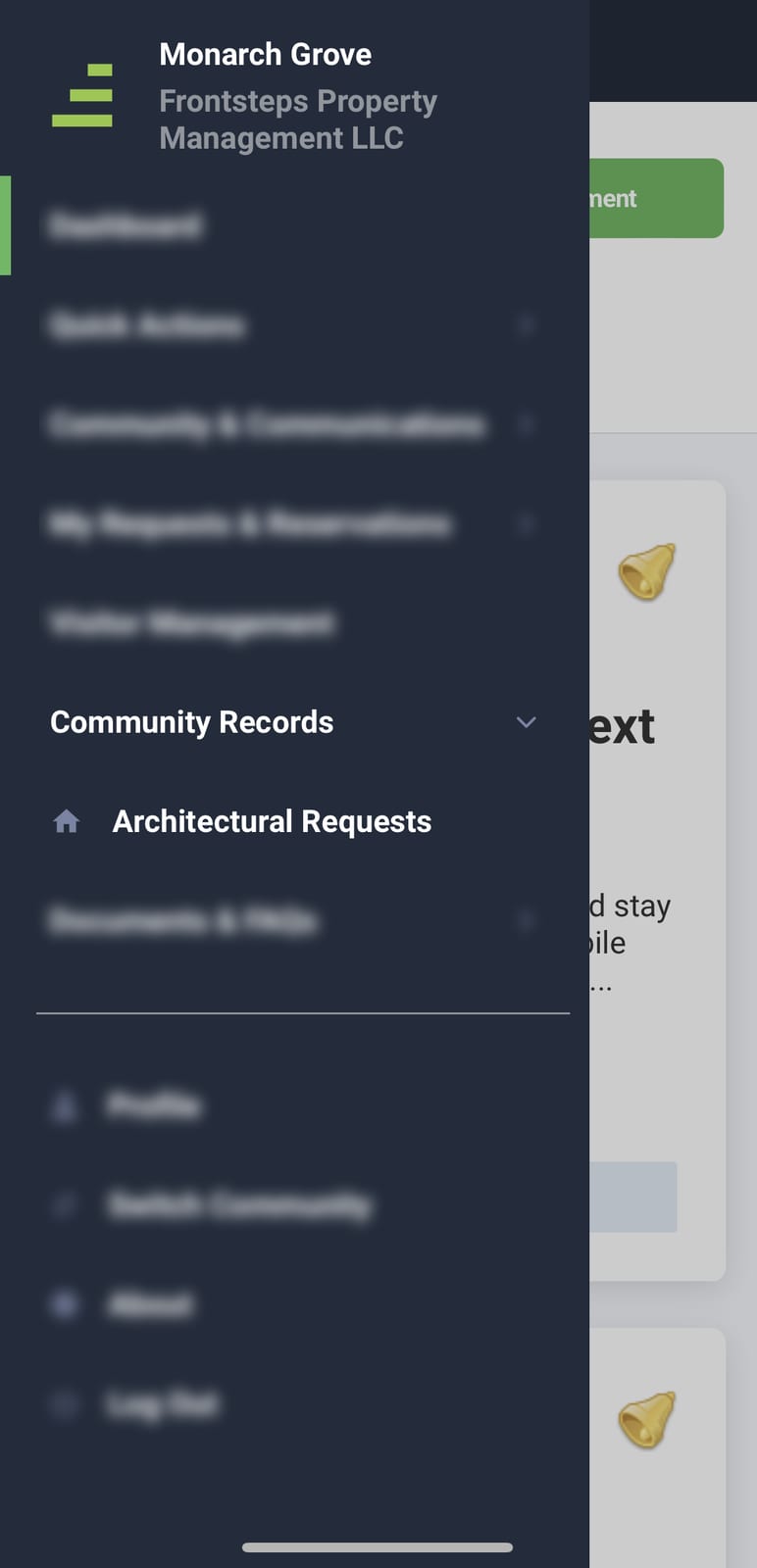
Once logged into the mobile app use the navigation menu to select 'Community Records' and then choose 'Architectural Requests'
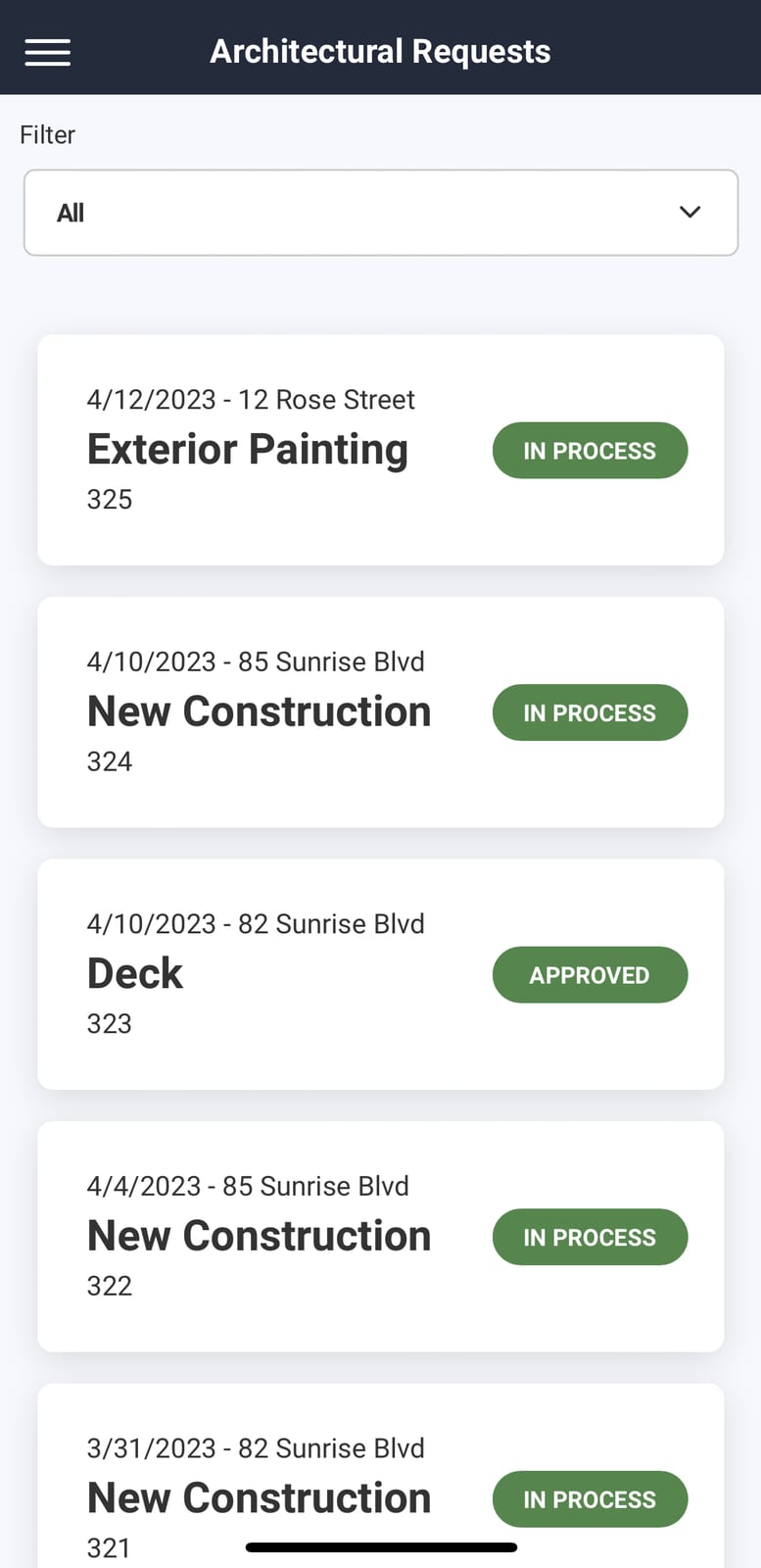
From here you can view all requests for the community. You can use the filter drop down to show only certain requests.
Tap of the request you want to vote on. This will bring up the request details, associated actions, notes and documents.
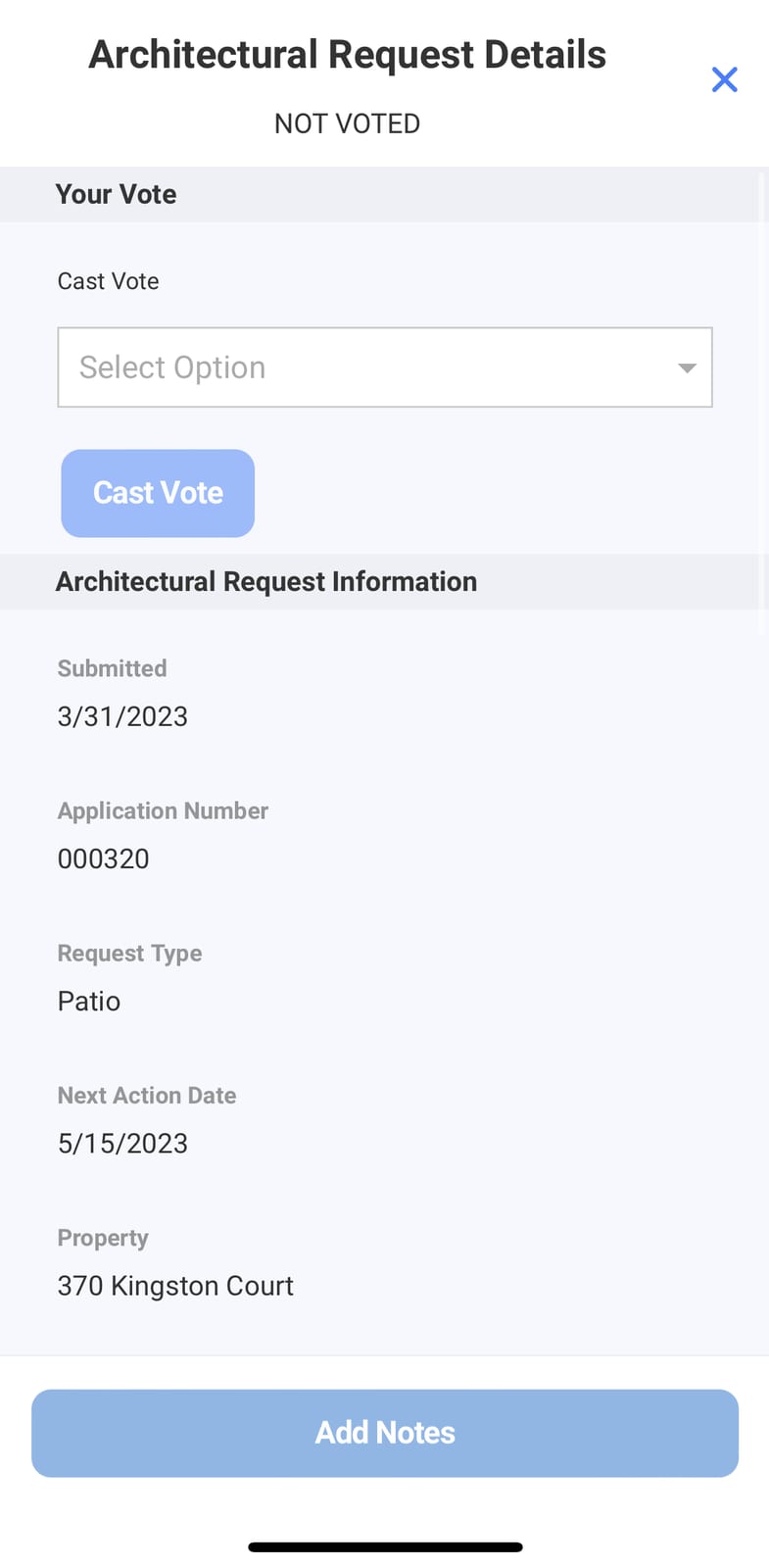
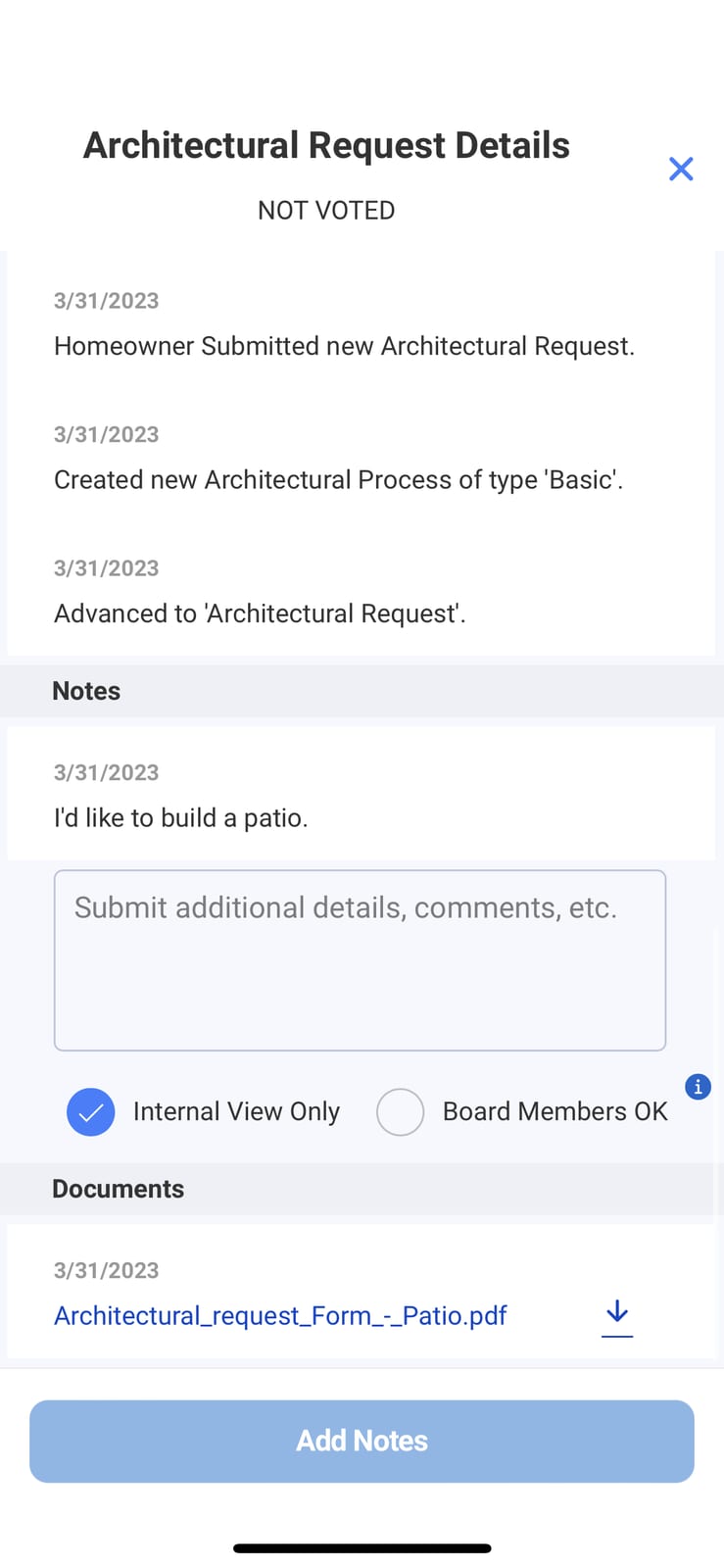
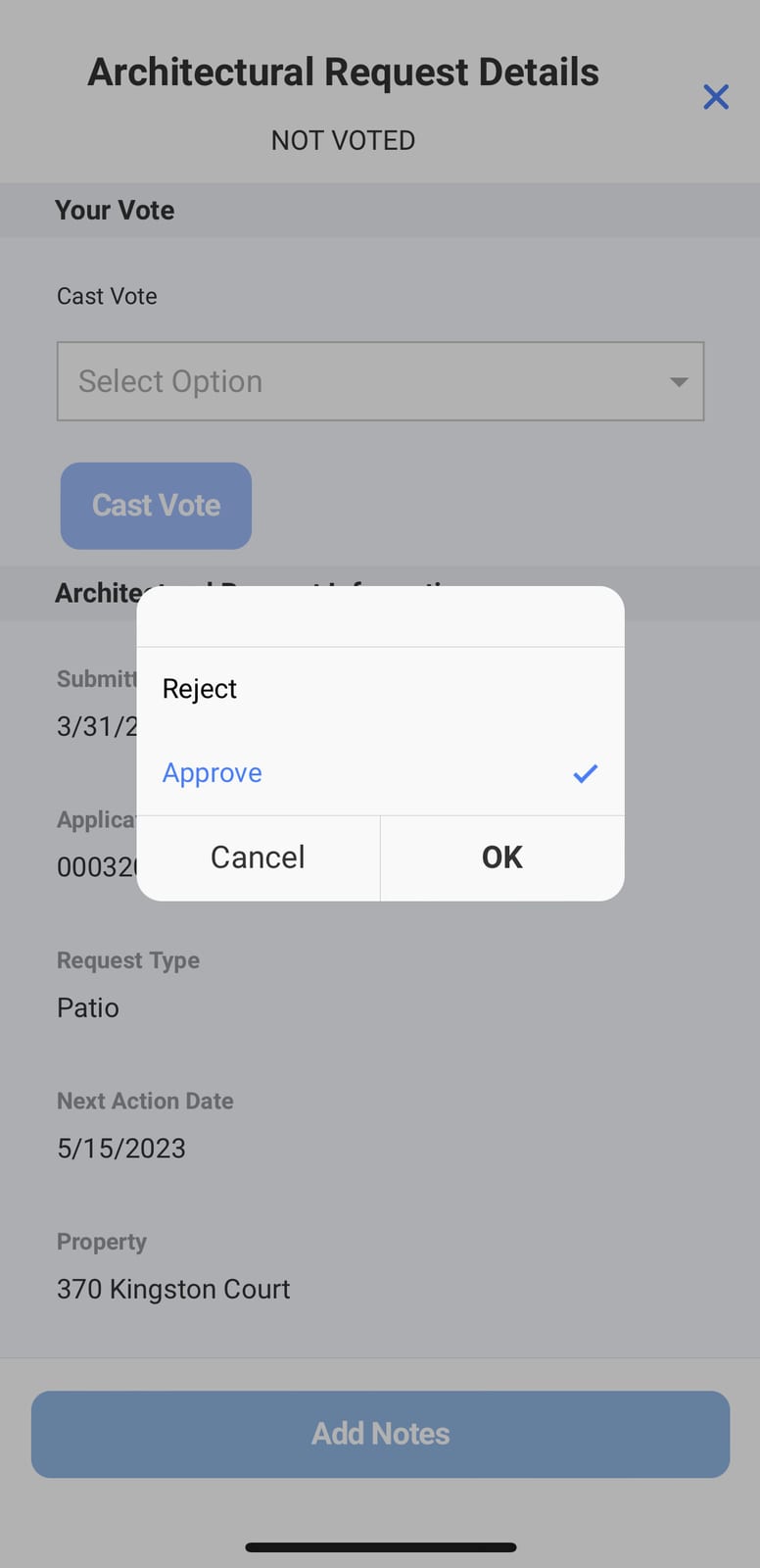
Once you have reviewed the request, cast your vote by clicking the drop down, selecting 'Approve' or 'Reject' then click 'Ok'.
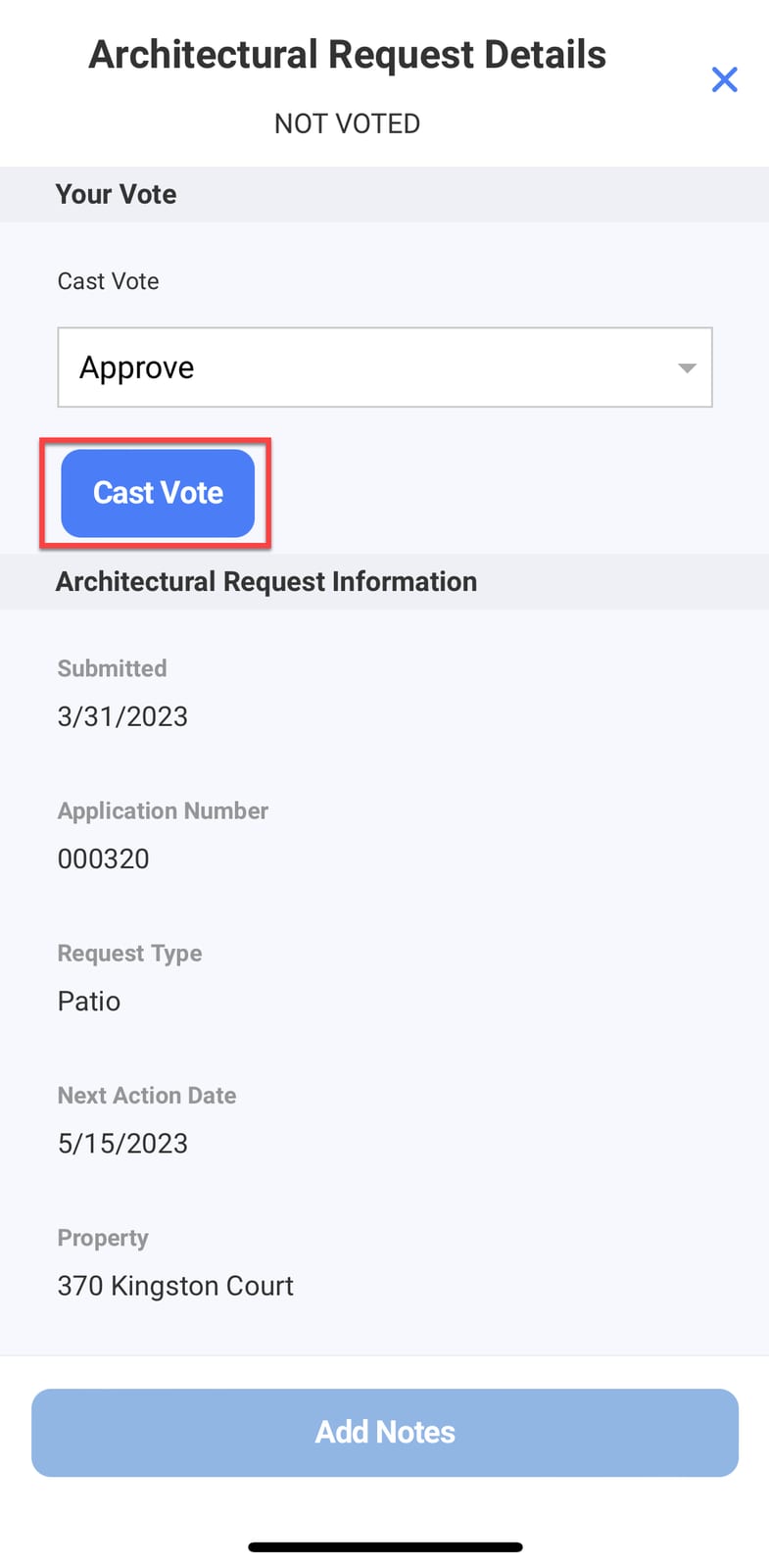
Finally click the 'Cast Vote' button.
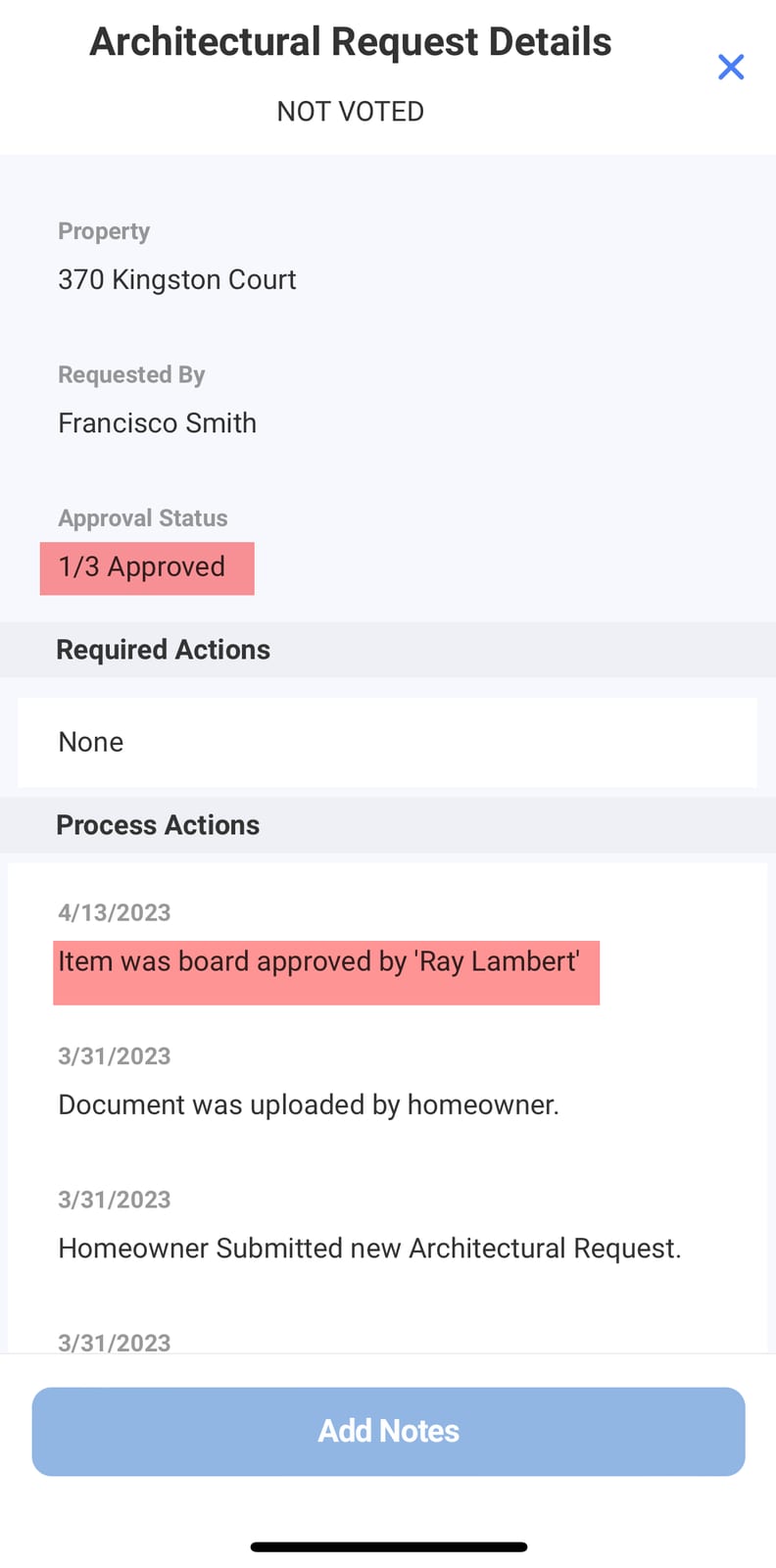
Once your voted has been submitted you will see the vote count change and an action will be record showing your vote.
To view a video walkthrough of this feature click here.
Once logged into the mobile app use the navigation menu to select 'Community Records' and then choose 'Architectural Requests'
From here you can view all requests for the community. You can use the filter drop down to show only certain requests.
Tap of the request you want to vote on. This will bring up the request details, associated actions, notes and documents.
Once you have reviewed the request, cast your vote by clicking the drop down, selecting 'Approve' or 'Reject' then click 'Ok'.
Finally click the 'Cast Vote' button.
Once your voted has been submitted you will see the vote count change and an action will be record showing your vote.
To view a video walkthrough of this feature click here.