
Admin - Director Permissions
We’re updating this article. Some screenshots or names may look older than what you see in the product.
The Board of Director permissions have been expanded to include most of the permissions afforded to Managers and Administrators.
- Director Permissions can only be set up by a Manager/Administrator.
- All Permissions default to being Off. Each separate feature must be activated.
- Availability - This enhancement will be activated and available to all customers. Each customer will need to activate the permissions for each community they manage.
- Newsletters - The ability to create Newsletter Templates, and create and email Newsletters.
- eForms – The ability to design and create eForms to be used for purposes such as requesting information from users.
- Community Events – The ability to create Community Events, post them to the Community Calendar, and post them to users’ Community Dashboard pages.
- Surveys – The ability to create and post Surveys for community resident input.
- Internal Documents – The ability to post internal-user facing documents to the Internal Documents pages and folders.
- External Documents – The ability to post external-facing documents to the External Documents pages and folders.
- Bulletins – The ability to create, send and post community Bulletins.
- Work Orders
- TOPS, Condo Manager and AIS Integration Work Orders:
- Directors can now view Work Orders for the entire community.
- The Director’s own work orders are still located under the My Reservations & Requests option.
- FSC Work Orders:
- Directors have access to both personal and resident WOs at all times, not impacted by director permissions.
- Directors can only submit WOs on their own behalf, cannot submit for other residents.
- TOPS, Condo Manager and AIS Integration Work Orders:
- Community Violations - Directors can now view CCR (Covenants, Conditions and Restrictions) Violations for the entire community which are managed through Accounting Integration with TOPS, Condo Manager and AIS.
- Architectural Requests - Directors can now view Architectural Change Requests (ACRs) for the entire community, which are managed through Accounting Integration with TOPS, Condo Manager and AIS.
- Resident Payments - Directors can now view Payment History for the entire community, which are managed through Accounting Integration with TOPS, Condo Manager and AIS.
- Directory - Gives Directors the same view of the Community Directory as Managers.
Setting Up Director Permissions
To turn this on, click the cog icon
 in the top right corner. Then select Communcation Settings > Director Permissions.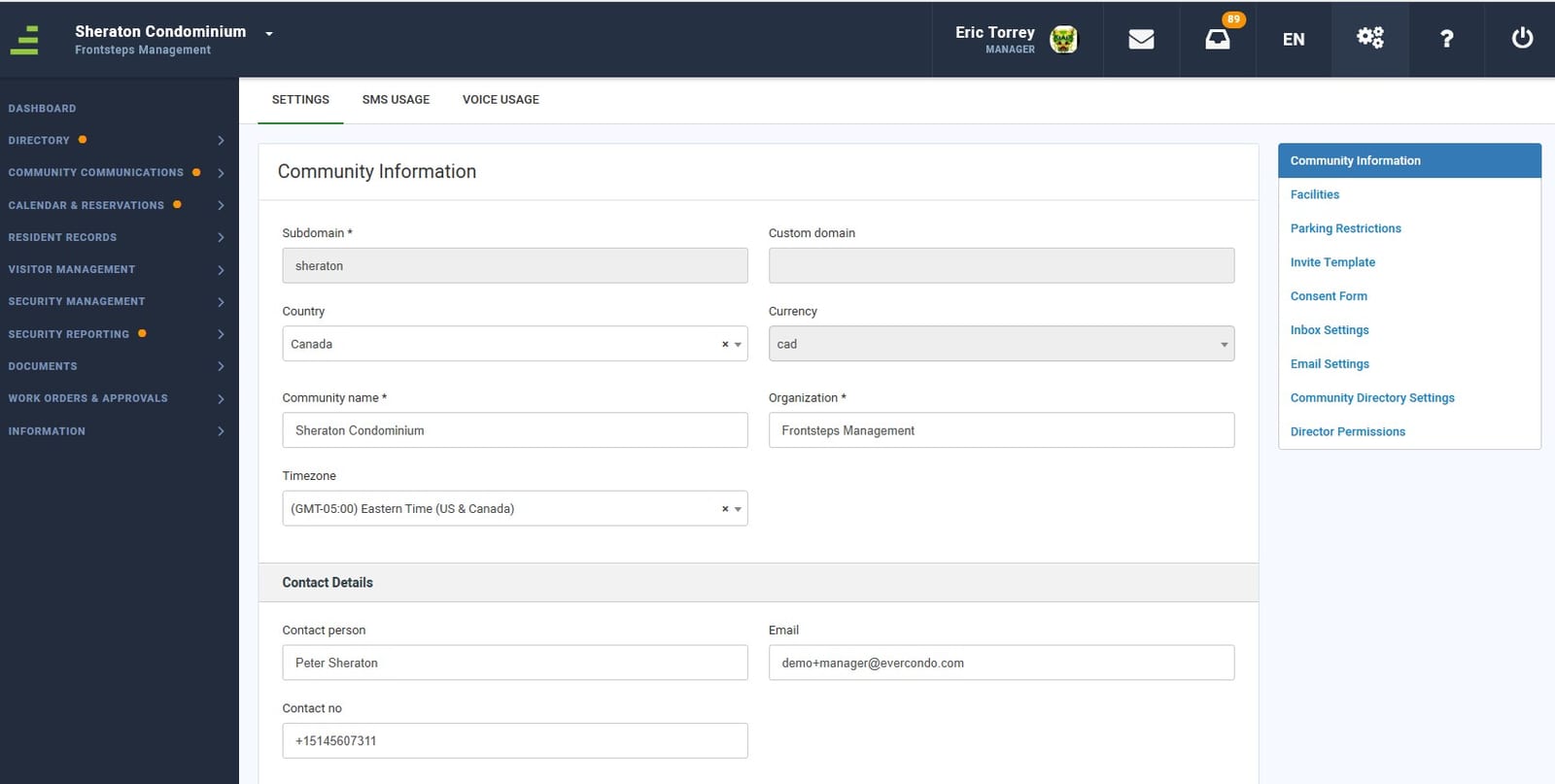
2. You will see the Director Permissions option.
Select Director Permissions.
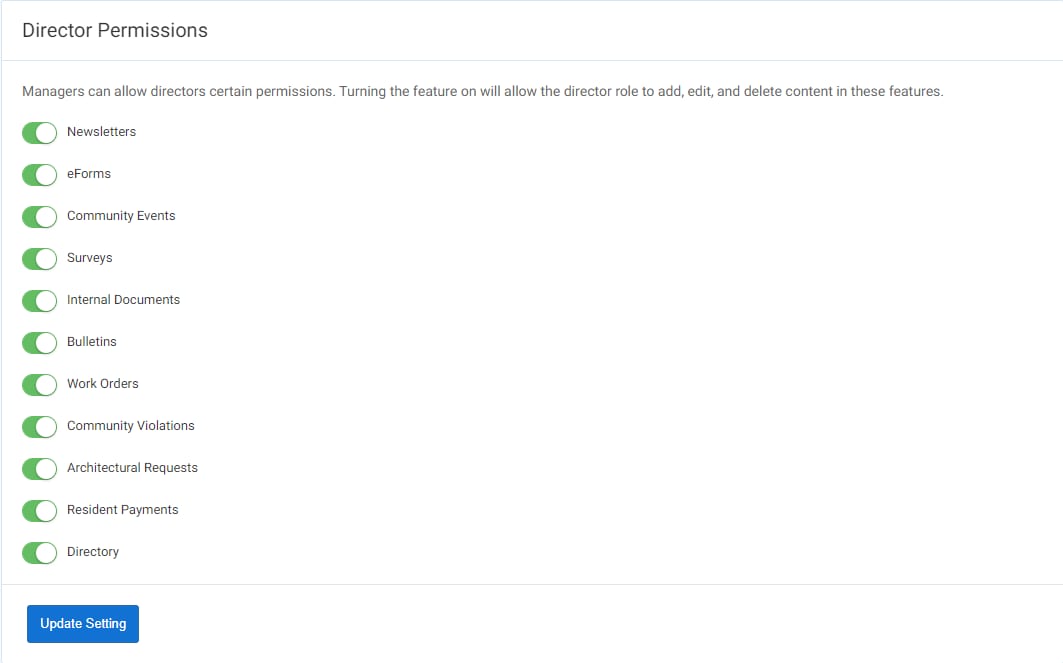
To enable a permission, slide the button to the right. To disable a permission, slide the button to the left. The color green indicates that the permission is enabled. Select Update Setting. You will receive a confirmation of the update in the upper right hand corner of the page.