
Manager - Creating a Community Discussion
The FRONTSTEPS Community Discussion feature is similar to a "chat" feature. Residents and managers can post discussions, and other residents can post comments to the discussion.
If the feature is enabled all users except concierge users will have access to Community Discussions.
Note: While Manager approval is not required for residents to post discussions, Managers can remove discussions from users' portals at any time.
From the Manager Dashboard, select Community Communications, then select Community Discussion.
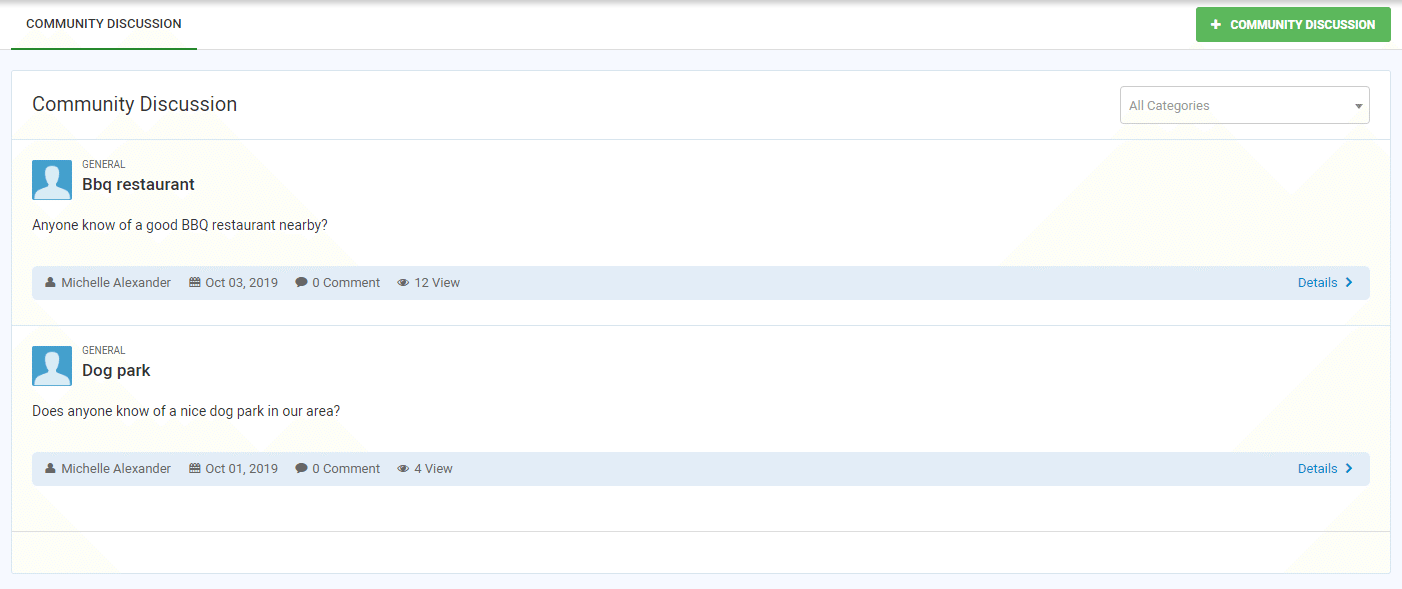 Select +COMMUNITY DISCUSSION
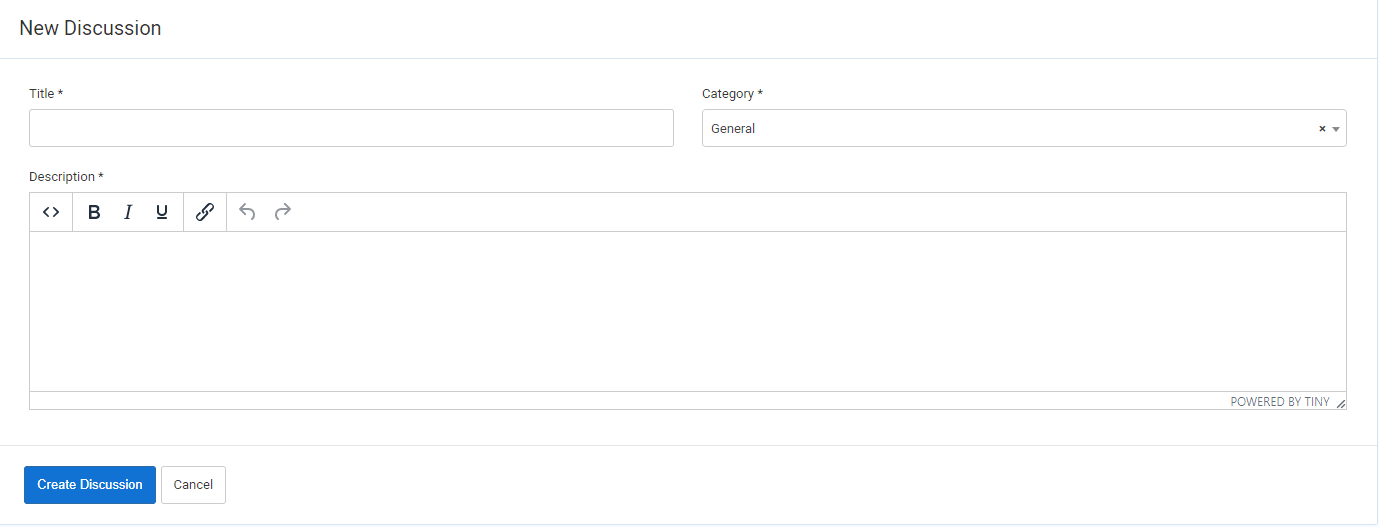 Complete the information and select Create Discussion.
The Discussion is automatically posted to users' dashboards and menus.
If the feature is enabled all users except concierge users will have access to Community Discussions.
Note: While Manager approval is not required for residents to post discussions, Managers can remove discussions from users' portals at any time.
From the Manager Dashboard, select Community Communications, then select Community Discussion.
Select +COMMUNITY DISCUSSIONComplete the information and select Create Discussion.The Discussion is automatically posted to users' dashboards and menus.