
Checklist for On-Site Scan Kiosk Installations
CHECKLIST FOR ON-SITE SCAN KIOSK INSTALLATIONS
-
The system name is needed by the Support Team (this is provided with the scan kiosk when shipped) for remote access.

-
Relay must be correctly wired to the gate.
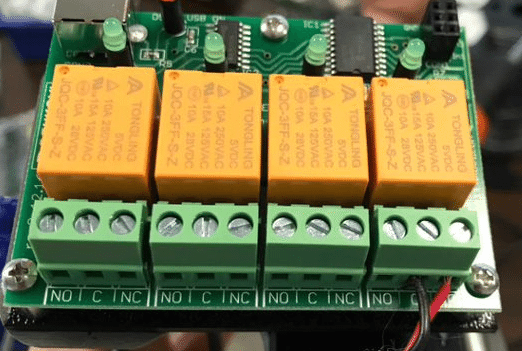
Figure 7 - Gate relay used by Visitor Stations and Scan kiosks.

-
Activation code provided with the system must be entered into the web portal on the Hardware page (a new kiosk needs to be added if no kiosk entry exists on that page)
-
A paper pass is needed to test the scanner and gate relay.

-
An ePass is needed to test the scanner and gate relay.
-
Network stability is important as the kiosk will not function well on slow networks (this includes internal traffic as well as upload/download speeds).

-
Power is important, stable power allows the device to work around the clock.
-
Ambient temperature is important, temperatures that exceed minimum/maximum temperatures will interfere with functionality (See User Environment Specifications for Zebra DS457)
-
Cellphone with the ability to call our support line (800-992-4384).