Manager - Changing a Resident's Unit Number
We’re updating this article. Some screenshots or names may look older than what you see in the product.

Changing a Resident’s Unit Number
A manager can edit a resident’s unit in the directory.
Steps
1. Select

2. Select the sub-menu

3. Use the search bar to locate the resident.
4. Select the View button next to the specified user.
5. Within the account basics section, you will see Addresses/Units.

6. Select the current unit number, or the empty space next to the current unit number to pull up the unit list.
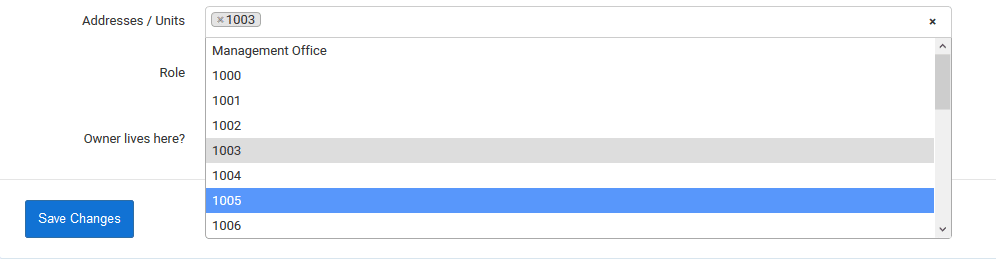
7. Select the new unit.
8. Delete the old unit by selecting the X to the left of the unit number.

9. Select