
Caliber Portal Username Recovery/Password Reset
We’re updating this article. Some screenshots or names may look older than what you see in the product.
Username Recovery/Password Reset:
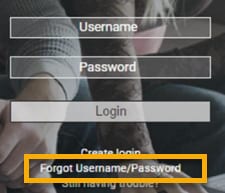
At the Portal login screen select Forgot Username/Password
You will be prompted with the Credentials Inquiry screen displaying 3 Username/Password recovery and reset choices.
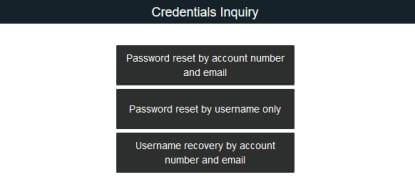
• Each of these will require you to provide specific information to proceed with recovery/reset.
• All three methods will send an email to the email address registered on file. Your Password Reset Emails will contain a link. The link will direct you to the Password Reset screen where you will create a new password. Once created and submitted. Portal will state New Password Confirmed and redirect you back to Portal Login Screen.
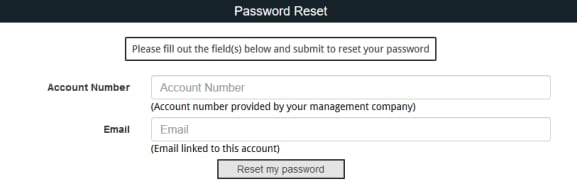
1. Password reset by Account Number and Email:
• Provide Account Number and Email
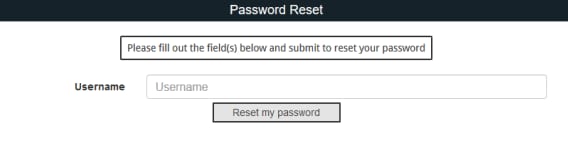
2. Password reset by Username only:
• Provide Username
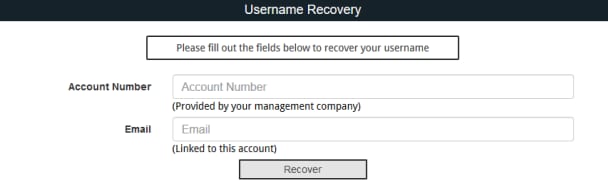
3. Username Recovery by account number and email:
• Provide Account Number and Email
• You will receive an email with your username.
At the Portal login screen select Forgot Username/Password
You will be prompted with the Credentials Inquiry screen displaying 3 Username/Password recovery and reset choices.
• Each of these will require you to provide specific information to proceed with recovery/reset.
• All three methods will send an email to the email address registered on file. Your Password Reset Emails will contain a link. The link will direct you to the Password Reset screen where you will create a new password. Once created and submitted. Portal will state New Password Confirmed and redirect you back to Portal Login Screen.
1. Password reset by Account Number and Email:
• Provide Account Number and Email
2. Password reset by Username only:
• Provide Username
3. Username Recovery by account number and email:
• Provide Account Number and Email
• You will receive an email with your username.