Automated Dispute Handling Process for FSPAY 3.0
We’re updating this article. Some screenshots or names may look older than what you see in the product.
Automated Dispute Handling Process for FSPAY 3.0
Overview:
After a Payment is being made, the homeowners raise disputes in few cases due to the following reasons:- Debit not Authorized.
- Credit not Processed.
- Duplicate.
- Fraudulent.
- Subscription Cancelled.
Process:
- When a payment is disputed:
- All payment disputes should have transfer reversal initiated.
- The amount for the transfer reversal should be Amount received Minus application fee amount.
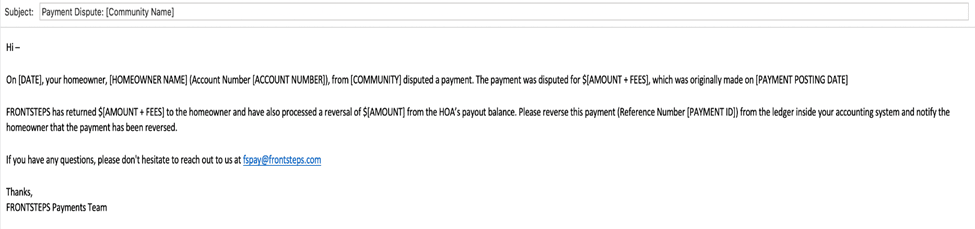
- Send an email (email format below) to a specified email address in the Payment Dispute contact.
- The email address will be specified in FSPay Admin for the Management Company.
- If there is no Payment Dispute contact listed, then send email to the Support Contact.
- The email address will be specified in FSPay Admin for the Management Company.
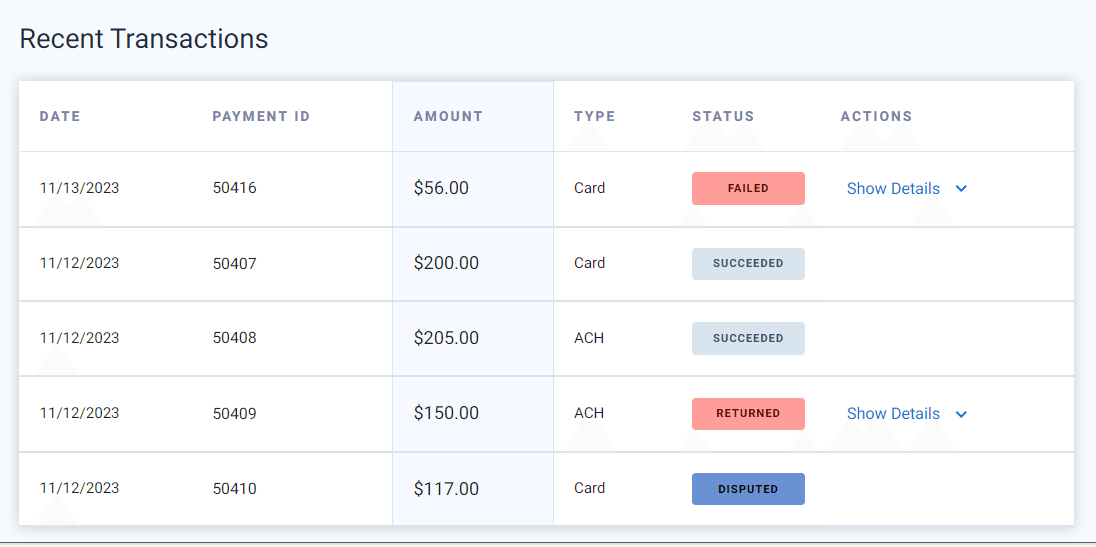
4. In FSPay Dashboard the status of the disputed transaction will display disputed in the Payments Tab.

In the Homeowners tab, Recent Transactions will also show a Disputed Transaction.
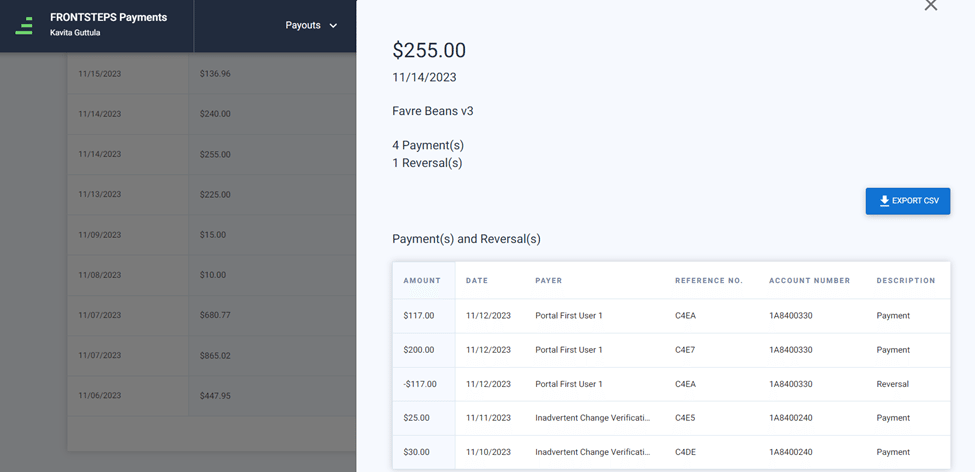
The Payouts tab will show the reversal with a negative amount.